Podcast | Growing Your Team From 30 To 100 People – Kevin and Laure of Livestorm
Author:
Gary
PUBLISHED ON:
April 21, 2021
June 26, 2023
PUBLISHED IN:
Podcast
If you’ve had to onboard remotely or shift your culture with everyone working from home, you’ll know the challenges. Now imagine you’re doing all of that while growing your team from 30 to 100 people? That’s the journey Kevin Valencia (Head of People) and Laure Saintpierre (Employee Experience/Happiness Officer) of Livestorm have been on over the past year.
If you’re asking yourself questions like this then it’s absolutely the episode for you!
How can you tweak your culture so that remote employees can work flexibly, effectively and still disconnect?
What would your approach be to finding the right people fast and onboarding them at scale?
And how would you manage time zones, learning and all your remote socials?
Laure also told us about her role as Happiness Officer and what that means for their employees, Kevin discussed how you can create an employer brand that stands out and we spoke about a whole lot more.
Watch the episode
Listen to the episode
Running order
0:00 > Introduction 1:51 > Growing from a team of 30 to 100 in a year. 3:00 > How to recruit good people fast. 4:20 > How Livestorm define their culture and hire people who fit it. 6:50 > Creating awareness of and tackling unconscious bias. 8:18 > What onboarding looks like when you’re growing at speed. 12:12 > What did and didn’t work in terms of remote onboarding. 13:57 > How do you work across time zones and adjust to being remote? 17:04 > What challenges have you faced moving to asynchronous learning? 20:55 > Benefits of asynchronous learning. 24:45 > What does a Happiness Officer do? 29:04 > Can you still build a culture remotely? 33:35 > How did you come up with your values? 36:48 > How did you create an employer brand that stands out? 41:12 > Quickfire questions.
Episode summary: six key takeaways you should know
Growing from a team of 30 to a team of 100 in a year: where do you start?
Livestorm started with the business needs and the tech features the company required, sitting with leaders and managers to ask them what they would need to be successful in their teams and projects.
They also had to ensure people a cultural fit and, for the time being, that means their CEO has a quick five or 10 minute call with every hire. Understandably, that will have to stop at some point, but they’re training other experienced people in the company to understand what they want or need. Part of that is training hiring managers to be good recruiters, to know what questions to ask and to be unbiased in certain areas.
Defining culture and hiring for it
As a fast-paced company, they look for people who love a challenge, who can keep it simple are who aren’t afraid to share feedback. While experience in the tech world is a bonus, it’s the vibe that’s most important.
Kevin described it perfectly when he said they’re not trying to hire clones, otherwise, it would be boring. That often means hiring for the future, when they can see that someone might not have the qualification or skill right now, they might have other qualities that will help them be successful in the long term.
How to onboard people fast and manage the process at scale
One big change for Livestorm is that they’re no longer just recruiting people in reach of Paris. So, they need an approach that gives all new hires the same experience, wherever they’re based. Something that has been helped by their move to an asynchronous approach, where their manager records videos to watch on-demand and eliminate any time zone worries.
They also ensure there’s dedicated time to meet with each other and lots of Q&As, preventing employees from feeling isolated or like they’re missing out. And to ensure nothing important gets missed from the process, they’ve created welcome pages with all the steps an onboarder needs to follow.
Managing remote working and the company culture
Something that’s important to Kevin and Laure has been to ensure people know that it’s okay not to be connected 24/7. When people are working across timezones, they shouldn’t feel guilty about not replying to messages or emails right away and it’s important that they understand the importance of disconnecting from work.
Flexibility is part of that, especially now they’re working around the globe. They’re more open to when people are working and understand it’s not just about the nine to five approach. If their people have to do something personal during that time it’s ok, what matters is whether you’re progressing or finishing the projects they’re working on.
Laure also spoke about the importance of taking inspiration from a wide range of places, especially when it comes to things like remote socials. She recommended trying an idea, seeing if it fits your company’s culture and refining it over time – if you don’t try, then you’ll never know. For example, they started a live coffee room where if someone joins then everyone else gets a notification and can pop in as well as board game sessions every Wednesday afternoon.
What does a Happiness Officer do?
Providing your employee with a great experience at work is important, but it’s deeper than that, you have to provide a great environment, the right equipment and listen to their needs/feedback. Having the right onboarding process, activities and moments to be together (virtually or in-person) is a big part of that too. It’s essential that your employees feel well at work and a Happiness Officer takes care of the ways that can happen.
Listening to people is a big part of understanding whether the actions they’re taking are working, so they run surveys, anonymous feedback on what people do and don’t like, monthly talking times around what they should add or change and have coffee so they can speak to people personally. All of those moments guide them on where their focus should be!
How did you create an employer brand that stands out?
It sounds simple, but often are you checking Glassdoor and similar sites to monitor the public perception of your company? That’s a great place to start, as is ensuring your LinkedIn profiles are updated, making the values are clear and ensuring people feel comfortable to apply.
You have to be on Glassdoor and great place to work, LinkedIn’s updated etc. Comfortable to apply, know the values etc.
[00:00:00] Nelson Sivalingam: [00:00:00] Work is changing. The question is, are you welcome to 99 Problems But Work Ain’t One, the new podcast series from HowNow that will help you prepare for the fast changing world of work. I’m your host Nelson Sivalingam, and I’ll be talking to disruptive startups, contrarian thinkers, global leaders, and real game changes and asking them the burning questions about the challenges we face at work from scaling cultures and adopting technology.
[00:00:28] To improving wellbeing and building fast learning organisations that are prepared for the future of work. We get the insights, tactics, and actionable nuggets of knowledge to put, to work. What happens when your company grows from 30 people to more than hundred within a year, a year, like no other in living memory?
[00:00:49] Well, Kevin Valencia, the Head of People and Laure Saintpierre, the Employee Experience Coordinator, or otherwise known as the Happiness Officer of Livestorm join me to answer [00:01:00] that exact question from finding the right talent fast and onboarding them remotely to building a remote culture where people feel both connected.
[00:01:08] And able to disconnect. It was great to hear about their challenges, learnings, and winning tactics that you can apply in your organisation today. So here it is,my fascinating conversation with Kevin and Laure. Welcome to the show. Thanks for coming on.
[00:01:26] Kevin Valencia: [00:01:26] Thank you. Thank you.
[00:01:30] Nelson Sivalingam: [00:01:30] I want to dive straight in because firstly, congratulations.
[00:01:33] It sounds like, and in a very, very tough year, you’ve managed to do incredibly well. We talk about at it HowNow and we call it survivor guilt. It’s where times are tough but you’ve managed to pull out and do really well. And so congratulations, you went from. A team of 30 to a team of a hundred.
[00:01:56] Maybe you’ve added a few more since we had this. [00:02:00] But that’s incredible. So I want to start with. Where do you start? Right? Where do you start when you’re going from 30 to a hundred? Um, how do you approach that? How do you hire so quickly? Just take me to the starting point. How do you go from 30 to a hundred?
[00:02:18] Kevin Valencia: [00:02:18] Yeah. First of all, it’s not easy to scale that quickly. Uh, you need to make sure that you have the right tools in place that you have the right person, in which team, et cetera, et cetera. So. Basically, we just start with the business needs and what new tech features the company needs, uh, what kind of new territories sales need.
[00:02:38] So what we do in the HR team, we just sit down with all of the head of and managers and ask them, what do you need to be successful in your projects, in your goals for the next year? So it’s just a mix of, um, planning and talent calibration. Uh, basically based on our tech assessment.
[00:03:00] [00:03:00] Nelson Sivalingam: [00:03:00] And you guys did this all within, less than a year.
[00:03:04] And so, you know, once you’ve had that conversation, just hiring good people is hard enough, but hiring good people fast is, is really a monumental challenge. So how do you tackle that?
[00:03:16] Kevin Valencia: [00:03:16] Well, we have to bring new recruiters to the mix. Uh, what we do, what’s something that’s super important for us.
[00:03:25] It’s a cultural fit. So when we recruit new candidates and we make sure that our CEO kind of checks in with them, uh, at the end of the recruitment process, just like a five, 10 minute call, just to make sure that we are on point with the cultural fit.
[00:03:42] Nelson Sivalingam: [00:03:42] And your CEO would speak to every single person you hire.
[00:03:45] And how long do you think that would go for? You know, what number do you think that stops?
[00:03:51] Kevin Valencia: [00:03:51] We’ve been trying to do it so far, but I think we would have to stop at some point because I mean, When you have like 100 [00:04:00] candidates per quarter. Uh, I mean, it takes a lot for that phone call with them.
[00:04:05] So I think we’re going to have to stop, but the more we have senior people in the company, the more we are okay with them checking the cultural fit. So it’s just like training people internally to make sure that they know what we need and they know what we want.
[00:04:20] Nelson Sivalingam: [00:04:20] That I find is such a hard part, right?
[00:04:22] Like a culture fit is sometimes it’s hard to put your finger on it. And, and often companies try to kind of codify it. Right. So in the same way you said other managers also know what they’re looking for and
[00:04:35] Nelson Sivalingam: [00:04:35] what does that process look like? How have you guys managed to kind of codify this culture and what have you learned in that process?
[00:04:43] Kevin Valencia: [00:04:43] Well, uh, you cannot be 100% right, that’s for sure. Sometimes you have to be okay to make some mistakes in the recruitment process and that’s okay. Uh, we tend to tell our people, okay, you can make mistakes. That’s fine. As long as you learn from them. Um, so what we do, we just train our hiring [00:05:00] managers to just be good recruiters because it’s a real job to be a good recruiter.
[00:05:04] And if you have a good tech manager to hire for his team. Maybe it’s going to be the first time that they will have to hire for other teams. So we just put them through, um, training on how to ask questions and how to not be biased by some stuff. So it’s a long process at the beginning. So we are sure that the recruiting process is smooth and we can find the right candidates for the position.
[00:05:30] Nelson Sivalingam: [00:05:30] And so Kevin, how would you define the culture, when you say culture fit? Give me a few points to say, Hey, this is what we’re looking for. And if someone shows us this, then, then they’re a good cultural fit.
[00:05:43] Kevin Valencia: [00:05:43] Well, we need some people that just love to work. Um, In a very fast paced company. Of course, uh, we are on a scale-up stage, so we need to work fast, but also people that love challenges, uh, people who kind of keep it [00:06:00] simple.
[00:06:00] Um, that’s also very important to us, someone who is not afraid to share feedback, we are trying to be as open as possible and as transparent as a company. Uh, so it’s, it’s a mix of everything. Ideally, that person has some experience in the tech world. That’s amazing. Uh, But it’s not what we are looking for.
[00:06:18] Exactly. It’s really like a vibe that we are getting from the candidates.
[00:06:23] Nelson Sivalingam: [00:06:23] Yeah. And often at this size, when you’re trying to find that culture fit. And we have this, we talk about this challenge internally. You know, I almost find we’ve got our longest member of our team who is a great representation of our culture.
[00:06:39] And I always think if I got that person to speak to them and they came back to me and said they’re a culture fit it’s probably a good indication, but there are inherent problems with that approach. Right. Which is. The big one we’re looking at is kind of unconscious bias is just attracting people who, or only hiring people who are similar to us.
[00:06:59] How do you get [00:07:00] around the kind of unconscious bias? Um, and also sometimes at this kind of scale-up phase, you might have a management team who are managers for the first time, right. So they’re probably hiring for the first time. So how do you also make sure they are trained to be aware of unconscious bias? How do you tackle that?
[00:07:18] Kevin Valencia: [00:07:18] That’s that’s a very good question. Uh, what we do, we talk to our hiring manager on a daily basis on any kind of challenges they can have, uh, I try to push my teams to go outside and talk to the hiring managers and the managers overall, just to explain to them that we are not trying to hire clones, otherwise it’s going to be boring.
[00:07:39] We are on the ScaleUp situation. So we need to hire fast, but sometimes you also have to hire for the future. So if you don’t have the perfect candidate that you think will be like super autonomous at the beginning, that’s fine. Try to think for the future. Maybe that person doesn’t have like the right.
[00:07:57] I dunno, diploma from this specific school [00:08:00] or never worked on that specific project, but that’s fine. Maybe that candidate has other beautiful qualities that can be super successful for us in the long term. So sometimes you have to bet on this type of candidates. And that’s something that I’m trying to tell our team to share to our managers.
[00:08:17] Right. And I guess that
[00:08:19] Nelson Sivalingam: [00:08:19] recruitment is just to start, right? Once you’ve hired your you’re onboarding this many people.
[00:08:26] Nelson Sivalingam: [00:08:26] And so, what did onboarding look like? I imagine at 30, um, there was probably no kind of workflows and processes. It’s probably quite hacky in terms of the way you’re doing onboarding, but you can’t, I’m assuming do the same when you’re growing to a hundred and beyond.
[00:08:42] So what does that onboarding process look like?
[00:08:45] Kevin Valencia: [00:08:45] Well, uh, it’s been a big, big project project for Laure and I for the past six months since I’ve joined. So basically, uh, we have been, uh, redesigning the onboarding process. Uh, we couldn’t keep the same format, of [00:09:00] course. Um, we had, when we had only people based.
[00:09:04] Close to Paris or in France, we could just travel to the office and have the face-to-face onboarding. So we decided to shift out of our process and basically say, okay, we want all of our employees, whether you are based in France, based in the U S based in, I don’t know, Mexico to have the same experience as a new hire.
[00:09:24] So we are trying to work with an asynchronous type of thing. Uh, so we ask our, um, manager that has been doing the onboarding to record videos. And so people can watch them when they want, we don’t have to be worried about times and et cetera, et cetera. And then we also have time dedicated
[00:09:50] for the new hires so they can meet with each other. They can ask questions. We have a lot of Q&A sessions planned. But it’s tough. Uh, we had to [00:10:00] change everything. We didn’t want to be too like, um, European centric. Uh, we didn’t want for our other employees. To feel like they are missing out because they are like nine hours ahead of us or nine hours behind us in terms of timezone.
[00:10:14] So we changed everything. Um, so yeah, and we are launching our new onboarding, uh, in a couple of weeks. So hopefully it’s going to be a success. But I think, I mean, from the feedback that we received from our current employees, it was time that we change.
[00:10:29] Nelson Sivalingam: [00:10:29] Right. And that sounds like a lot of change, right. And Laure,
[00:10:31] Maybe you can tell me a bit more about this. To go from a team that’s all from a certain radius of, of the office to now you’re, you’re kind of hiring across time zones. How do you make sure when they’re onboarding, they still feel a part of, of the team, right? That they, that they are still getting the experience that you would get.
[00:10:55] If I walked into the office on the first day and I met my team, I’d go for a coffee. [00:11:00] Right? How do you recreate that?
[00:11:04] Laure Saintpierre: [00:11:04] We try to do it as much as we can with the teams and we have lots of small activities and everything. Um, also what we did, uh, from the beginning is that at, uh, for every new Stormy (Stormies are the people working in Livestorm), um, We meet every new person, joining the company at the end of his or her first month, just to be sure that everything is going on, that there is no adjustments needed.
[00:11:38] Um, also to get feedback about the first month and to get their ideas, a lot of people are coming with ideas of what they did before other companies and they bring it to Livestorm. And this is how we also evolved, [00:12:00] uh, the onboarding process. So for example, we added a live training of the Lifestorm product, for the new Stormies, which was something that was an idea brought by, uh, people during that meeting.
[00:12:14] Nelson Sivalingam: [00:12:14] Right. And so I guess, you know, you’ve onboarded 70 new people in a short period of time. I imagine you’ve tried and tested different things, some things at work, some things haven’t worked. So kind of looking back on that experience now, what are the things you think have worked and you would recommend to someone else, if they’re looking at kind of remote onboarding and what are the things that didn’t work for you and why didn’t they work for you?
[00:12:42] Laure Saintpierre: [00:12:42] One thing that is really important, that we have to say is that people need to have all the equipment for their first day. So we have to send it. And this is something that, uh, new, uh, people joining are sometimes surprised [00:13:00] that this is something that is really important and one thing we didn’t really have, uh, at the beginning, that we created, because it was something they needed is that we created a welcome page with all the steps, the new onboarder has to follow.
[00:13:19] Um, it was, it was really something missing at the beginning because we were used to having people at the office, uh, meeting people for real. When you start, uh, remotely, it’s not always easy to know what to do at, at, uh, on your first day to know, uh, will you have to meet to know what, what will be your schedule?
[00:13:44] So this is something we created. Uh, we created the onboarding page with all the steps people have to follow. So they arrive and they know what they have to do, and know the organisation of their first week and everything.
[00:14:00] Nelson Sivalingam: [00:14:00] And how do you manage with the time zones? Right. If there’s no restriction and you could be across different time zones, how do you make sure, you know, I get, you’re saying you’re moving towards more kind of asynchronous way of working, but a lot of the time that they’re kind of, I guess the socializing happens synchronously.
[00:14:15] Right. And so how do you line that up? How do you make that happen?
[00:14:16] Kevin Valencia: [00:14:16] Well, we try to make sure that all of our employees have the same experience. So if we have to record a video, it will be for everyone it is. It’s not just for people outside of France. Um, but what we do and what Laure is great at is just creating new ways to find new inspirations.
[00:14:37] I don’t know how she does it, but she’s very creative in the way of like making people come together. Um, and they feel connected. So we have coffee time. We have, um, the buddy program. So basically when you are a new hire, You will have a, uh, someone that has been in the company for quite some time.
[00:14:55] And that person will be your point of contact for any questions, [00:15:00] not questions that should be for your managers or HR, but like the question that sometimes you feel like you cannot ask because you’re the new guy in the company and you feel like maybe it’s going to be like a stupid question. So we have that buddy program and it works really well.
[00:15:14] Uh, so it’s also a way for people to bond together, especially the buddies, not from the same team. And we try to ask our managers, please get from someone from another team. So if you’re in tech, you will have someone in sales. If you are in sales, we can have someone from HR, et cetera, et cetera. So it’s a way for all of us to create a connection between teams, even though we are not seated together in the same office.
[00:15:37] Nelson Sivalingam: [00:15:37] And, and the people who were there originally, the kind of original 30, right. Um, how were they feeling? Because obviously you’ve shifted from, they were used to the office life and a certain way of working. Um, and now you’re, um, moving towards an asynchronous remote kind of, uh, workforce. How have they found it?
[00:15:59] And, and, [00:16:00] you know, when they, because they’ve got something to compare against, right. What’s the kind of feedback you’ve been getting from, from that group of people.
[00:16:09] Laure Saintpierre: [00:16:09] It’s not something that is totally new for Livestorm, because even, um, before, uh, the first live down on the COVID crisis, we had people who are working remotely.
[00:16:23] Uh full-time. So we were used to this organisation. We had, um, a third of the company working remotely. So we had the tools and we were used to communicating this way and we were used to, um, remote moments together. So this is not something that was not something totally new and that we discovered with the crisis of, yeah, we grew a lot, but our organisation.
[00:16:58] Didn’t change [00:17:00] that much.
[00:17:03] Nelson Sivalingam: [00:17:03] That makes sense. And just to kind of dive into the kind of asynchronous working, right. Because this is right now, a lot of people are thinking about it, there’s a lot of debate and a lot of, kind of commentary around this idea of going back to the office, carrying on a remote hybrid workforce.
[00:17:22] And, and I often find. It’s less about where you’re working and more about how you’re working and a big part of that is are you working synchronously or asynchronously? And if you’re working synchronously, then do you work through, you know, virtual channels like this? Or do you go into an office? And so. A lot of organisations weren’t really prepared for asynchronous working.
[00:17:46] So talk to me a bit about what are the challenges you faced by shifting to asynchronous work and what are the benefits you found as a result of shifting to asynchronous working?
[00:17:58] Kevin Valencia: [00:17:58] That’s that’s a very good question. Uh, I think the main challenge is to, um, Let people know that it’s okay to not be connected 24-7, because that’s the risk when you have people from all over the world on different timezones.
[00:18:13] And we say that you can work all day long because it never stops. You would see people like online on Slack. So you have to train your people that they do their working hours and that’s fine. If they received a message on Slack or an email, that’s fine. The email or the message can wait for the following day.
[00:18:30] So it’s just to make sure that people didn’t feel like that guilt of not answering right away. So we are trying to make sure that it’s clear and we want people to kind of disconnect from, from work, especially working from home. Um, it’s really hard sometimes just to divide your personal life and your working life.
[00:18:50] So we are pushing a message on, on Slack and during meetings, please disconnect. Wait until tomorrow, if you need to reply to [00:19:00] someone, but. Looking now we do have great tools. We have Slack, we have Notion. Um, a lot of things, even, even Laure created some different times so people can jump in if they want to work together on a project.
[00:19:15] But if it’s not working, they can work on another time, then it’s no stress. So it’s just being okay with the fact that not everyone can work together at the same time. You have to be okay with the idea.
[00:19:30] Nelson Sivalingam: [00:19:30] And Kevin, do you still have like core working hours for everyone or is it quite flexible in that, in the sense that just get the work done when you do it is up to you, how do you manage that?
[00:19:42] Kevin Valencia: [00:19:42]
[00:19:43] Yeah, we are trying to switch that situation actually. Uh, because in the past, uh, Livestorm was really proud and saying: Okay. Uh, we are only doing 34-35 hours per week. That’s, that’s the, that’s the legal amount of working hours, uh, in France, uh, which is really hard to do [00:20:00] because 35 hours is not that much, especially in our tech world.
[00:20:03] Um, but yes we have now that we are everywhere in the world, we have to be more flexible, meaning that. You don’t have to be connected from nine to five. Uh, if you have to do something personal during that time, that’s okay. As long as you finish working on your project. So we actually know also to be more flexible on that, but we will try also to not get people to.
[00:20:28] Work too many hours as well, because I don’t think it’s, it’s great that people work too many hours. Uh, I think it’s actually the opposite of what you’re trying to access. Uh, you need to make sure that your people work just enough time and they’re all doing great on their projects. So it’s a fine balance between being flexible, but also making sure that people don’t like to overdo stuff.
[00:20:55] Nelson Sivalingam: [00:20:55] Just kind of going back to the asynchronous thing. What, what are the benefits right now? Like what, why do you [00:21:00] think if someone else’s is kind of out there listening to this thinking, do we go down this asynchronous route? Um, what are the benefits? What would you say?
[00:21:10] Kevin Valencia: [00:21:10] I mean, I would say, just look at your unexperience when you were on lockdown and you have to take care of your kids and probably your partner was also working from home.
[00:21:19] Maybe you need time in the day just to log off and go for, I dunno, like for a walk outside of your home or be in your garden and not work, maybe from 10 to 11, you need your own time for mental health. So I think that’s that, I mean, COVID forces us to change the way we’re working now. Uh, and that’s okay to disconnect during working hours.
[00:21:41] Um, I mean, if you have to do it, just do it and then you can log back in and carry on your duties. But yes, I think that’s something also that that was kind of. The silver lining of COVID is if you have to learn to let go from work during, during the working hours, that’s [00:22:00] fine. Do it. What is super important is your mental health.
[00:22:03] So you can be super successful in a role. You have to also be in a great peace of mind. So, yeah, uh, something else also, um, that, that was great. Being asynchronous is that we were able to hire people that we wouldn’t normally be hiring basically because they were located, I dunno, somewhere else in another country with another culture.
[00:22:23] So we were able to bring different culture and different, different visions to our teams, which is, which is amazing.
[00:22:31] Nelson Sivalingam: [00:22:31] Yeah. That’s a great way of looking at it. Right. And I get the idea that remote working is actually quite conducive for building a diverse and inclusive team, because you are now opening up the pool of people beyond just your local area.
[00:22:44] Right. And, and yeah, that’s, that’s an incredible way of looking at it.
[00:22:46] Kevin Valencia: [00:22:46] Yeah, we are a small country. So I mean, schools are, I mean, tech schools are basically all the same, business schools are all the same, so we don’t want to have clones in our company. And if you want to be like, and we are trying [00:23:00] to penetrate the market.
[00:23:01] So you have to also bring in cultures that understand this market. So it’s also very important to be open, to hire people from other backgrounds.
[00:23:09] Nelson Sivalingam: [00:23:09] It probably requires a change of management style and approach. Right? Because I was speaking to a friend of mine recently who used to work in a consultancy and he was telling me about a work culture where if the partner was in the open floor office, you would stay in the office until the partner left.
[00:23:28] Right. Even if you didn’t have any work to do, you’d stick around because you wanted the partner to know you’re working long hours. Right. And it was just kind of old world of. You were working hard if you’re there for long hours and it wasn’t necessary as much as we spoke about deliverables and outcomes, because they didn’t necessarily have a framework for effectively measuring those outcomes.
[00:23:49] Actually, the outcome they’re looking at was, was hours. Right? And so this is quite a change in approach for, for managers. How do you equip your managers [00:24:00] for, from essentially leading and managing remote teams?
[00:24:05] Kevin Valencia: [00:24:05] What I say to them is, okay, you don’t have to work long, you just have to work smart. So if you do something in two hours instead of four, amazing, then you can focus on something else or you can log off and enjoy the rest of your day.
[00:24:16] So you’re happy at work. And that also, helps retain people. If they feel like they have a great work-life balance, they will stay with us. I think. Yeah. So yeah, just making sure that people understand that as long as the projects are done, that’s, that’s fine. I mean, being connected, uh, 10, 11, 12 hours on Slack.
[00:24:37] I mean, it doesn’t mean anything. It can be like watching TV, but still have your Slack on. So I mean, working long hours doesn’t mean anything in my opinion.
[00:24:49] Nelson Sivalingam: [00:24:49] Yeah. And, and Luare, I’ve got to say, you’ve got probably one of the coolest job titles I’ve come across in, in a very long time. And this is not the first time you’ve had this title anyway, but the kind of general gist is [00:25:00] you’re, you’re the Happiness Officer.
[00:25:01] Right. Everyone wants to be happy. And, and so surely every company should have a Laure in their company. Right. Um, so to give us an idea of what does that mean? What do you do?
[00:25:15] Laure Saintpierre: [00:25:15] um, Some, sometimes people understand the happiness position, like something really funny, which it could be that I think it’s really more than that.
[00:25:29] It’s really that. Providing your employee a great experience at work is really important and it’s not, it goes with activities and events and everything, but it’s deeper than that. You have to provide them the great environment you have to give them the right equipment. You have to listen to the needs.
[00:25:51] You have to get that feedback. You have to give them the right onboarding process and you have to give them [00:26:00] activities and events and moments to be together. But I think this is, this is something essential. It’s a key that your employee feels well in your company. It goes with a lot of things. And not only just the funny part, it goes with a lot of things.
[00:26:21] Like, for example, uh, we developed a partnership for them with mental health everything, and there are lots of projects – as many projects are there companies, so you also have to listen for your employees’ needs. It will be different from a company to another one.
[00:26:47] Nelson Sivalingam: [00:26:47] It sounds amazing. And I completely agree. Right. I can see the need for why every company would need to invest in this, but it seems like such a big job, right. Because, um, it’s like [00:27:00] you said, there’s so many facets to what keeps someone happy at work. Um, and so how do you know what to focus on and when to focus on it?
[00:27:10] Right. So how do you try to understand, again, these are the problems I need to address, then how do you prioritise those problems then? How do you figure out what projects to put your time into? What’s the process there?
[00:27:23] Laure Saintpierre: [00:27:23] Mostly, I would say that we listen to the people. Uh, there are lots of different times that could help us on that.
[00:27:33] We are doing, uh, surveys to get feedback, anonymous feedbacks from people to, uh, know what they like and dislike in the company. So to know what we have to change, we have, um, monthly talking times to, to discuss about our organisation and what we should change or add, uh, what we shouldn’t change at all.
[00:27:58] So, and we [00:28:00] also, I’m trying to have coffee with people to get that feedback and, um, just discuss things, it’s helped us to check the pulse of the company like Kevin likes to say, and thanks to all of those moments. We can know what to focus on because this is what our people need us to focus on.
[00:28:26] Nelson Sivalingam: [00:28:26] How do you know if it’s working?
[00:28:29] Laure Saintpierre: [00:28:29] Also we are asking for feedback. Um, so this is really, I think, a huge strength of Livestorm is that we listen to people and we listened to their needs and we are listening to their feedback on what we did for their needs. So I think it’s the only way to know if you do something, the only way to know if it’s work is.
[00:28:55] Well, something, you can see it, for example, for an event, you can see people are coming on that, [00:29:00] but for others, the only ways to ask them if they like it or not.
[00:29:05] Nelson Sivalingam: [00:29:05] Yeah. And I feel like, you know, one of the challenges a lot of people have been talking about kind of working remotely is this idea of, is it possible to still build a culture that where you want to work remotely.
[00:29:17] Right. And I think it’s been challenging. And one of the aspects of it is. Kind of socials and team activities. And yet how many quizzes can you possibly do on zoom? Um, I’m sure everyone’s general knowledge is, is really get off the 12 months of quizzes.
[00:29:35] Nelson Sivalingam: [00:29:35] That must be challenging in itself.
[00:29:36] Right? So how do you bring a bit of variety? How do you make sure people are getting that social time and alone time? Um, especially remotely, give us some ideas for someone who’s listening now. What are some of the things you do?
[00:29:50] Laure Saintpierre: [00:29:50] It’s really difficult. Uh, you have to challenge yourself. You have to look for ideas.
[00:29:57] You have to discuss with other people from other [00:30:00] companies also, too, to get ideas. Yeah. And mostly you have to try it. If you find an idea, you have to try if it works for your team or not. For example, we did the coffee breaks and we adjusted our organisation about that because it was a little bit difficult to manage and we decided to create a Livestorm room dedicated to this purpose so people can join.
[00:30:25] It will send a notification to the whole company and someone else can join if it’s available. So you have to, you have to try. For example, we do board games every Wednesday, uh, remote and online board games and it’s something that’s really appreciated. It’s mostly like drawing and everything. So that’s really nice.
[00:30:50] We also send small challenges on Slack, like for example, last year we had the emoji challenge which, uh, [00:31:00] people had to guess, um, movies and music, titles and images, uh, we sent pictures of the stormies as a baby, and we have to find who it is. You have to try, you have to look for ideas again and again, and try, and if it works, it’s great.
[00:31:21] And if it doesn’t, it’s fine. You just have to try something else. So you have to look for ideas. I’m trying.
[00:31:28] Nelson Sivalingam: [00:31:28] And again, how do you accommodate the time zones? Right? Are you running like the same thing twice for people on the other side of the world and how are you managing? Are you just trying to find a common time that works for everyone.
[00:31:41] Laure Saintpierre: [00:31:41] Yeah. Yeah. Um, it depends, uh, for the small challenges on Slack, anybody can do it when you want, we send it and you have one week to answer. So it doesn’t really matter. Um, the time zones for that and for the. [00:32:00] Live, um, moments there are two possibilities, uh, the first one is, yeah, we’d try to find common moments to, to share, uh, time together.
[00:32:10] And also people are just, uh, creating also moments on their own times. And so, yeah.
[00:32:18] Nelson Sivalingam: [00:32:18] Yeah. And do you think just on your role Laure, like, do you see more companies should have this, or, I don’t know, Kevin, what was your kind of take around? Um, you know, do you think this is something more companies should have and you don’t understand why more companies don’t have this?
[00:32:35] Like do you see this as a trend that will grow?
[00:32:38] Kevin Valencia: [00:32:38] Yeah. Yeah, definitely. But also you need to listen to your employees. Uh, some, I think companies need it, some others don’t, uh, but just listen, get the pulse from your employees, uh, and listen to them. Try to be as transparent just to let them know that you are open to any suggestions and you will try to make them work.
[00:32:58] Um, [00:33:00] also let your employees know that it’s okay to make mistakes. We can try it. I mean, what’s the worst that can happen. Okay. Nobody showed up to the event. That’s fine then, we won’t do it again, but just, um, just try to engage people as much as possible. Uh, and if they don’t want to do it, then that’s fine.
[00:33:17] Also, you don’t have to force people to join, um, like a game or something else. It’s okay. To not want it to be part of it.
[00:33:28] Nelson Sivalingam: [00:33:28] I can carry on asking you about this. This is a fascinating topic and there’s so many different variables, but I just want to go onto, um, a couple of your values that really kind of stood out to us.
[00:33:41] Obviously we’re a learning company. And so we talk about learning and upskilling a lot here at HowNow, but, um, it seems like you guys do a lot of learning too, because one of the values you have as kind of remaining humble and to keep learning. And a kind of extension of that was going to be transparent, sharing knowledge, [00:34:00] learning feedback, uh, mistakes, and really all kind of support that growth mindset of.
[00:34:06] You developing yourself and improving yourself and where it is. I guess more broadly speaking, how did you guys come up with your values in general? Right. But what was the process for that? Was it just kind of you guys sitting there and coming up with the values or was the rest of the team, a part of that.
[00:34:22] So I’d be really curious to understand what the process of coming up with the values were and then this particular value. What does it mean to you guys and how do you see it in practice? Right? Like how are people working and living this value at Livestorm?
[00:34:38] Kevin Valencia: [00:34:38] Yeah. So the values, uh, started before we joined. I think it’s from the, really from the DNA, from, from the focal founders, uh, they really try to create a space that is friendly to all, not competitive, as open as possible and very humble.
[00:34:57] So that’s also something that made me want to join the [00:35:00] company, uh, because. I was like, well, that’s some great, great, great values. And I remember when I was interviewing, I asked Laure because she was not independent. And I said, are those values really placed the company because I mean, they can be just words on their LinkedIn page.
[00:35:15] So can you tell me if that’s the truth? They became, I’m doing like a reference check on the company and she was like, no, I’ve been there for like, I think for like nine months already. No, no, no, they are true. I’m always surprised that even to this day, the values are still in the company and, and that’s amazing.
[00:35:35] So that’s also the reason why I decided to join the company. So yes, we are in a very, very competitive market. Um, so we need our employees to be adaptable. Of course, uh, it really helps, uh, keeping your employees motivated when you give them the ability to learn. I think the worst thing that can happen is you are at your job and doing the same thing over and over.
[00:35:58] And there is no room [00:36:00] for improvement, no room for new projects. And that’s where you get bored basically. And that’s how you lose people because they will leave the company, find something more exciting. So it’s super important that companies invest on learning that that’s. I think it should be one of the top priority for the company.
[00:36:19] So we are getting there. Uh, we are building stuff. We are creating trainings for, um, for Stormies. We are looking for partners like maybe an LMS platform. So maybe we can, talk about it offline, but yeah, that’s something that we want to invest in because it’s. It’s really, really important, especially when you’re in a remote company, uh, where you can not learn from a coworker who sits just besides you.
[00:36:45] So yes, we need something else to help people just improve themselves.
[00:36:51] Nelson Sivalingam: [00:36:51] One more off schedule question. Before I go on to the quickfire questions, what are the kind of other challenges, I mean, building a startup and scaling a [00:37:00] startup they’re full of challenges we know. Um, but is when you’re going from a kind of small startup and you’re hiring so many people.
[00:37:08] Often startups haven’t really spent much time building their employer brand. Right. You don’t really have an employer brand at that size. And so, like you said, you’re in a competitive space, not just competitive space in your own space, but like in generally you’re trying to hire talented people. So is every company out there.
[00:37:27] Um, and you’re, you’re fighting against these big brands, big logos and, and so. I guess, what did you guys do to create an employer brand that stands out, cuts through the noise and attracts good people to join Livestorm or what what’s been the thinking and approach around it.
[00:37:45] Kevin Valencia: [00:37:45] That’s that’s a good question.
[00:37:47] Uh, that’s actually part of our, um, first half of the year OKRs. Getting to have the best employer branding for Livestorm. Um, there is stuff that you [00:38:00] need to do because all of the other ones are doing it and that’s where candidates will look for example, Glassdoor, that’s something that you need to spend time doing/
[00:38:07] Um, so that’s something that we’ve been working on for Q1. Uh, we are working with great place to work for Q2. Uh, so we are, we have just started, uh, this week actually. So we received a survey from them and our employees will do it. So yes, there are big names, like less door and, and, and great place to work that you have to do because that’s where.
[00:38:27] Candidates will look for to get information about your company. You also need to make sure that your LinkedIn page is, um, you take the time to update everything. So yes, it takes time to build an employer brand, but you have to do it. It’s the only way that people external of your company will know about it.
[00:38:45] Uh, for example, I didn’t know anything about Livestorm when I joined. So I was like, okay. Um, okay, that’s fine. I’ll Jump. I’ll take the risk. But I want people to be comfortable enough to apply to our [00:39:00] jobs. So they know that, I mean, we have values, we have a good employer brand, so that’s something that we really need to focus on.
[00:39:09] And it’s part of our big, big project for, for H1.
[00:39:12] Nelson Sivalingam: [00:39:12] Right. And I have to ask one more question because you’ve mentioned it, Kevin, so I, OKRs, right? This is, um, I speak to a lot of people leaders thinking about bringing in OKRs or they have just bought in OKRs and it is quite a shift for a company, right?
[00:39:29] If they’ve never worked on that kind of objective basis? It’s, it’s quite a cultural shift or mindset shift at least, um, What’s that process been like, were you guys, even before your time, where you, um, were you using OKRs or did you bring it in and what were the challenges when you were bringing it in and kind of, how did you guys overcome and really to start using OKR?
[00:39:53] Kevin Valencia: [00:39:53] We are very lucky that our CEO is really. Like interested and on point with everything HR [00:40:00] and people broadly. Uh, so we were lucky enough to have, OKRs when we started already, we didn’t have to explain the whole process to the employees, which is great because sometimes it can be like, Oh, what is it again?
[00:40:11] Some HR projects. So. I mean, it’s coming from the C Staff. So it’s always easier to just implement stuff when, when, when you are the supervisor. Uh, but yes, we do have, OKRs. That’s something we are very, very proud of. Uh, we are trained to be accountable for our OKRs and again, If you don’t succeed in your OKR, that’s fine.
[00:40:35] You tried, maybe you failed because we didn’t have enough time or maybe you are trying to fill big shoes. Uh, so if you need two quarters to validate them, that’s fine. You can just like move from Q1 to Q2. So we are trying to put OKRs because that’s the good way to make people accountable for projects they are working on and to be successful.
[00:40:59] Uh, [00:41:00] but it’s also okay to fail if you fail. So yeah, it’s a balance between, um, motivating your employees and so they can try new stuff, but also not being like too pushy, pushy on the outcome.
[00:41:15] Nelson Sivalingam: [00:41:15] Now it’s time to move into our quick fire questions guys. It’s the last part of the show?
[00:41:19] It’s my favorite part. When I fire questions do you, and you’re gonna fire back answers. You ready? All right. Cool. The first one is what’s the most important skill you think you need to work in the people function or people teams what’s the most important skill.?
[00:41:39] Kevin Valencia: [00:41:39] Yeah, that’s, that’s a good quickfire question because that’s something we talked about in the past, uh, with my team, uh, I think emotional intelligence is one of the
[00:41:53] Most important skills for people, especially in the people team you have to be self-aware, you have to have self-regulation because [00:42:00] sometimes you will work on issues that are nerve wracking or annoying. So you have to have that good stuff, regulation, uh, motivation. Of course you have to love the challenge.
[00:42:11] That’s very important. Uh, I would say also of course, empathy. Uh, put yourself in other people’s shoes. Uh, so you can understand better when they are coming from and social skills.
[00:42:26] Nelson Sivalingam: [00:42:26] And what about you Laure? Anything to add, or is that covering most of them,
[00:42:31] Laure Saintpierre: [00:42:31] I maybe would add that you have to love challenges and, um, look for new ideas all the time.
[00:42:41] Kevin Valencia: [00:42:41] Yeah, yeah. Be creative basically. Yeah.
[00:42:46] Nelson Sivalingam: [00:42:46] What do you both know today that you wish you knew at the start of your career?
[00:42:55] Kevin Valencia: [00:42:55] Um, good question. I think not to rush [00:43:00] things, um, and maybe get more feedback at the beginning before launching your project. Uh, I think earlier in my career, I was like, yes, I’m going to do this and that and this, and I was like doing it like super quickly, super fast.
[00:43:12] And then people were like, Yeah, but are you sure I’m not feeling it? It’s more like, okay. You have an idea and you fish for feedback. Um, feedback is a big thing at Livestorm. We did a training for managers around feedback and how to get them. And what’s the purpose of getting feedback?
[00:43:30] Is that something that I use on my, on my daily job for everything and new projects?
[00:43:40] Laure Saintpierre: [00:43:40] Yeah, that’s totally true. And maybe also accept that things could not always work and that it’s not always, uh, your fault, like just sometimes things didn’t work and you have to find your solution and that’s totally fine.
[00:43:57] Maybe it’s this one.
[00:43:59] Kevin Valencia: [00:43:59] Yeah. [00:44:00] Um,
[00:44:01] Nelson Sivalingam: [00:44:01] One thing companies, you know someone listening to this right now, one thing they can go and apply at their workplace for a better remote culture. One thing they can do today to improve their remote working culture.
[00:44:19] Kevin Valencia: [00:44:19] Again, I think it’s to be okay with not working on the same timezone and at the same time. Be okay with that. With the fact that the company works when you’re, when you are asleep.
[00:44:30] Laure Saintpierre: [00:44:30] Yeah. And involve employees in your culture construction asking them. All the ways, uh, feedback and ideas on everything.
[00:44:42] Nelson Sivalingam: [00:44:42] This is a common complaint I hear sometimes with HR, right? Or even other teams where you work in a silo, you get things done. You put it out there just to find out noone wanted this. So no one needed this. Um, I definitely see that. You do these monthly talking times and that’s something you offer up in a job description.
[00:45:06] What does that entail? And what have you seen is the benefit of this? That’s not really a quickfire question, but we’ll allow it.
[00:45:17] Laure Saintpierre: [00:45:17] Yeah. Um, we did for a long time, we dedicate one hour, uh, per month to talk with, uh, people who register to, to discuss a specific subject that concerns Livestorm. For example, we talked about, uh, diversity onboarding process, like keeping the link between people or how to be more green at work.
[00:45:48] And it could be any subject that could fit with Livestorm’s evolution. And, um, this, um, talking time has two main [00:46:00] goals, one is to get feedback about what we are doing. So to know if we are going in the right direction. And the second one is to get all the ideas people could have. It doesn’t mean that we will bring all the ideas to the company, but it means that we will study every idea that is given.
[00:46:21] So it’s really, really important because we created a lot of things, uh, following us monthly talking time and following the ideas people gave us. So I think this is a nice idea too. Another way to get feedbacks from people and to make them, uh, be really a part of the company’s evolution.
[00:46:46] Nelson Sivalingam: [00:46:46] And what’s the best bit of advice someone’s given you about how to do your job?
[00:46:56] Laure Saintpierre: [00:46:56] Well, it’s difficult because we are learning every day, uh, with [00:47:00] everyone, uh, in a professional way, for example, tools, but on more, uh, soft skill ways. We’re learning from everybody, uh, everyday, uh, working with people in the people team, it’s really helpful for improving our internal soft skills.
[00:47:22] But I think mostly the, the thing I’ve learned the most for the past year is that you have to try and not everything will work for you and your team, but you have to try, you have to accept that it might not work and you have to try again something else and find the best option for you,
[00:47:44] Kevin Valencia: [00:47:44] Yeah, I think the best piece of advice I received years ago was keep things beautiful, simple.
[00:47:52] Uh, if you have to explain over and over and over an idea, maybe it’s not the right idea. So keep it simple, [00:48:00] make it work. ,
[00:48:02] Nelson Sivalingam: [00:48:02] Alright. I’ll finish with one last quick fire question, which is off schedule. And I think it’s a bit of a tricky one, but I’ll throw it out there anyway.
[00:48:11] Is if there is only one metric you can measure to know whether you are doing your job well or not, what would that one metric be?
[00:48:23] Kevin Valencia: [00:48:23] Ooh, excellent question. Um,
[00:48:29] Maybe it would be a metric around diversity, I think. Yeah. I think if you are at a level where diversity is one of your main focus in the company, that means that you are rigid. Like you have a great basis in your, in your company. Um, and also means that the people that you’re hiring, the mentality of the company, the culture of the company is great.
[00:48:55] So I think that’s something that’s. I think that’s, to me that’s [00:49:00] one of the most important metrics.
[00:49:05] Laure Saintpierre: [00:49:05] That’s difficult. Um, we, I think we have a question in our quarterly survey, which is, do you still see yourself working for Livestorm in two yours? And I think the answer to this question is really showing how people are feeling in the company.
[00:49:24] So I think I will keep this one.
[00:49:26] Nelson Sivalingam: [00:49:26] That’s a really good question. I’m going to include that in our survey. That’s really, really good guys. Thank you so much for, for taking the time out. And as you can probably tell, I could probably go on for hours asking you guys questions, but you know what I’ll save that for the next episode.
[00:49:44] When, when you guys are at a thousand employees, I’m pulling you back in and going. How did you go from a hundred to a thousand in a month? Tell me what did you guys, and so I’ll save that for that episode, but thank you. Thank you very much. And look forward to catching up again. Thanks guys.
[00:50:01] [00:50:00] Kevin Valencia: [00:50:01] Thank you
[00:50:01] Laure Saintpierre: [00:50:01] Thank you very much.
[00:50:02] Bye.
[00:50:04] Nelson Sivalingam: [00:50:04] And that’s it for this week. As always, you can find out where to connect with Kevin, Laure or myself in the show notes, or just head over to get gethownowstage.wpengine.com/podcast for everything you need to know about every episode of the show. If you enjoyed this episode, please do think about subscribing, sharing, leaving us a review or telling a friend.
[00:50:24] It goes a long way in helping the show grow. Thanks and see you next time.
Every enterprise learning platform now claims AI, but few build it into how skills, content and coaching work. HowNow leads this list of the top AI enterprise learning software, with a skills graph, adaptive pathways and an AI coach in one platform.
Docebo suits large organisations training customers and partners alongside employees. Absorb LMS fits teams that want AI agents grounded in their own approved content.
1. HowNow
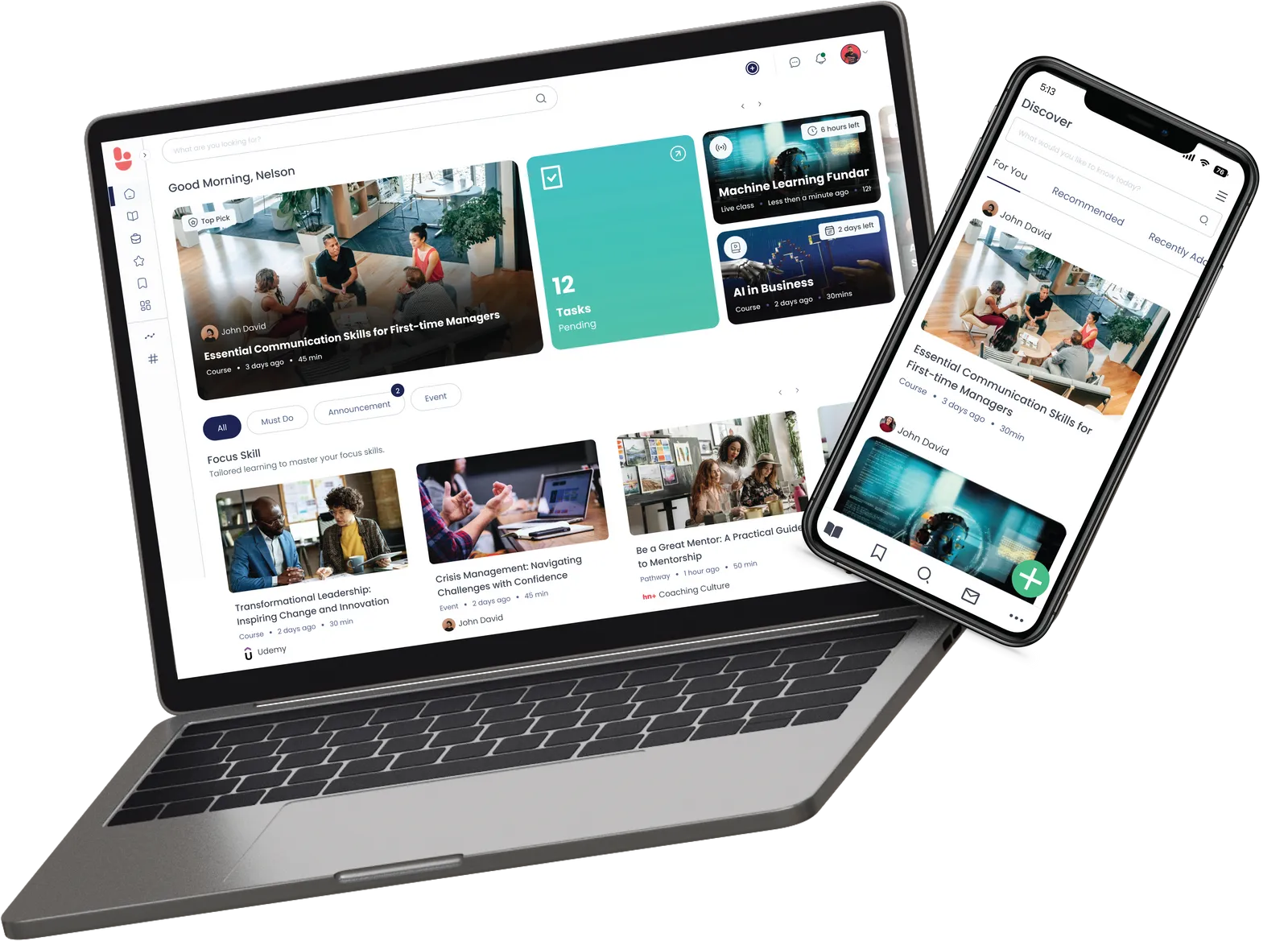
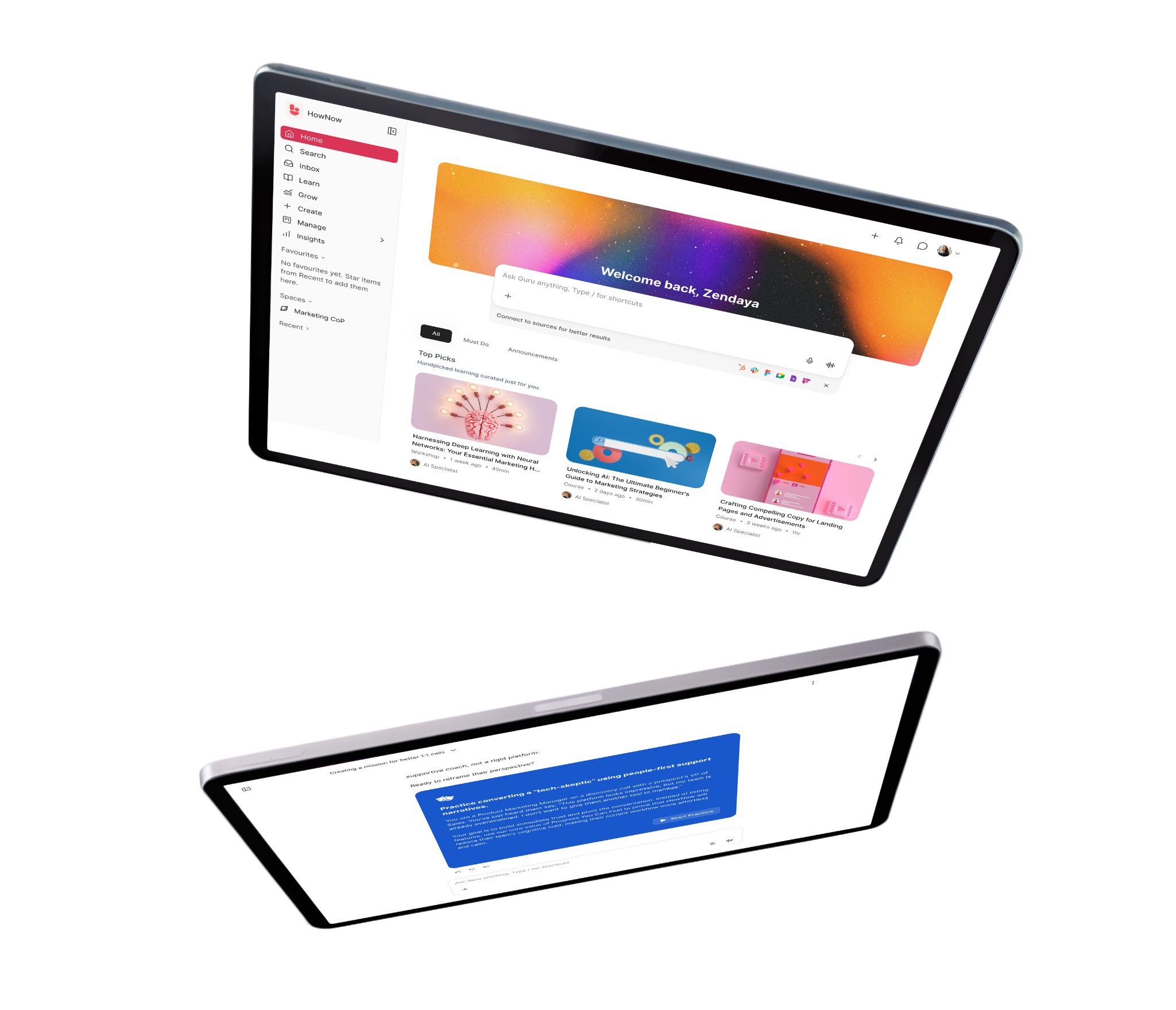
HowNow is an AI-native learning platform that brings courses, coaching, communities and career paths into one place. It replaces the traditional LMS and personalises learning to each person's skills.
The difference starts with skills. HowNow's skills graph reads skills from real work, not a self-assessment form nobody fills in. There's no six-month taxonomy project to run first.
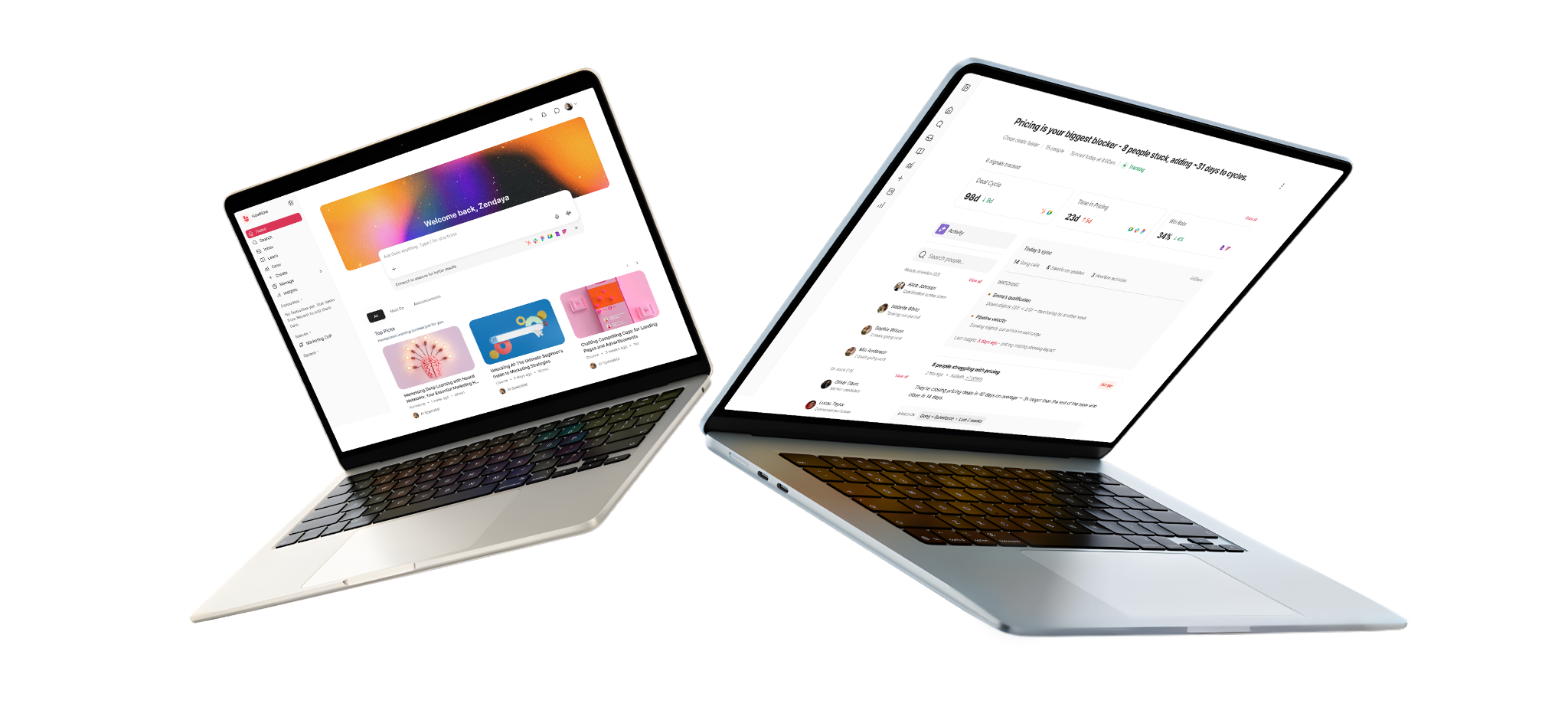
AI runs through every feature. Guru, the AI coach, answers questions from your own content, runs role-plays and builds dashboards on request. HowNow Plus adds 50,000+ skills-mapped resources, and it plugs into ChatGPT, Copilot and Claude so your AI tools draw on trusted content.
Key Features
AI pathway builder: Personalised learning paths built from skills gaps, role context, and business goals. Automatically.
Adaptive learning: Every learner gets a personalised path based on their role, skills, and progress. 1:1 learning at scale.
AI curation: The right content found, tagged, and organised from your internal sources and external libraries. Surfaced automatically.
Learning communities: Peer expertise made visible, structured, and searchable. Your best knowledge captured and available to everyone.
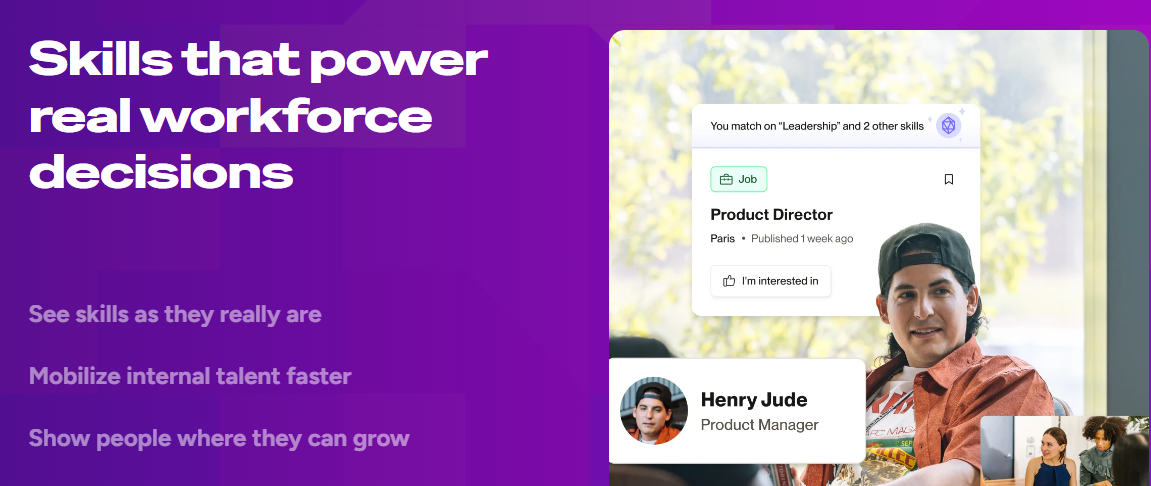
Skills graph: Every skill and every gap visible. The intelligence that connects performance gaps to the learning that will close them.
Career paths: Every employee sees their skills, their gaps, and where they can grow. Real paths that drive engagement without mandating it.
AI Performance coaching: Answers, practice, feedback, and proactive coaching, delivered where your people already work. Connected to real work signals.
Trusted content: Expert knowledge your AI can actually use. Every recommendation grounded in real expertise, not generic results.
Unified Search: Pulls any course, document, or expert answer from one search box across your tools.
In-flow delivery: Serves learning inside Slack, Teams and the browser, where people already work.
Pricing
HowNow doesn't publish a price list. Pricing is quoted per organisation after a demo, and there's an ROI calculator on the pricing page if you want to model the investment first.
Essentials - £60/user/year, Centralised learning with built-in compliance
Pro - £80/user/year, Personalised learning for every role, powered by AI, with zero admin
Plus - +£45/user/year, Curated learning from top providers, ready to use, skills-mapped, included in one subscription
Rating
G2: 4.5/5
2. Docebo
Docebo is an enterprise learning platform used by 3,500+ organisations, including PwC. Its strength is training employees, customers and partners from one system. In 2026 it bought 365Talents for skills intelligence and announced AgentHub. Our Docebo alternatives guide and Docebo vs Cornerstone comparison go deeper.
Key Features
Harmony AI: Gives learners a 24/7 tutor and conversational search across the courses they can access
AgentHub: Runs no-code AI agents on scheduled workflows such as compliance triage, launching autumn 2026
Skills Intelligence: Detects skills and gaps across the workforce, powered by the 365Talents acquisition
Skills-based internal mobility: Employees are matched to roles, projects and opportunities on verified skills rather than job titles or CVs
Pricing
Docebo doesn't publish prices. Its Elevate and Enterprise tiers are custom-quoted and billed on active users. It's aimed at organisations training 250+ learners, with a one-year minimum.
Rating
G2: 4.3/5
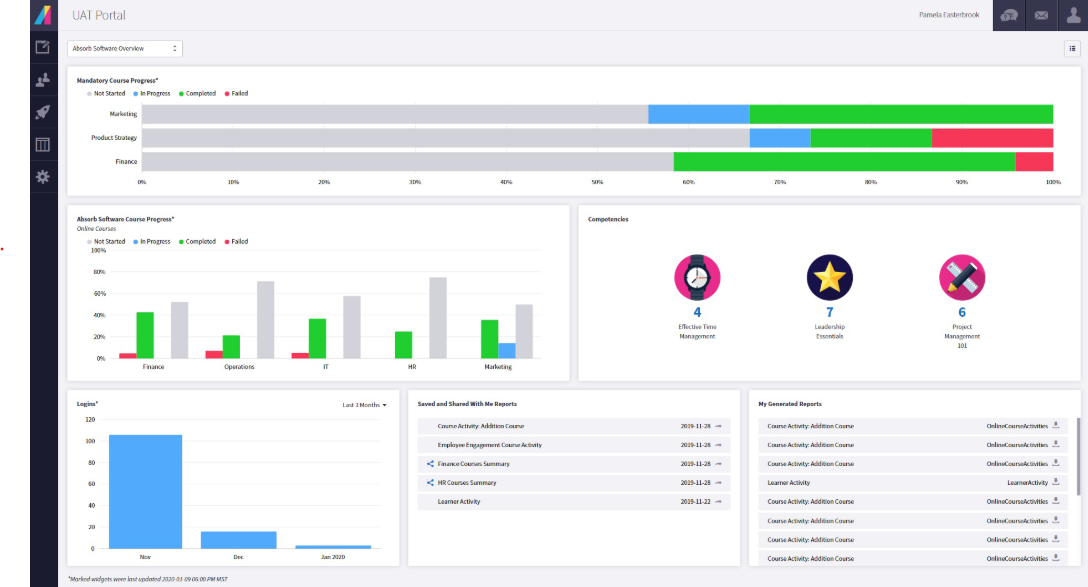
3. Absorb LMS
Absorb LMS is used by 3,500+ organisations, including Sony, Samsung and Toyota. It covers employee training, compliance and customer education from one system.
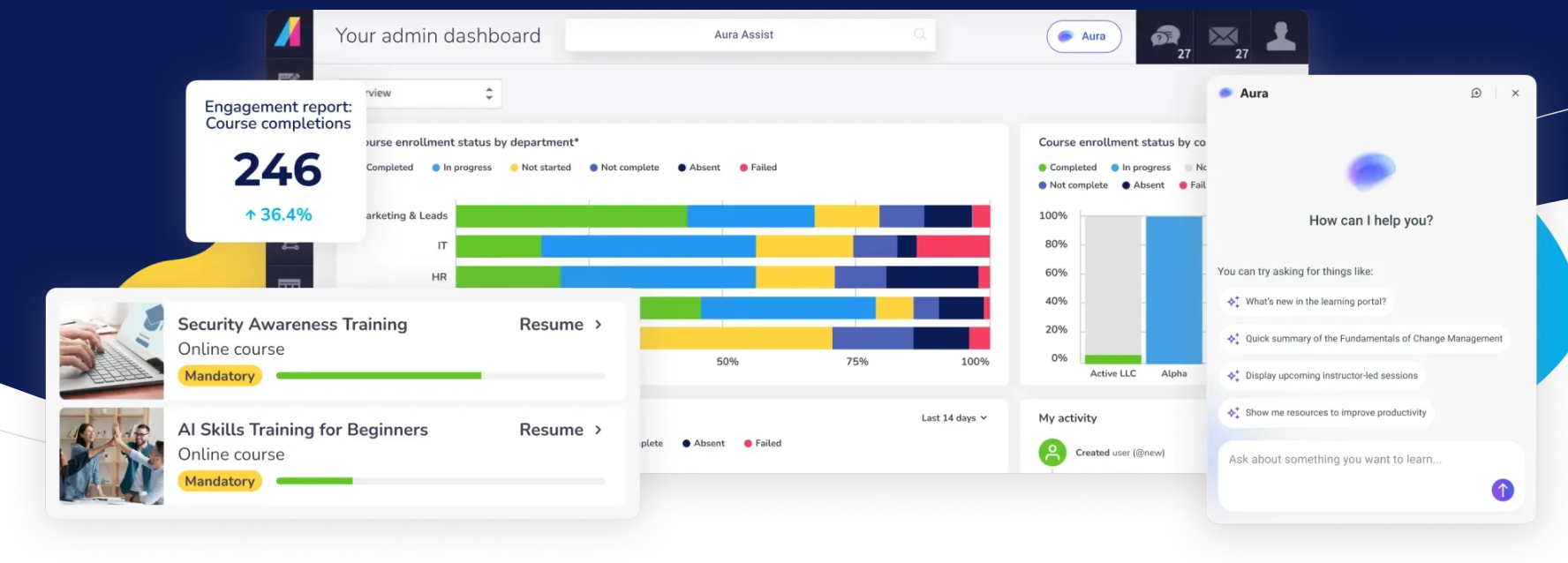
In May 2026, it launched Absorb Aura, a set of AI agents for learners and admins. Aura is grounded in each customer's approved content and isolated by tenant, which helps when IT asks where training data goes.
Key Features
Absorb Aura: Deploys AI agents for learners and admins, grounded in your approved content and isolated by tenant
Aura Create: Builds and updates courses through conversation instead of a blank authoring screen
Absorb Skills: Maps learning to 12,000+ job skills and 200+ competencies, for Amplify Max subscribers
AI recommendations and search ranking: The learner dashboard suggests courses based on each person's data and interests
Pricing
Absorb doesn't publish pricing.
Rating
G2: 4.6/5
4. 360Learning
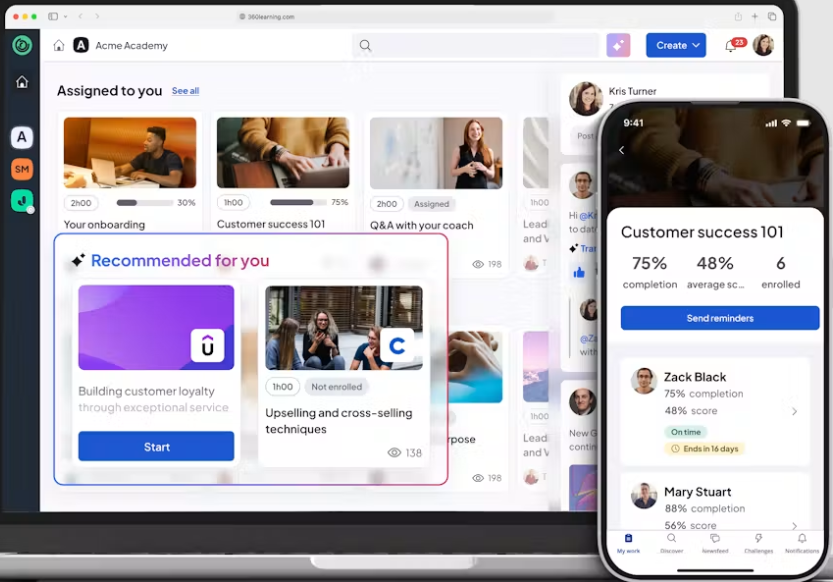
360Learning is a collaborative learning platform used by 2,500+ organisations, including Cisco and Michelin. Subject-matter experts build courses directly, with L&D keeping quality control.
Its AI Companion, launched in October 2025, gives learners personalised search and recommendations on every plan. AI coaching and role-play are on the roadmap but not live yet.
Key Features
Collaborative authoring: Lets experts across the business co-author courses, included on every plan
AI Content Builder: Generates courses and questions from your existing source material
AI Companion: Gives learners personalised search, recommendations and real-time help
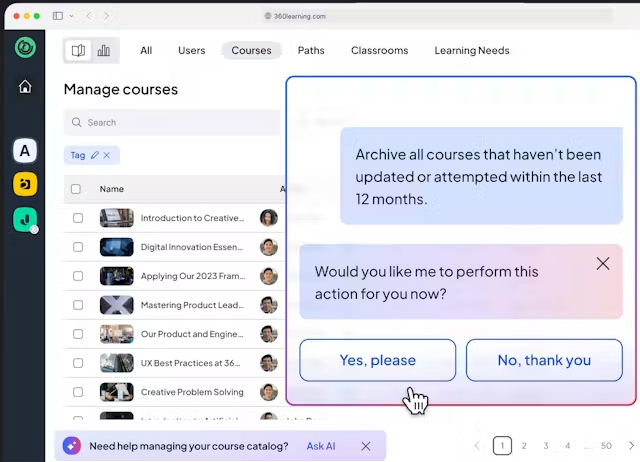
Agentic automation: An AI agent handles catalogue clean-up, reporting and instant course translations, with conversational BI for asking data questions in plain language.
Pricing
360Learning publishes its Team plan at $8 per user per month for up to 100 users, billed monthly with a 30-day free trial. Business and Enterprise plans are custom-quoted.
Rating
G2: 4.6/5
5. Disprz
Disprz is an AI-native learning and skilling platform used by 500+ enterprises, including Amazon, EY and PUMA. It combines an LMS, LXP and skills engine, built mobile-first for frontline workforces.
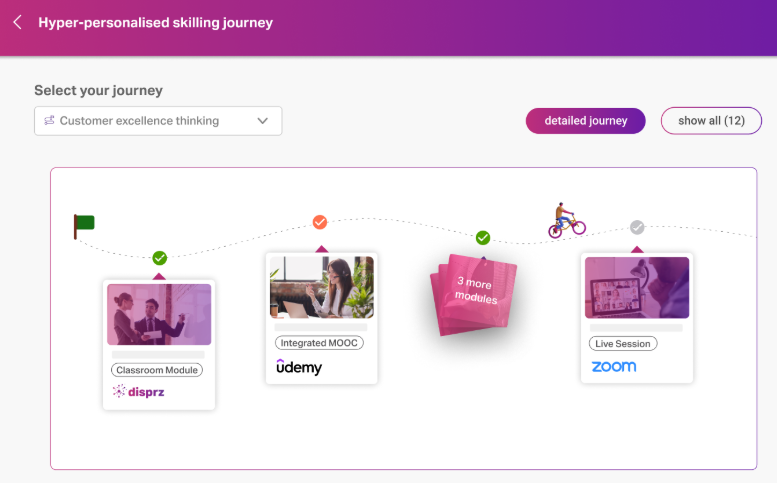
Its Atomic Skills Model maps granular skills and proficiency levels to each role, then builds pathways and career plans from the gaps. Turo, its agentic content builder, speeds up course creation on usage-based credits.
Key Features
Atomic Skills Model: Maps granular skills and proficiency levels to every job role
AI pathways: Builds personalised learning journeys, career paths and development plans from skill gaps
Turo: Uses agentic AI to build learning content at scale, charged on usage credits
Blended learning delivery: Runs instructor-led, virtual, microlearning and on-the-job training from one LMS, with automated workflows, approvals and certification tracking
Pricing
Disprz publishes an entry price. Essentials starts at $2 per learner per month, while Enterprise, which adds skills, career paths and AI content, is custom-quoted.
Rating
G2: 4.4/5
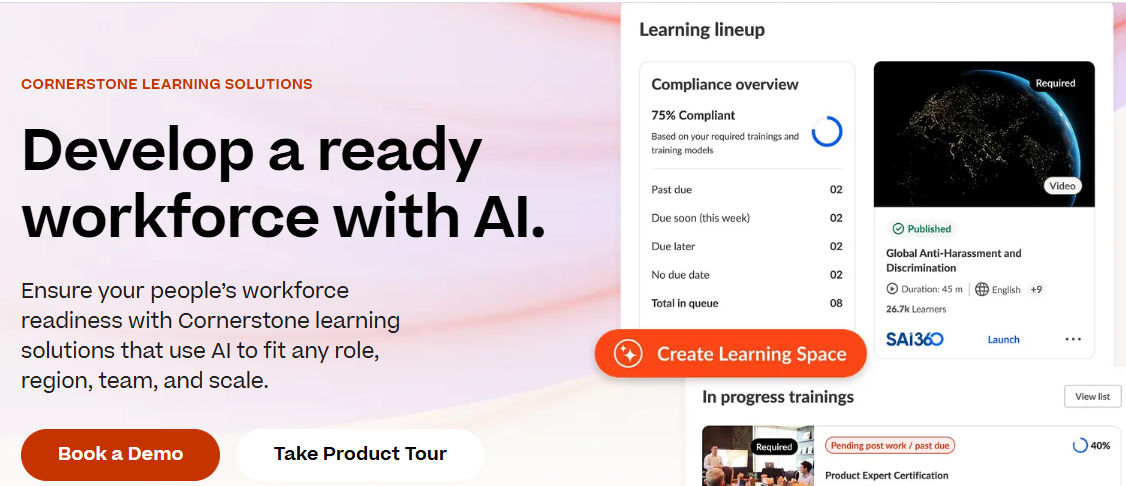
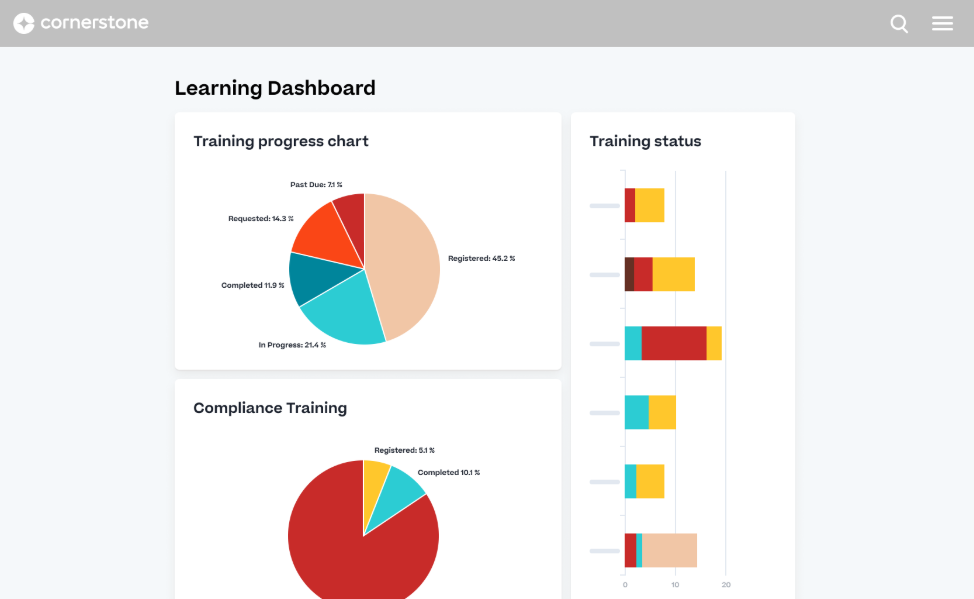
6. Cornerstone OnDemand
Cornerstone is one of the biggest names in enterprise learning, used by around 7,000 organisations in 186 countries. Its suite covers learning, performance, recruiting and succession, assembled through acquisitions over many years.
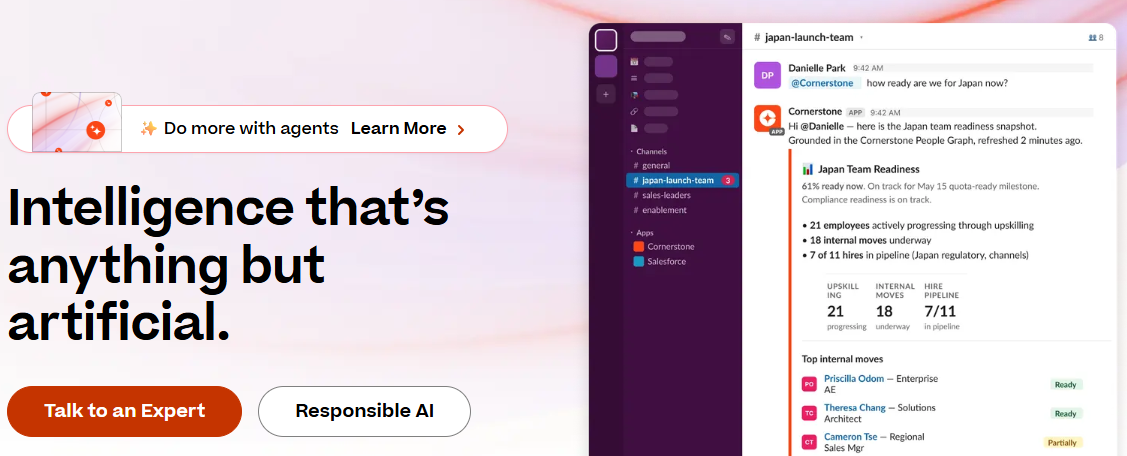
In May 2026 it launched Cornerstone Workforce AI, which combines workforce and labour-market data to target learning. The breadth suits HR-led global programmes, though reviewers often find the platform heavy to run.
Key Features
Workforce AI: Combines workforce and labour-market data to target learning and surface hidden talent
People Graph: Pulls signals from HRIS, ATS, CRM and project tools to build skill profiles
Readiness Agents: Runs agentic AI for workforce tasks, with links into Slack, Teams and Copilot
Personalised recommendations: The platform learns what each person knows, what they're working on, and where they're heading
Pricing
Cornerstone doesn't publish pricing.
Rating
G2: 4.1/5
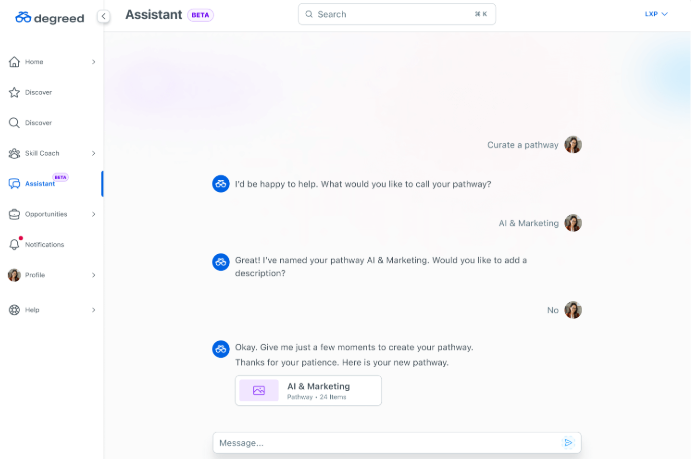
7. Degreed
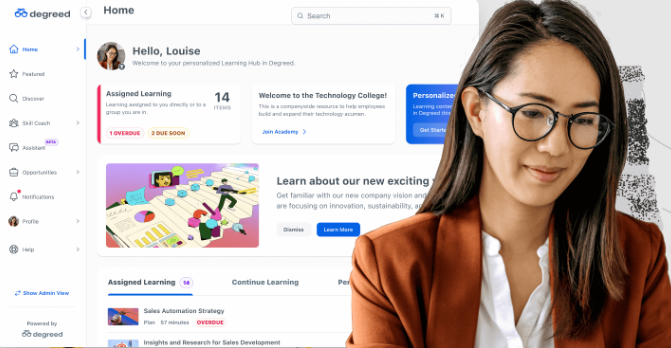
Degreed is a learning and skills platform with 10 million activated users in 160+ countries. It brings content from thousands of providers into one experience, with customers including HSBC and Ericsson.
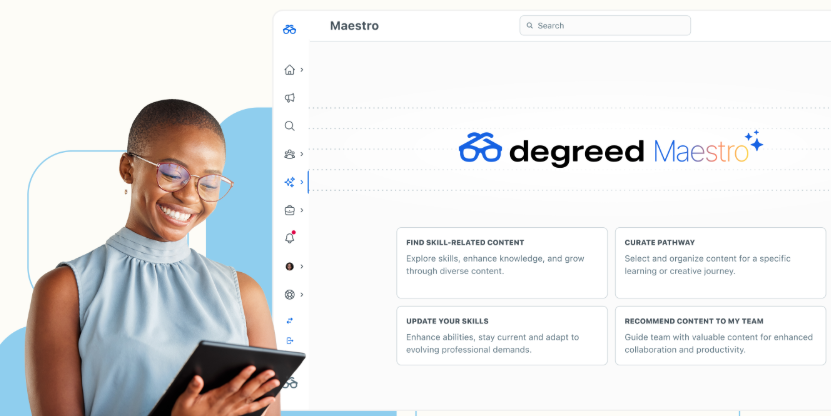
Its AI coach, Maestro, works in text and voice and runs role-plays with structured feedback. Capgemini used Degreed to train 150,000 employees in 10 weeks. We've also written about Degreed alternatives.
Key Features
Maestro: Coaches people by text or voice, runs role-plays and curates pathways
Skill Review: Assesses proficiency through adaptive, behaviour-based questions developed with psychometricians
Degreed Academies: Runs cohort-based programmes for longer, structured development
Maestro Studio: L&D teams build and launch custom AI coaches, roleplays, quizzes, surveys and forms in minutes
Pricing
Degreed doesn't publish prices.
Rating
G2: 4.3/5
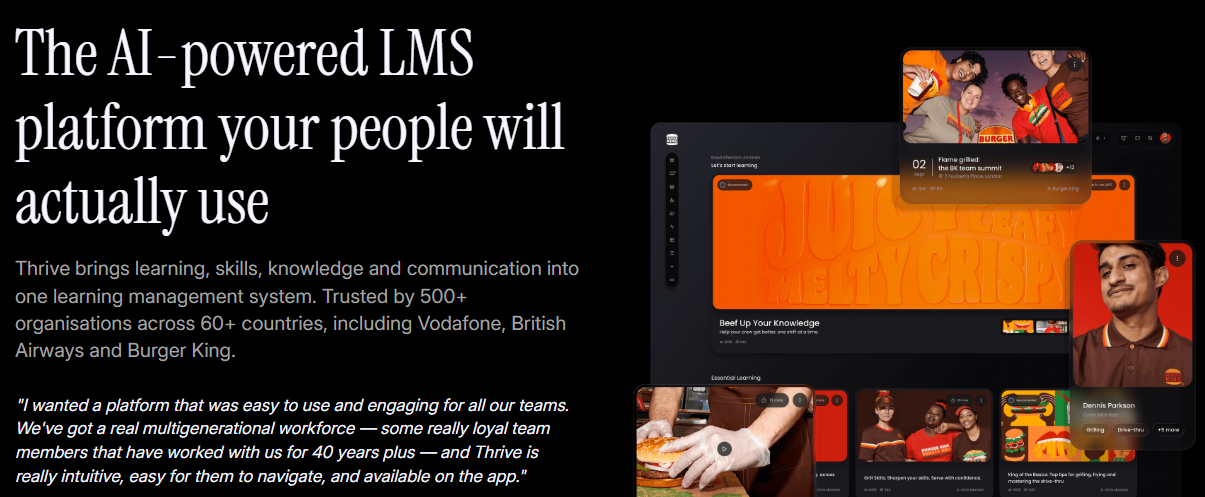
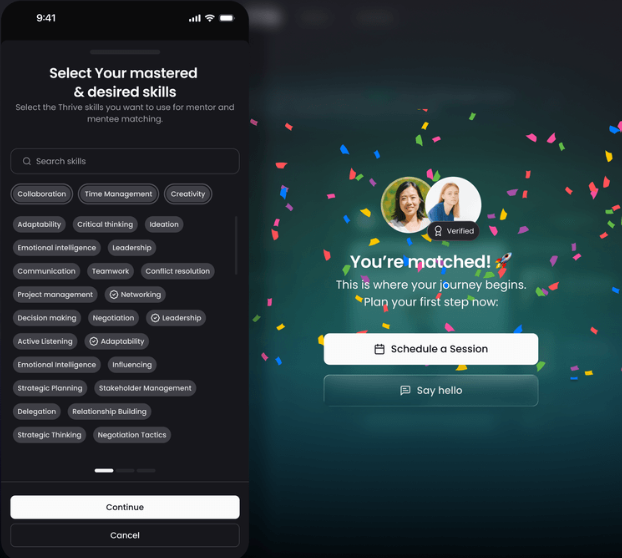
8. Thrive Learning
Thrive is a UK-built L&D platform used by 500+ organisations and 5 million people in 60+ countries. It combines learning, mentoring, communities and internal comms, with customers including Volvo and British Airways.
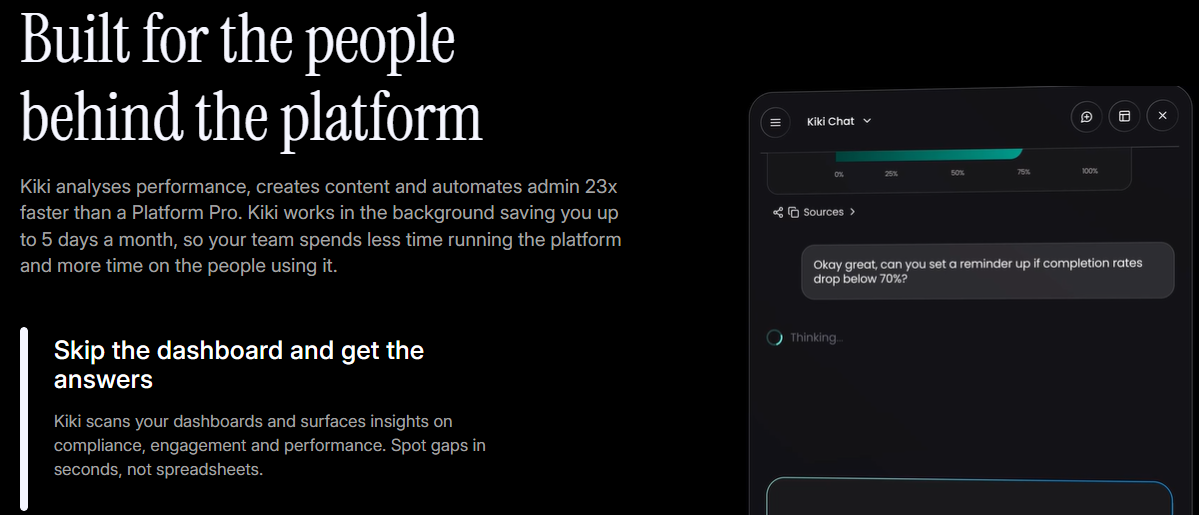
Its AI agent, Kiki, comes included at no extra cost and covers coaching, content creation, analytics and admin. Mentoring is built in too, which saves buying a separate tool. Our Thrive alternatives guide goes further.
Key Features
Kiki AI agent: Works in five modes, Coach, Creator, Analyst, Admin and Assistant, at no extra cost
Mentoring: Matches mentors and mentees, sets goals and tracks impact
Skills and pathways: Maps skills to roles, finds gaps and builds pathways to close them
Pricing
Thrive publishes pricing through an online calculator, with no form or sales call needed. Larger tiers still go through a demo.
Rating
G2: 4.5/5
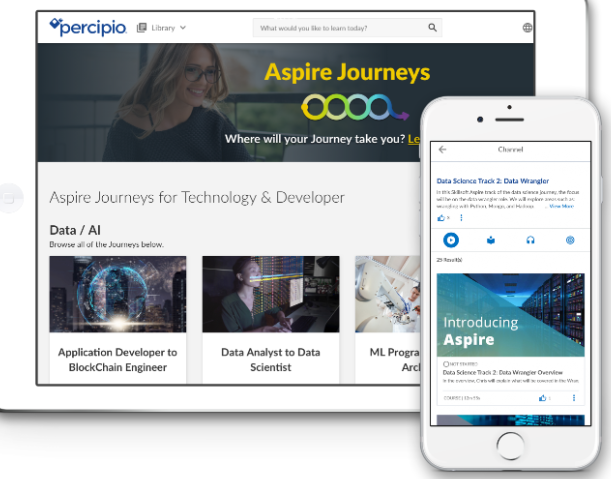
9. Skillsoft Percipio
Skillsoft Percipio is an AI-driven skills platform backed by one of the largest content libraries in corporate learning, with 325,000+ learning assets. Skillsoft says 60% of the Fortune 1000 use it.
Its AI role-play tool, CAISY, lets people rehearse difficult conversations and get scored feedback in Practice mode. Percipio suits organisations that value library breadth over bespoke, skills-mapped learning.
Key Features
CAISY: Lets people rehearse conversations with AI in Practice, Role Model and Guiding modes
AI Coach: Turns development needs into coaching goals, aligned to ICF standards
Skill Benchmarks: Assesses skills to show gaps across teams
AI content creation: L&D teams build custom courses, simulations and assessments in minutes, then update them as priorities shift
Pricing
Skillsoft's self-serve figures sit on its pricing page.
Individual: $25 per month, or $269 per year, with a 45-day free trial
Teams: $20 per seat per month billed annually, up to 300 seats, with a 30-day free trial
Enterprise: custom pricing above 300 seats
Rating
G2: 4.1/5
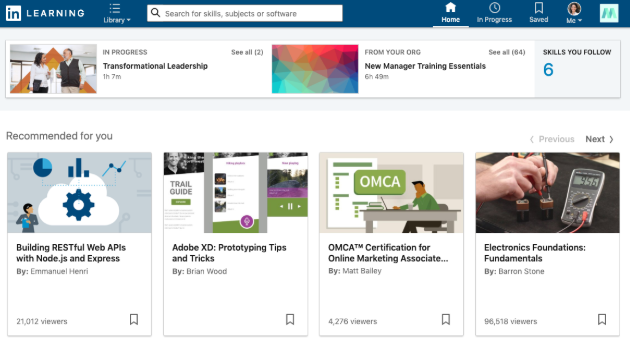
10. LinkedIn Learning
LinkedIn Learning offers 24,000+ expert-led courses, backed by skills insights from LinkedIn's network of more than 1 billion members. Customers include LEGO and Siemens.
Its AI coach answers questions from LinkedIn Learning courses and links to the source course, so people can check what they're told. Many teams run it inside another platform, for example through HowNow’s LinkedIn Learning integration.
Key Features
AI-powered coaching: Answers questions using LinkedIn Learning courses, with a link to the source course
AI role play: Lets people practise workplace conversations by voice or text, on Enterprise and Premium plans
Skills insights: Draws on LinkedIn's member data to show trending and in-demand skills
AI-assisted content curation: AI-powered search helps admins and learners find the right content quickly, instead of browsing thousands of courses
Pricing
Teams: $379.88 per licence per year, for 2 to 20 licences, with a one-month free trial
Enterprise and Career Hub: no published price, contact sales
Rating
G2: 4.4/5
Looking for the top AI enterprise learning software?
Your three-year LMS contract is up for renewal, and the engagement numbers are hard to defend. Every vendor on your shortlist says it has AI. For some, that means a coach that knows your business. For others, it means a button that writes quiz questions.
Most buying mistakes happen in the gap between those two. So we compared 10 platforms on what the AI actually does, how each handles skills, cost, and G2 reviews.
Why listen to us?
We build HowNow for L&D teams who have outgrown a traditional LMS. We see which AI features change how people learn, and which only shine in a demo.
Hotelplan mapped 300+ job roles to skills in one month, reached 99% activation and saw 78% of employees feel confident in their role skills. Infinity Works hit 97% activation within four months.
Trainline halved the time its people spend on compliance training, and Operatix ramped new starters 33% faster. Radius upskilled 3,000 managers, and FitFlop took positive sentiment on access to L&D from 0 to 69%.
So we judge AI platforms the way our customers do: does the AI get people to the right learning faster, and can L&D prove it? See more on our customer stories page.
What is AI enterprise learning software?
AI enterprise learning software is a corporate learning platform that uses AI to personalise, deliver and measure employee development. It maps learning to each person's role and skills, recommends next steps and coaches people as they work.
Why is AI enterprise learning software important?
People actually engage: Generic catalogues get ignored. When learning maps to role-specific skills, people open it because it helps with this week's work.
L&D spends less time on admin: Manual assignment, completion chasing and hand-built reports eat hours every week. AI handles recommendations, nudges and dashboards instead.
Skills become visible: Most organisations can't say what their workforce can do today. Skills-aware AI builds that picture, which is why skills-first learning is becoming the default.
Compliance is easier to prove: Automated assignment, tracking and renewals keep audit evidence in one place, so nobody stitches spreadsheets at midnight.
Learning connects to business results: Leaders want proof that training moved performance. Joined-up learning, skills and performance data provides it.
Selection criteria: how we evaluated
Every vendor now calls itself AI-powered, so we looked past the labels. We scored each platform on five criteria.
AI depth: We checked whether AI runs through the whole platform or sits in one corner, and what data feeds it. AI trained on real work signals beats a chatbot added to a course catalogue.
Skills approach: Looked at how each platform builds its picture of employee skills. Skills read from real work stay current, while self-reported forms go stale the week they're filled in.
Content: We weighed the size, quality and skills-mapping of both internal and off-the-shelf content. A huge library means little if people can't find what closes their gaps.
AI governance: Asked where your data goes, whether AI answers are grounded in approved content, and how much control admins have. This matters most for regulated teams.
Pricing and proof: We rated how open each vendor is about pricing, read what G2 reviewers say, and looked for named customers showing real results.
No platform wins on every criterion. The right choice depends on which of these matters most to your team today.
How to choose
Start with the problem, not the feature list. If you're a mid-to-large enterprise that wants learning, skills, coaching, and content in one AI-native platform, HowNow is built for that. If you train customers and partners at real scale, Docebo or Absorb are worth a look.
If expert-led content matters most, 360Learning has a transparent entry price. Frontline-heavy organisations should shortlist Disprz, while global enterprises wanting recruiting and succession in one suite will lean towards Cornerstone. Skillsoft Percipio and LinkedIn Learning suit teams that mainly need library breadth.
Whatever you choose, ask each vendor to show the AI working on your own content.
Choose AI that changes how your people learn
Every platform here uses AI in some form. The real question is whether it knows your people's skills, works from your content and proves results.
HowNow was built for exactly that. Hotelplan hit 99% activation, Trainline halved compliance training time, and TomTom reached 100% onboarding completion. Each came from one platform joining learning, skills, coaching, and reporting.
Ready to see it working on your own content? Book a demo and see HowNow in action.
FAQs
What's the difference between AI enterprise learning software and a traditional LMS?
A traditional LMS hosts courses and tracks completions. AI enterprise learning software personalises learning to each person's role and skills, recommends what to do next and coaches people in the flow of work.
How do I know if an AI learning platform is trustworthy?
Check whether the AI grounds its answers in your approved content and whether your data stays within your tenant. Ask who controls what the AI can see. Then test it live on your own documents during the demo.
How much does AI enterprise learning software cost?
It varies widely. 360Learning's Team plan starts at $8 per user per month, and Disprz Essentials at $2 per learner per month. HowNow, Docebo, Absorb, Cornerstone and Degreed quote pricing based on your size and needs.
Can AI enterprise learning software handle compliance training?
Yes. The strongest platforms automate assignment by role, track renewals and keep audit trails in one place. With HowNow's compliance training tools, you can assign, track and prove completion without rebuilding spreadsheets before every audit.
The best learning experience platform is the one your people actually open, because it shows them learning that fits their role. HowNow leads this list for mid-to-large organisations that want LMS, LXP, skills and content in one AI-native platform, with skills read from real work. 360Learning is the pick if you want subject-matter experts building your courses. Degreed suits large enterprises with a mature skills strategy and the budget to match.
The 10 best learning experience platforms
No.
Platform
Best for
Pricing
G2 rating
1
HowNow
Mid-to-large enterprises wanting learning tied to real skills
Demo-led, ROI calculator on pricing page
4.5/5
2
360Learning
SME-led, collaborative course creation
From $8/user/month
4.6/5
3
Degreed
Enterprise skills strategy and assessment
Custom quoted
4.3/5
4
Docebo
Large, multi-audience enterprise training
Custom quoted
4.3/5
5
Cornerstone OnDemand
Global enterprises wanting learning and talent in one suite
Custom quoted
4.1/5
6
Thrive Learning
UK organisations wanting built-in AI, mentoring and communities
$34,000 for 100 learners
4.5/5
7
Absorb LMS
Structured training with AI grounded in your own content
Custom quoted
4.6/5
8
LearnUpon
Training employees, customers and partners from one login
Quoted, from 100 users
4.5/5
9
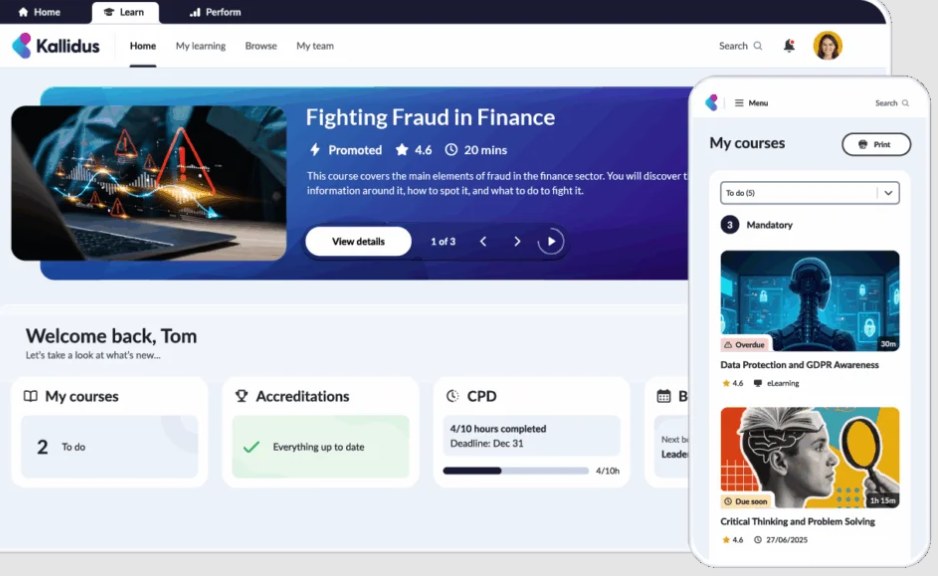
Kallidus
UK organisations with heavy compliance needs
Custom quoted
4.4/5
10
TalentLMS
Small teams that want to launch quickly
Free plan, paid from $119/month
4.6/5
1. HowNow
HowNow is an AI-native learning platform that brings courses, coaching, communities and career paths into one place. We built it for organisations of 250 to 5,000 people that have outgrown a traditional LMS.
The difference starts with skills. Our skills graph reads skills from real work, not from a form nobody fills in, so content stays relevant as roles change. Guru, our AI coach, runs through the whole platform, answering questions, running role-plays and building dashboards when you ask.
HowNow Plus adds a curated, skills-mapped content library that your people and your AI tools can both draw on. And because onboarding, compliance, leadership development and careers all run on one platform, your reporting stays joined up.
Key Features
AI pathway builder: Personalised learning paths built from skills gaps, role context, and business goals. Automatically.
Adaptive learning: Every learner gets a personalised path based on their role, skills, and progress. 1:1 learning at scale.
AI curation: The right content found, tagged, and organised from your internal sources and external libraries. Surfaced automatically.
Learning communities: Peer expertise made visible, structured, and searchable. Your best knowledge captured and available to everyone.
Skills graph: Every skill and every gap visible. The intelligence that connects performance gaps to the learning that will close them.
Career paths: Every employee sees their skills, their gaps, and where they can grow. Real paths that drive engagement without mandating it.
AI Performance coaching: Answers, practice, feedback, and proactive coaching, delivered where your people already work. Connected to real work signals.
Trusted content: Expert knowledge your AI can actually use. Every recommendation grounded in real expertise, not generic results.
Unified Search: Pulls any course, document or expert answer from one search box across your tools.
In-flow delivery: Serves learning inside Slack, Teams and the browser, where people already work.
Pricing
Essentials - £60/user/year, Centralised learning with built-in compliance
Pro - £80/user/year, Personalised learning for every role, powered by AI, with zero admin
Plus - +£45/user/year, Curated learning from top providers, ready to use, skills-mapped, included in one subscription
Rating
G2: 4.5/5.
2. 360Learning
360Learning is a collaborative learning platform built on one idea: the people who know the subject should create the training. Its AI Content Builder helps subject-matter experts turn what they know into courses, while L&D keeps final approval.
More than 2,500 customers use it, including Cisco, Duolingo and Michelin. If you're weighing it up, our guide to 360Learning alternatives compares it with the wider market.
Key Features
AI Content Builder: Helps subject-matter experts build courses quickly, with L&D oversight before anything goes live
Learning Needs: Lets employees request training topics and upvote each other's requests, so content follows real demand
Skills library: Starts you with 20,000 standard skills, plus a free SkillsGPT to help shape your own framework
Academies: Runs dedicated learning spaces for different teams and communities
Pricing
Team: $8 per user per month. Business and Enterprise plans are custom-quoted.
Rating
G2: 4.6/5.
3. Degreed
Degreed is one of the original learning experience platforms, built for large enterprises that want to connect learning to a skills strategy. It pulls content from internal and external sources into one searchable home.
The company reports 10 million activated users across 160+ countries, and Capgemini used it to train 150,000 employees in ten weeks.
Key Features
Skill Review: Assesses skill levels through an adaptive questionnaire of behavioural questions, developed with psychometricians
Four rating sources: Combines Skill Review, manager, peer and self-ratings into one skill profile
Maestro: Coaches people by text and voice, with AI role-plays scored against custom rubrics
Academies: Builds structured programmes for specific teams or capabilities
Pricing
Degreed doesn't publish prices.
Rating
G2: 4.3/5.
4. Docebo
Docebo is an enterprise learning platform that now describes itself as an AI workforce readiness platform. It suits large organisations training employees, customers and partners from one system.
More than 3,900 customers use it, with over 30 million users across 70+ countries.
Key Features
AI assistant: Helps learners find answers and helps admins create course content faster
Content Marketplace: Gives access to over 30,000 courses and professional certifications
MCP server: Lets admins run Docebo tasks from Claude, ChatGPT, Copilot and Gemini, generally available since July 2026
Extended enterprise: Runs separate, branded learning for customers and partners alongside employee training
Pricing
Docebo's pricing page lists two tiers, Elevate and Enterprise, both quoted by sales.
Rating
G2: 4.3/5.
5. Cornerstone OnDemand
Cornerstone is a legacy giant in enterprise learning and talent, and it relaunched its platform as Cornerstone Workforce AI in May 2026. Its learning experience platform, formerly EdCast, is one part of a much wider talent suite.
About 7,000 organisations use Cornerstone across 180+ countries. The suite has grown through acquisitions, including Saba, SumTotal, EdCast and SkyHive, which brings breadth but also complexity.
Key Features
Skills Engine: Draws on a taxonomy of 55,000+ skills, powered by labour-market data from SkyHive
Content Subscriptions: Offers Silver, Gold and , Gold and Platinum in 10+ languages
Readiness agents: Uses AI agents to map roles, skills and future workforce needs
Compliance management: Tracks certifications and audit evidence across global teams
Pricing
Cornerstone doesn't publish pricing.
Rating
G2: 4.1/5.
6. Thrive Learning
Thrive is a UK-built platform that brings learning, communities, mentoring and internal knowledge together. It now positions itself as an AI-powered LMS, but its social feed and mentoring give it a strong LXP feel.
More than 500 organisations use Thrive across 60+ countries, including Specsavers, Volvo and British Airways.
Key Features
Kiki AI: Works in five modes, including Coach, Analyst and Content Creator, at no extra cost
Skill pathways: Maps skills to roles and builds pathways that close each person's gaps
Mentoring: Matches mentors and mentees, included at no extra cost
Content library: Includes 1,000+ ready-made resources, with 2,500+ more in the separate Thrive Content product
Pricing
Price starts at $34000 per 1-100 learners, $48263 from 501-600 learners onwards
Rating
G2: 4.5/5.
7. Absorb LMS
Absorb is an LMS with strong LXP features, used by 3,500+ organisations including Sony, Samsung and Toyota. In May 2026 it launched Aura, a set of AI agents grounded in each customer's own approved content.
Forrester named Absorb a Leader in its Q4 2025 Wave for learning management systems and experience platforms.
Key Features
Absorb Aura: Runs AI agents for learners, course creation and admin tasks, grounded in your own content
Absorb Skills: Maps learning to 200+ competencies and 12,000+ skills
Absorb Amplify: Adds a library of 20,000+ pre-built courses
Absorb Infuse: Embeds learning inside the other tools your people use
Pricing
Absorb doesn't publish pricing. Its pricing form asks for your learner count.
Rating
G2: 4.6/5.
8. LearnUpon
LearnUpon relaunched in July 2026 as an agentic learning platform. Its biggest strength is running separate, branded portals for employees, customers and partners from one admin login.
More than 1,700 organisations use it, and its support team is available around the clock. It's a strong pick when external training matters as much as internal learning.
Key Features
Portals: Creates unique, branded learning environments for each audience from one place
LearnUpon IQ: Acts as an AI coordinator that connects every part of the platform
Create+: Builds courses with AI, which LearnUpon says is up to 90% faster
Learning Journeys: Sequences courses with prerequisites, timed release and certifications
Pricing
LearnUpon doesn't publish prices.
Rating
G2: 4.5/5.
9. Kallidus
Kallidus is a UK-based learning and performance provider with more than 1,000 customers and 2 million users. Its Learn LMS is built for compliance-heavy organisations, with AI recommendations and skills tools in the higher tiers.
It's more LMS than pure LXP, but it earns a place here for UK teams that need strong compliance alongside a modern learner experience.
Key Features
Learn LMS: Manages courses, compliance and instructor-led training in one system
Power BI reporting: Embeds Power BI natively for detailed reporting
Off-the-shelf content: Includes 250+ ready-made courses
Kallidus Intelligence: Adds AI to help L&D teams focus on impact rather than activity
Pricing
Kallidus doesn't publish prices.
Rating
G2: 4.4/5.
10. TalentLMS
TalentLMS is a cloud LMS for small and mid-sized teams that want training live quickly. More than 70,000 teams use it.
It's one of the few platforms here with a free plan and fully published pricing. If budget is tight, it's an easy place to start.
Key Features
TalentCraft: Generates courses with AI, with credits that vary by plan
Gamification: Adds points, badges and leaderboards on every plan
Learning Playground: Gives your team a space to practise and build confidence
TalentLibrary: Offers 1,000+ ready-made courses as a paid add-on
Pricing
Free for up to 5 users
Core: $119/month (up to 40 users)
Grow: $229/month (up to 70)
Pro: $449/month (up to 100)
Rating
G2: 4.6/5.
Why teams are looking for a new learning experience platform
Your three-year LMS contract is up for renewal. The engagement survey put development in the bottom three. And logins still only spike in compliance week.
If any of that sounds familiar, you're probably not short of content. You're short of a platform that knows your people well enough to show them what matters.
A learning experience platform is built to solve exactly this. It personalises learning around each person's role and skills, and it reaches them in the tools they already use. We compared 10 LXPs on skills, AI, pricing and verified G2 ratings, so you can build your shortlist faster.
Why listen to us?
We build HowNow, an AI-native learning platform, and we spend every day helping L&D teams at 250 to 5,000-person companies fix engagement. We've seen what gets people logging in, and what only looks good in a demo.
The proof comes from our customers. TomTom reached 90% learner activation and 100% onboarding completion after launching its TomTom Academy on HowNow. Hotelplan mapped more than 300 job roles to skills in a single month, and 78% of its people now feel confident in their role skills.
Trainline cut compliance training time by 50% with in-house content. Infinity Works passed 97% activation within four months. At AND Digital, 75% of employees use HowNow every working day.
A learning experience platform (LXP) is software that personalises learning for each employee. It pulls courses, internal knowledge and third-party content into one place, then recommends what fits each person's role, skills and goals.
A traditional learning management system (LMS) works the other way round. L&D assigns courses, tracks completions and reports on compliance. It's built for administrators first.
Today the line between the two is blurry. Most leading platforms now combine LMS control with LXP personalisation, so the better question is how well a platform understands your people. Our LXP vs LMS guide goes deeper on the difference.
Aspect
LMS
LXP
Built for
Administrators
Learners
Content
Courses assigned by L&D
Courses, internal knowledge and third-party content
Personalisation
The same training for everyone in a group
Recommendations by role, skills and goals
Success measure
Completions
Skills built and ongoing engagement
Why a learning experience platform matters
People come back: Generic content gets ignored. When learning maps to each person's role and skill gaps, what shows up in their feed is worth opening.
You can see your skills: Instead of guessing what your workforce can do, you get a live view of where skills are strong and where the gaps are.
Admin shrinks: Automated pathways, smart recommendations and built-in reporting let a small L&D team run learning for thousands of people.
Compliance stops being a chase: You can assign, track and prove compliance training in one place, without stitching audit trails together from spreadsheets.
Impact becomes provable: When learning, skills and performance data live together, you can show the board what changed, not just what got completed.
How to choose the right learning experience platform
Start with the problem you're trying to fix. If people aren't engaging, you need personalisation built on real skills data, and HowNow is built for that. If your experts hold knowledge that never gets written down, 360Learning's collaborative model fits.
For large enterprises with mature skills programmes, Degreed and Cornerstone cover the most ground. Docebo, Absorb and LearnUpon suit teams that train customers and partners alongside employees.
If you're a UK organisation focused on compliance, Kallidus and Thrive know that market well. And for small teams on a budget, TalentLMS is the quickest way to get started.
Whichever platforms make your shortlist, ask each vendor the same question: how does your platform know what skills my people have? The answer tells you how good every recommendation will be.
Find the learning experience platform your people will actually use
Most learning experience platforms promise personalisation. Far fewer can explain where their skills data comes from, or prove that people keep coming back after launch.
HowNow reads skills from real work and puts AI coaching into the tools your people already use. It also gives you one view of learning, skills and performance. TomTom, Hotelplan and Trainline chose it for those reasons, and their results show their people keep using it.
If you're heading into a renewal or rethinking your learning stack, book a demo and see HowNow in action.
FAQs
What is the difference between an LMS and an LXP?
An LMS is built for administrators to assign courses, track completions and report on compliance. An LXP is built for learners, recommending content based on each person's role, skills and goals. Most modern platforms, including HowNow, now combine both.
What is the best learning experience platform?
It depends on your size and goals. HowNow is the strongest pick for organisations of 250 to 5,000 people that want skills-based personalisation and AI coaching in one platform. 360Learning suits SME-led content creation, and Degreed suits large enterprise skills programmes.
How much does a learning experience platform cost?
HowNow quotes per organisation after a demo, based on your headcount and needs. Degreed, Docebo and Cornerstone also price by quote, 360Learning starts at $8 per user per month, and TalentLMS has a free plan.
Can an LXP replace an LMS?
Yes, if it includes LMS essentials like course assignment, compliance tracking and reporting. Platforms like HowNow combine LXP personalisation with those admin tools, so you can run onboarding, compliance and upskilling in one place instead of two.
What features should a learning experience platform have?
Look for skills mapping, personalised pathways, AI search and coaching, content curation, social learning and integrations with Slack, Teams and your HRIS. Most importantly, check how the platform builds its skills data.
Most online training software for employees promises personalisation and delivers a catalogue nobody opens. We compared 10 platforms on AI depth, skills relevance, engagement, reporting, pricing and G2 ratings. Below you'll find a quick comparison, honest reviews with pros and cons, and a simple way to choose. HowNow comes out on top for skills-based, personalised learning that people actually come back to.
Quick summary
Most online training software for employees promises personalisation and delivers a catalogue nobody opens. We compared 10 platforms on AI depth, skills relevance, engagement, reporting, pricing and G2 ratings. Below you'll find a quick comparison, honest reviews with pros and cons, and a simple way to choose. HowNow comes out on top for skills-based, personalised learning that people actually come back to.
10 best online training software for employees
Platform
Best for
Starting price
G2 rating
HowNow
Mid-to-large enterprises with knowledge workers and high-skilled teams
Begins at £60/user/year
4.5/5
360Learning
Collaborative course creation by subject-matter experts
$8/user/month (Team plan)
4.6/5
Docebo
Training employees, customers and partners in one platform
Custom (demo-led, typically 250+ learners)
4.3/5
LearnUpon
Training employees and external audiences with strong support
Custom (employee plans from 100 users)
4.5/5
TalentLMS
Small teams that want to start free
Free; paid from $119/month (billed yearly)
4.6/5
iSpring LMS
Paying only for active learners
$6.91/active user/month (100 users)
4.6/5
Absorb
Compliance and partner training with strong reporting
Custom
4.6/5
Thrive
Social, engaging learning with published pricing
$34,000 for 100 learners
4.5/5
Kallidus
UK organisations with heavy compliance needs
Custom
4.4/5
Cornerstone OnDemand
Global enterprises wanting a full talent suite
Custom
4.1/5
1. HowNow
HowNow is an AI-native learning platform that brings learning, coaching, communities and careers into one place. It works out what each person needs to learn, then builds a path around those gaps.
Most training platforms start with content and hope people find what's relevant. Our AI Skill Graph reads real work activity and infers the skills people actually demonstrate. It draws on a skills framework covering more than 30,000 job roles, so you won't spend months building a taxonomy before launch.
Our AI coach, Guru, answers questions from your own content and runs role-play practice with instant feedback. And because the platform covers everything from onboarding and compliance to upskilling and leadership development, you're not stitching four tools together. L&D teams can also ask Guru about their data and turn the answer into a dashboard to share with leadership.
The results show up in activation, not just completion. When Infinity Works rolled out HowNow, 97% of their team was using it within four months.
Key Features
AI pathway builder: Personalised learning paths built from skills gaps, role context, and business goals. Automatically.
Adaptive learning: Every learner gets a personalised path based on their role, skills, and progress. 1:1 learning at scale.
AI curation: The right content found, tagged, and organised from your internal sources and external libraries. Surfaced automatically.
Learning communities: Peer expertise made visible, structured, and searchable. Your best knowledge captured and available to everyone.
Skills graph: Every skill and every gap visible. The intelligence that connects performance gaps to the learning that will close them.
Career paths: Every employee sees their skills, their gaps, and where they can grow. Real paths that drive engagement without mandating it.
AI Performance coaching: Answers, practice, feedback, and proactive coaching — delivered where your people already work. Connected to real work signals.
Trusted content: Expert knowledge your AI can actually use. Every recommendation grounded in real expertise, not generic results.
Unified Search: Pulls any course, document or expert answer from one search box across your tools.
In-flow delivery: Serves learning inside Slack, Teams and the browser, where people already work.
Pricing
Essentials - £60/user/year, Centralised learning with built-in compliance
Pro - £80/user/year, Personalised learning for every role, powered by AI, with zero admin
Plus - +£45/user/year, Curated learning from top providers, ready to use, skills-mapped, included in one subscription
Rating
G2: 4.5/5.
2. 360Learning
360Learning is built around collaborative learning. Subject-matter experts write and update courses themselves, and L&D reviews and approves them before they go live.
Its AI Content Builder turns existing documents into structured courses and generates quizzes in more than 10 question formats. It suits companies that want to turn internal know-how into training quickly. Our 360Learning alternatives guide compares it with similar tools.
Key features
Collaborative authoring: Experts co-author courses, with comments and L&D approval workflows
AI Content Builder: Turns documents or prompts into courses and quizzes
AI translation and grading: Translates courses and scores open-text answers automatically
80+ integrations: It includes Workday, Slack, BambooHR, and HRIS tools.
Pricing
The Team plan runs $8/user/month for up to 100 users. Business and Enterprise plans are custom-quoted.
Rating
G2: 4.6/5.
3. Docebo
Docebo is an enterprise learning platform that trains employees, customers and partners from one system. Its extended enterprise setup gives each audience a separately branded portal with its own admin rights.
Docebo's AI turns prompts, PDFs, and documents into structured courses with knowledge checks, and tags content automatically. You can also add third-party libraries such as Go1 and OpenSesame. It's powerful, but reviewers regularly mention a steep setup curve. Our Docebo alternatives guide covers lighter options.
Key features
AI course creation: Builds courses from prompts and documents, with translation into 46 languages
Content marketplace: Access to third-party libraries including Go1 and OpenSesame
Extended enterprise: Separately branded portals for customers, partners, and resellers
Skills Intelligence: It infers employee skills from roles and projects.
Pricing
Docebo doesn't publish prices.
Rating
G2: 4.3/5.
4. LearnUpon
LearnUpon is a cloud LMS that trains employees, customers and association members from one account. More than 1,700 organisations use it, and its Portals feature gives each audience its own branded learning space.
It now calls itself an agentic learning platform. AI agents help build and update content, surface capability gaps and take routine admin off your plate. Every plan includes an implementation consultant and 24/7 support. Our LearnUpon alternatives guide compares it with similar tools.
Key features
Learning Journeys: Role-based training paths that personalise learning at scale
Create+: AI course authoring that builds modules up to 90% faster
Portals: Separate branded learning spaces for employees, customers and partners
LearnUpon IQ: AI agents that automate content updates and flag skills gaps
Pricing
LearnUpon doesn't publish prices. Employee training plans start at 100 users.
Rating
G2: 4.5/5.
5. TalentLMS
TalentLMS is a cloud LMS known for being quick to set up and simple to use. It's a popular choice for small and mid-sized businesses running onboarding, compliance or partner training.
Its TalentCraft AI generates course pages, quizzes and flashcards from a prompt, and translates content into 15 languages. The free plan lets you test it properly before spending anything. The trade-off is depth, as reporting and customisation are lighter than enterprise tools.
Key features
Free plan: Train up to 5 users across 10 courses at no cost
TalentCraft AI: Generates course content, quizzes and translations from prompts
Learning paths: Structured training sequences for guided progression
Certification tracking: Automates assignment, completion, and renewal reminders.
Pricing
Free for up to 5 users
Core: $119/month (up to 40 users)
Grow: $229/month (up to 70)
Pro: $449/month (up to 100)
Rating
G2: 4.6/5.
6. iSpring LMS
iSpring LMS, formerly iSpring Learn, is a simple corporate LMS with pay-per-active-user pricing. You can register as many people as you like and only pay for those who log in during the month.
It pairs closely with iSpring Suite, a PowerPoint-based authoring tool, so teams can turn existing slides into interactive courses. The mobile app supports offline learning and syncs progress once people reconnect. This helps field and frontline teams with patchy signal.
Key Features
Pay-per-active-user: Only pay for learners who actually log in
Offline mobile learning: Download courses and complete them without internet
iSpring Suite integration: Turn PowerPoint slides into interactive courses and simulations
Personalized learning tracks and development plans: Admins combine courses and assessments into chaptered tracks, with optional locked completion order.
Pricing
Business, 100 users: $6.91 per user/month, billed at $8,286 per year
Business, 300 users: $4.46 per user/month, billed at $16,050 per year
Business, 500 users: $3.97 per user/month, billed at $23,790 per year
Enterprise: Custom pricing through sales
Rating
G2: 4.6/5.
7. Absorb
Absorb, formerly Absorb LMS, is a corporate learning platform used by more than 3,500 companies. It's strong on compliance, onboarding and training for customers and partners.
In 2026 it launched Absorb Aura, a set of AI agents. They help learners find answers, build courses from documents and take routine work off admins. Reporting is a real strength, with scheduled reports and an optional analytics add-on.
Key Features
Absorb Aura: AI agents for learner questions, course creation and admin support
Multi-portal branding: Separately branded portals for different audiences
Advanced reporting: Configurable, scheduled reports plus the Absorb Analyze add-on
Scalable architecture: Handles growing learner populations without performance drops
Pricing
Absorb doesn't publish pricing.
Rating
G2: 4.6/5.
8. Thrive
Thrive is a UK-based learning platform used by more than 500 organisations, including British Airways, Burger King and Specsavers. Its social, feed-style interface feels closer to a consumer app than a traditional LMS.
Its AI agent, Kiki, creates courses, quizzes and interactive modules from a prompt or an uploaded file. Mentoring with automatic matching comes as standard.
Key Features
Kiki AI agent: Creates courses, quizzes and interactive content from prompts or files
Mentoring: Built-in mentoring with automatic mentor and mentee matching
Off-the-shelf content: A 2,500+ resource library, plus six separate sector suites
Spaces: Provide community learning areas for collaboration and peer discussion.
Pricing
Price starts at $34000 per 1-100 learners, $48263 from 501-600 learners onwards
Rating
G2: 4.5/5.
9. Kallidus
Kallidus is a UK learning and performance company whose Learn LMS is popular in regulated sectors. It suits organisations that need compliance training to stay audit-ready without much fuss.
Its AI layer, Kallidus Intelligence, generates skills frameworks, tags content with skills and helps people set objectives. Kallidus also sells performance management and 250+ off-the-shelf courses, so learning and performance can be managed together.
Key features
Compliance tracking: Automated reminders, certifications and audit-ready records
Kallidus Intelligence: AI-generated skills frameworks and skills tagging for content
Performance management: Objectives and reviews connected to learning
Automated admin: Training is auto-assigned by group and category, with scheduled reminders and role-based permissions.
Pricing
Kallidus doesn't publish prices.
Rating
G2: 4.4/5.
10. Cornerstone OnDemand
Cornerstone OnDemand goes well past training. Learning, performance, succession, recruiting and skills all come in one suite, assembled largely through acquisitions such as Saba, EdCast and SumTotal.
In May 2026 it relaunched the platform as Cornerstone Workforce AI, with a skills engine and AI agents. It's sized for large, global organisations with dedicated admin teams.
Key Features
Full talent suite: Learning, performance, succession, recruiting and core HR
Skills engine: A skills library of 55,000+ skills, powered by its SkyHive acquisition
Global compliance: Compliance and certification management across multiple regions
Talent suite integration: Connects learning to performance, recruiting, and workforce planning
Pricing
Cornerstone doesn't publish pricing.
Rating
G2: 4.1/5.
Most training software promises personalisation but delivers a course catalogue
Most L&D teams know the pattern. You launch a new platform, logins spike in compliance week, and then everything goes quiet. According to LinkedIn's 2025 Workplace Learning Report, 88% of organisations worry about retention, and learning is their top retention strategy.
So a platform nobody opens is a business problem, not just an awkward dashboard. Completion rates look fine, but ask a manager whether the training changed anything and you'll get a shrug.
Why listen to us?
We built HowNow because we kept seeing the same thing at organisation after organisation. They'd buy a learning platform, load it up, and watch engagement drop off. So we built a platform around skills instead of catalogues, and our customers' results show the difference.
TomTom reached 90% activation across 3,500 people and 100% onboarding completion. Orbus cut a two-day training process down to 2.5 hours. At AND Digital, 75% of employees use HowNow every working day.
We also talk to L&D leaders every week who are replacing a platform that didn't work out. So we know the questions worth asking.
What is online training software for employees?
Online training software lets you deliver learning content digitally, and at its simplest it's just a course library with a login. The more advanced platforms map training to skills, so each person sees content that's relevant to their role.
You'll see it sold under a few labels. A learning management system (LMS) focuses on assigning and tracking courses. A learning experience platform (LXP) focuses on discovery and personalisation.
Why is online training software important?
Skills needs are changing faster than most organisations can keep up. In a 2025 Gartner survey, 48% of HR leaders said demand for new skills is evolving faster than their talent structures can support. Good training software helps you respond without doubling the size of your L&D team.
Onboarding is faster and more consistent. Every new starter gets the same baseline, wherever they join.
You can track compliance properly. Assign mandatory training, set deadlines, and pull an audit trail in seconds.
You can see where the skills gaps are. Good software shows you where the gaps are across your organisation, not just who finished a course.
You can train more people without growing your L&D team. The platform assigns courses, sends reminders, and pulls reports for you, so your L&D team doesn't have to do it manually.
Learning reaches people where they work. The best platforms deliver training inside Slack, Teams or the browser, so nobody has to remember another login.
Selection criteria: how we evaluated
We scored each platform on six things that matter most to L&D teams at organisations of 250 to 5,000 people.
AI depth: Does AI adapt learning to each person, or just recommend popular courses?
Skills relevance: Can the platform connect training to the skills each role needs?
Engagement: Will people use it, including inside the tools they already work in?
Admin and reporting: How much manual work does it remove, and can you prove impact?
Pricing transparency: Is pricing published, and how does it scale as you grow?
User ratings: We checked G2 ratings and common review themes in September 2026.
How to choose
Start with the problem you most need to solve. If it's making training relevant to each person's role, HowNow and Sana Learn both personalise learning around skills rather than just delivering courses.
If you need to train employees, customers, and partners from one system, Docebo and Absorb both offer separately branded portals. Cornerstone makes sense if you want learning, performance and recruiting in one enterprise suite.
For smaller teams watching their budget, TalentLMS has a free plan and iSpring LMS only charges for people who log in. If compliance is the main driver, Kallidus keeps it simple.
Whatever you shortlist, run a trial with real employees, not just the L&D team. Features and pricing matter, but your team won't use a platform that doesn't feel relevant to them.
If you want one that maps learning to skills from day one, book a HowNow demo and bring that manager who shrugged.
FAQs
How much does online training software cost?
Costs vary widely. Tools with published pricing, like iSpring, run roughly $4 to $7 per user per month, while most enterprise platforms use custom quotes. HowNow prices through a demo based on your team's size and needs.
Do i need an LMS or an LXP?
An LMS is where you store and assign courses. An LXP puts learners in control and recommends content based on their role and skills. Most modern platforms, including HowNow and Sana Learn, now do both.
Can online training software replace in-person training?
It covers most needs, including onboarding, compliance, product knowledge and skills development. It's less effective for hands-on skills or sensitive conversations that need a facilitator in the room. So most organisations end up using a blended approach.
How long does online training software take to implement?
It depends on the platform, your integrations and how much content you're moving. Simpler tools can be running within weeks, while enterprise suites often take months. Hotelplan mapped 300+ job roles on HowNow in one month.
Can online training software integrate with our existing tools?
Most platforms connect with HRIS, single sign-on and communication tools. HowNow syncs with your HRIS to enrol people automatically and delivers learning in Slack, Teams and Chrome.
IT skills have a short shelf life. The right LMS maps technical skills automatically, plugs into the tools your engineers already use, and makes compliance straightforward to prove.
We compared 10 platforms on what matters most to IT companies: skills tracking, AI capabilities, integrations, compliance, and pricing transparency. HowNow came out on top for AI-driven skills mapping, followed by 360Learning, Docebo and others.
10 best learning management systems for IT companies
No.
Tool
G2 Rating
Best For
Pricing
1
HowNow
4.5/5
AI-driven skills mapping and personalised learning
Begins at £60/user/year
2
360Learning
4.6/5
Peer-led collaborative technical training
From $8/user/mo
3
Docebo
4.3/5
Enterprise IT with large content needs
Custom
4
LearnUpon
4.5/5
Multi-portal training for employees and customers
Custom
5
Thrive
4.5/5
Engagement-driven learning with published pricing
$34000 per 1-100 learners
6
Cornerstone
4.1/5
Large enterprise compliance and content
Custom
7
TalentLMS
4.6/5
Small IT teams, fast and affordable
From $119/mo
8
Absorb LMS
4.6/5
Scalable platform for growing teams
Custom
9
Degreed
4.3/5
Enterprise-scale skills intelligence
Custom
10
Litmos
4.3/5
Global teams, fast deployment
Custom
1. HowNow
HowNow is an AI-native learning platform that connects what your people learn to the skills they need. For IT companies, that matters because the skills your team needs change with every framework update, cloud migration, or security patch.
The Skills Graph maps every employee to skills and proficiency levels using job-market data across 30,000+ job roles. You don't need to build a taxonomy from scratch or ask engineers to self-report. The AI handles the mapping, and managers refine it with Focus Skills and peer endorsements.
Guru is HowNow's AI coaching agent. It teaches, quizzes, and runs scenario-based practice sessions, all grounded in your company's own knowledge. It cites its sources, so your technical team can verify every answer. In environments where accuracy matters, that's not optional.
HowNow Plus adds 10,000+ curated learning resources mapped to skills. You get relevant technical content on day one without building a single course. Publishers include Packt, iHasco, and McKinsey.
Hotelplan mapped 300+ job roles in one month and hit 99% activation within three months. Operatix reduced ramp time for new hires by 33%. And Infinity Works, a UK IT consultancy, hit 97% activation within four months.
Key features
AI pathway builder: Personalised learning paths built from skills gaps, role context, and business goals. Automatically.
Adaptive learning: Every learner gets a personalised path based on their role, skills, and progress. 1:1 learning at scale.
AI curation: The right content found, tagged, and organised from your internal sources and external libraries. Surfaced automatically.
Learning communities: Peer expertise made visible, structured, and searchable. Your best knowledge captured and available to everyone.
Skills graph: Every skill and every gap visible. The intelligence that connects performance gaps to the learning that will close them.
Career paths: Every employee sees their skills, their gaps, and where they can grow. Real paths that drive engagement without mandating it.
AI Performance coaching: Answers, practice, feedback, and proactive coaching — delivered where your people already work. Connected to real work signals.
Trusted content: Expert knowledge your AI can actually use. Every recommendation grounded in real expertise, not generic results.
Unified Search: Pulls any course, document or expert answer from one search box across your tools.
In-flow delivery: Serves learning inside Slack, Teams and the browser, where people already work.
Pricing
Essentials - £60/user/year, Centralised learning with built-in compliance
Pro - £80/user/year, Personalised learning for every role, powered by AI, with zero admin
Plus - +£45/user/year, Curated learning from top providers, ready to use, skills-mapped, included in one subscription
G2 rating
4.5 out of 5.
2. 360Learning
360Learning is a collaborative learning platform where your subject-matter experts create the training, with L&D overseeing quality. For IT companies, that model works well. Technical knowledge lives in your engineers' heads, and 360Learning gives them AI authoring tools to turn it into courses quickly.
The platform supports 80+ integrations, including Workday, Slack, and BambooHR. The Team plan covers up to 100 users and comes with a 30-day free trial, which makes it easier to test with a small group first.
Key features
AI Content Builder: Helps experts create courses quickly with L&D oversight and quality controls.
Collaborative authoring: Lets multiple contributors build and review courses together.
80+ integrations: Connects to Workday, Slack, BambooHR, and other HRIS tools.
Compliance management: Automates assignments, tracks completions, and generates audit-ready reports.
Reaction-based feedback: Surfaces content gaps through learner responses so you can fix them fast.
Team: $8 per user per month. Business and Enterprise plans are custom-quoted.
G2 rating
4.6 out of 5.
3. Docebo
Docebo is an enterprise learning platform with a 30,000+ course marketplace and an AI layer called Harmony. For large IT organisations, that catalogue saves your team from building courses from scratch.
AgentHub lets you build no-code AI agents for compliance triage and skill gap scouting. Skills Intelligence, powered by 365Talents, can infer skills from roles, projects, and learning activity. It's a paid add-on, which means it's not included in the base price.
Key features
Harmony AI: Provides tutoring, copilot features, and personalised content recommendations.
Content Marketplace: Offers 30,000+ courses from third-party providers.
AgentHub: Builds no-code AI agents for compliance, onboarding, and admin tasks.
Skills Intelligence: Infers employee skills from roles and projects.
Extended Enterprise: Supports multi-audience training for employees, partners, and customers.
Pricing
Custom pricing based on active users.
G2 rating
4.3 out of 5.
4. LearnUpon
LearnUpon is a multi-portal LMS built for organisations that need to train employees, customers, and partners from one platform. For IT companies running customer education alongside internal upskilling, that flexibility is a real advantage.
The platform supports SCORM and xAPI content, automated enrolments, and SSO. LearnUpon's strength is simplicity. You can get a portal live quickly without heavy IT involvement.
Key features
Multi-portal architecture: Lets you run separate training environments for employees, customers, and partners from one account.
Automated enrolments: Triggers learning paths based on role, team, or custom rules.
SCORM and xAPI support: Lets you import existing technical courses without rebuilding them.
Salesforce and HubSpot integrations: Connects learning data to your CRM for customer education tracking.
24/7 support: Comes with a dedicated customer success team for every account.
Pricing
Custom pricingbased on user count. Minimum 100 users for employee training, 300 for customer education.
G2 rating
4.5 out of 5.
5. Thrive
Thrive is an AI-powered LMS and LXP focused on engagement-driven learning. Thrive's AI agent, Kiki, handles coaching, content creation, and analytics in one tool. Skill Pathways map learning to skills with clear progression routes, and Spaces provide community areas for peer collaboration.
Key features
Kiki AI agent: Covers coaching, content creation, and learning analytics in one tool.
Skill Pathways: Maps learning to skills with visible progression routes.
Spaces: Provides community learning areas for collaboration and peer discussion.
Topics: Offers 2,500+ curated learning resources from external publishers.
Published pricing: Lets procurement teams build a business case without a sales call.
Pricing
Price starts at $34000 per 1-100 learners, $48263 from 501-600 learners onwards
G2 rating
4.5 out of 5.
6. Cornerstone OnDemand
Cornerstone is one of the largest enterprise learning platforms, trusted by 7,000+ organisations across 180+ countries.
Workforce AI, launched in 2026, adds a skills engine covering 45,000+ skills. Cornerstone suits enterprises with dedicated rollout teams and the patience for a longer implementation cycle. It has been assembled through several acquisitions, and the interface reflects that history.
Key features
Workforce AI: Covers 45,000+ skills with recommendations and career pathing tools.
Compliance management: Includes deep tracking, audit tools, and regulatory reporting.
Talent suite integration: Connects learning to performance, recruiting, and workforce planning.
Global scale: Supports 7,000+ organisations and 50 languages.
Pricing
Custom pricing. No public rates. Quotes are based on organisation size and selected modules.
G2 rating
4.1 out of 5.
7. TalentLMS
TalentLMS is a lightweight, affordable LMS serving 70,000+ teams. It's one of the few platforms on this list with a free plan, and small IT teams can get running in a day.
The trade-off is depth. TalentLMS doesn't offer AI skills mapping, adaptive learning paths, or advanced analytics. It handles basic course delivery, quizzes, and certification tracking well, which is enough for small teams with straightforward training needs.
Key features
Quick setup: Gets you live in a day without dedicated IT resources.
Course builder: Supports drag-and-drop multimedia, quizzes, and surveys.
Integrations: Connects to Slack, Zoom, Salesforce, and 200+ apps via Zapier.
Certification tracking: Automates assignment, completion, and renewal reminders.
Pros
Affordable and fast to deploy for small IT teams.
Free plan lets you test with real users before committing budget.
Clean interface with minimal training needed for admins or learners.
Cons
No AI skills mapping, adaptive learning, or intelligent recommendations.
Limited for mid-market or enterprise IT companies that need depth.
Reporting stays basic compared to platforms like Absorb, Docebo, or HowNow.
Pricing
Free for up to 5 users
Core: $119/month (up to 40 users)
Grow: $229/month (up to 70)
Pro: $449/month (up to 100)
G2 rating
4.6 out of 5.
8. Absorb LMS
Absorb serves 3,700+ companies and millions of learners. The platform is built for organisations that are still growing and need admin tools and reporting that scale with them.
Intelligent Assist surfaces relevant content through AI recommendations. Custom reporting lets admins build compliance and skills dashboards. Absorb Infuse lets you embed learning directly into your existing tools, which is a strong fit for IT teams that live inside internal portals.
Key features
Intelligent Assist: Surfaces relevant content with AI-powered recommendations.
Custom reporting: Lets admins build compliance and skills dashboards to their specs.
Scalable architecture: Handles growing learner populations without performance drops.
Absorb Infuse: Embeds learning into your existing apps and internal portals.
Integrations: Connects to HRIS, CRM, and collaboration tools out of the box.
Pricing
Custom pricing. Contact sales for a quote.
G2 rating
4.6 out of 5.
9. Degreed
Degreed is a skills intelligence platform with 10 million+ activated users across 160+ countries. The focus is on skills development rather than traditional course delivery.
For large IT organisations, Degreed offers Skill Review assessments, career mobility tools, and an AI agent called Maestro. The platform pulls content from internal and external sources into one experience. You need a rich content ecosystem to get the most out of it.
Key features
Skill Review: Assesses and tracks skill levels with structured peer and manager ratings.
Maestro AI: Personalises learning paths based on individual goals and skill gaps.
Content aggregation: Pulls internal wikis, external courses, and articles into one feed.
Career mobility: Maps current skills to internal roles and progression opportunities.
Partnerships: Covers 30+ content providers, including Coursera, Udemy, and LinkedIn Learning.
Pricing
Custom pricing.
G2 rating
4.3 out of 5.
10. Litmos
Litmos is a cloud-based LMS serving 11,000+ organisations across 150 countries. The platform is built for fast deployment, which suits IT companies with global teams that need to get training live quickly.
The platform handles course delivery and compliance tracking well, but it doesn't include AI skills mapping or adaptive learning paths.
Key features
Fast deployment: Gets training live across global teams in days, not months.
Three-tier structure: Lets you scale feature depth as you grow.
Built-in content library: Sits alongside your custom courses for a blended approach.
Compliance tracking: Automates assignment, tracking, and reporting.
Pricing
All three tiers are custom-quoted.
G2 rating
4.3 out of 5.
Why IT companies need a purpose-fit LMS
Technical skills change faster than you can build courses for them. Cloud platforms release updates weekly. Security frameworks evolve with every new threat. A platform that mapped your team's skills six months ago is already out of date if it relies on manual input.
Integrations decide adoption. If the LMS doesn't plug into Slack, Teams, Jira, or your HRIS, nobody will open it. Your engineers spend their day in code editors and project boards. The learning platform needs to meet them there.
Developer onboarding sets the tone. New engineers need to ramp on your tech stack, codebase, and internal processes in weeks, not months. A purpose-fit LMS delivers structured onboarding paths mapped to role-specific skills, so new hires know exactly what to learn and in what order.
Why listen to us
HowNow is an AI-native learning platform built for companies where skills move fast. We work with IT and tech organisations every day, from consultancies to product companies to global enterprises.
Here's what they've achieved with HowNow:
Infinity Works, a UK-based IT consultancy, hit 97% learner activation within four months.
Trainline cut compliance training time by 50% after switching to HowNow.
TomTom reached 90%+ engagement and saw a 7–10% increase in internal mobility.
AND Digital achieved 75% daily platform use and 95% workforce engagement with their AI Ignition programme.
Hotelplan mapped 300+ job roles in one month and hit 99% activation within three months.
We build for this problem. We also reviewed every platform on this list. When another tool fits your situation better, we'll say so.
What to look for in an LMS for IT companies
Not every LMS is built for technical teams. Here's what to prioritise.
Skills tracking: Can it map and track technical skills automatically? Or does it only log course completions? IT companies need a platform that understands cloud certifications, programming languages, and security frameworks at the role level.
AI features: Does the platform use AI for personalisation, content recommendations, or skills mapping? Surface-level AI won't cut it. Look for a platform where AI runs through coaching, content creation, and analytics.
Integrations: Does it plug into the tools your engineers already use? Slack, Teams, Jira, your HRIS. If people have to leave their workflow to learn, they won't.
Compliance automation: Can it automate certification tracking, renewal reminders, and audit evidence? SOC 2, ISO 27001, and GDPR compliance require ongoing proof, not a one-off tick box.
Pricing transparency: Can you build a business case without sitting through a sales call first? Check whether skills intelligence, AI features, and content are included or sold as paid add-ons.
How to choose the right LMS for your it company
Start with what you're tracking. If you need to map cloud certifications, programming languages, and security frameworks to each role, you need AI-driven skills mapping. Not every platform here does that.
Think about integrations. Your engineers live in Slack, Teams, and Jira. If the LMS doesn't connect to those tools, adoption will stall from day one.
Factor in your compliance burden. SOC 2, ISO 27001, and GDPR all need ongoing evidence. Pick a platform that automates tracking and reminders rather than relying on spreadsheets.
Consider your team size. A team of 30 has different needs from one of 3,000. TalentLMS fits small IT teams on a budget. Cornerstone and Docebo make more sense at enterprise scale. HowNow covers mid-to-large organisations where skills mapping and AI coaching matter most.
Check what's included in the price. Skills intelligence, AI coaching, and content libraries are often sold as paid add-ons. Those costs add up at renewal, so get the full picture before you sign.
Your IT team deserves a learning platform that keeps pace
Technical skills don't wait. New frameworks ship, security threats evolve, and cloud platforms push updates faster than any course catalogue can track. Your learning platform needs to move at the same speed.
That's why we built HowNow around a Skills Graph that maps skills from real work, not self-assessment forms. Guru coaches your team with answers grounded in your own documentation and cites its sources.
IT companies like Infinity Works, Trainline, and TomTom already use HowNow to connect learning to the skills their teams need. Infinity Works hit 97% activation in four months. Trainline halved compliance training time. TomTom saw 90%+ engagement and a measurable increase in internal mobility.
If you want to see how the Skills Graph and Guru work with your team's data, book a demo.
FAQs
What's the best lms for IT companies?
HowNow is the strongest option for AI-driven skills mapping tied to job-market data. 360Learning suits teams that want peer-led technical training. Docebo fits large enterprises with broad content needs.
Do IT companies need AI features in an lms?
AI skills mapping and personalised learning paths save significant time when technical skills change fast. Without them, your L&D team manually updates taxonomies. That doesn't scale.
How much does an LMS for IT companies cost?
LMS pricing varies by vendor. HowNow is quoted per organisation, starting from £60/user/year. Self-serve options include TalentLMS ($119/month), 360Learning ($8/user/month), and Skillsoft Percipio ($20/seat/month).
Can an LMS track technical certifications?
Most platforms on this list track certifications and send renewal reminders. HowNow, Cornerstone, and Litmos offer the deepest compliance automation, including audit evidence and automated assignment.
What's the difference between an LMS and an LXP?
An LMS delivers and tracks structured courses. An LXP aggregates content from multiple sources and lets learners explore. HowNow combines both with AI-driven skills intelligence.