Employee onboarding: The complete guide for fast-growing companies
Author:
Gary
PUBLISHED ON:
September 7, 2021
June 26, 2023
Your company’s growing, new people are joining the team at rapid speed, and it’s pretty useful if those first few months are happy and productive for each new face that walks through the door. We want them smiling and sticking around, not fleeing and frowning before the first month’s even over…
And if you’re going to do that, you need a consistent and tailored employee onboarding process that scales with your business. Luckily, this is the onboarding guide for forward-thinking companies that are growing fast.
What is onboarding? Defining the process for today’s working world
Onboarding’s not what it used to be… and that’s kind of the point! A few years ago, it was probably a quick tour of the office on day one, a two-week induction plan and a few check-ins after you’re chucked in at the deep end.
With many companies moving towards hybrid and remote working models, we’ve seen a period of reflection and change. The process today is more intentional, whether that’s integrating people into the culture, stepping away from the one-size approach to help individuals better prepare for their role, or getting more in place ahead of day one.
However, the fundamentals of onboarding are pretty consistent – so we should take a step back and define those. It’s the process of welcoming and integrating new employees into the organisation, setting out formalised processes and milestones that help you assess when that person is up to speed and ready to do their job.
A good onboarding program typically lasts between six weeks and three months, covering employee handbook content, ticking off compliance training and connecting people with the knowledge and people they need to perform productively in their role.
How long should onboarding last?
It depends! Research shows it can take 12 months to reach peak performance! Treat onboarding as an ongoing process of identifying the skills someone needs to reach a goal or level of productivity, help them build those and repeat until they’re at their peak.
Why onboarding matters: 20 statistics you need to know
Underestimate the power of onboarding at your peril! It’s no secret that the first few months at a new company determine how you’re fitting in, how productive you are in the role and whether you’re going to bother sticking around.
And if you’re trying to get buy-in or budget to improve your onboarding journey, it can’t hurt to have a few statistics in your back pocket. Well, you’ve now got 20 crucial numbers on the onboarding process and how it influences employee productivity and retention!
Employee retention
69% of employees are more likely to stay with a company for three years if they experienced a great onboarding process. (O.C. Tanner).
New employees who went through a structured onboarding program were 58% more likely to be with the organisation after three years. (The Wynhurst Group).
Organisations with a strong onboarding process see notable improvements in new hire retention (82%) and productivity (70%). (Brandon Hall Group).
Six in 10 Australian managers reported a new employee resigning during their probation period due to poor onboarding. 43% say they have even lost an employee during the first month because of a disappointing onboarding process. (Robert Half).
86% of employees decide whether they will stay with a company long-term in the first six months. (Aberdeen Group).
The employee onboarding process
The average employee onboarding experience consists of 54 activities. Typically, a new hire will be given 41 administrative tasks and three documents to complete. In addition, 10 outcomes must also be achieved. (SaplingHR).
The top objective of onboarding programs is to integrate employees into the corporate culture (62%) followed by compliance requirements (57%). (Kronos/HCI).
An onboarding program’s key components are people, performance, and paperwork. (Kronos/HCI).
HR managers say the three biggest challenges they face with onboarding are inconsistencies in application across the company (44%), competing priorities (39%), and measuring onboarding’s effectiveness (36%). (HCI).
33% of high-performance onboarding programs build social networking into the process. (Brandon Hall Group).
Best-in-class companies are 53% more likely than others to undertake pre-boarding, starting the employee onboarding process before their first day. (Enboarder).
76% of new employees want on-the-job training. (BambooHR).
Employee performance
BambooHR found that employees who felt that they received effective onboarding are 18 times more likely to feel committed to their organisation. (BambooHR).
With an effective employee onboarding program, new hire performance tends to improve by 11%. (ClickBoarding).
23% want to “receive clear guidelines to what responsibilities were”, 21% want “more effective training” and 17% say “a friendly smile or helpful co-worker would have made all the difference.” (BambooHR).
Organisations with a standard onboarding process experience 50% greater new-hire productivity. (ClickBoarding).
And a few other onboarding numbers
35% of companies spend nothing on onboarding their employees. (Typelane).
69% of managers describe the onboarding process as time consuming. (Typelane).
47% of employers don’t know how to measure the benefits and failures of their existing employee onboarding process and programs. (Talentech).
Only 12% of people say their company does a good job of onboarding. (Gallup).
The benefits of an amazing onboarding journey
Good onboarding ups your retention rate
We’ve seen the numbers but not ‘the why’! And it’s really that age-old adage that first impressions count for a lot. A good employee onboarding process helps you feel welcome, it sets clear expectations of your role, gives you the tools to get there, empowers you to make friends at work and shows that the company is committed to your development.
Sadly, it’s not all that common, so giving people a metaphorical onboarding hug could help your employer stand out when it’s time for attracting talent.
For a staggering nine years in a row, the Employee Retention Report named career development as the main reason people leave their job. Onboarding is your biggest opportunity to show paths to progress and that your company values that new employee’s career development.
Better relationships with your manager
People don’t leave companies, they leave bosses! A Gallup study found that 75% of the reasons people quit roles are related to their manager, but onboarding could be your antidote.
Suppose your onboarding journey pencils in frequent check-ins, encourages transparency from the manager and gives them the structure to drive employee development. In that case, it builds a better relationship from the start.
It powers productivity
If you’re getting high-value information and lots of knowledge that’s related to your role, you’ll find yourself performing faster. If the expectations are clear and the milestones are manageable, progress seems in sight and like you’re heading towards it faster. If you’re meeting people and they’re teaching you how to use all the right tools and tech, you find yourself becoming a pro in no time.
In a lot of onboarding experiences, people don’t get any of this! There’s no clarity, no direction and they’re feeling overwhelmed. It’s as if they’re in the middle of the ocean, treading water and with no land in sight. A structured onboarding process is more like travelling across a long lake, where the next dry land’s always in eyeshot, and you can see the endpoint you’re heading for.
People connect with culture and colleagues
You might get by with a little help from your friends in the outside world, but in the office onboarding phase, making friends means more than getting by – it’ll help you fly into the role.
Across any business, people know the culture best – so connecting with them early on helps you understand the values and how it all really works. It’s also the perfect time to build fruitful relationships that stick with you as you grow into life at the company. And who doesn’t want to feel like they’re making friends and becoming part of the community in their first weeks and months!?
Creating consistent experiences
The more you build out these processes and structures, the more you create a consistent experience for new employees. Consistent doesn’t mean exactly the same, however, as we’ll get to later. It’s more about consistency of quality, where everybody has that clarity, those goals, clear expectations and is given the tools to hit the ground running – or perhaps jogging, it’s got to be at their pace, after all.
Setting objectives for your onboarding experience
You know what they say about goals, they’ve got to be specific and measurable! The problem with many onboarding guides is that they focus on objectives that aren’t tangible, or at least they don’t help you define the outcomes you’re looking for.
Wanting people to feel welcome, for example, is a noble goal – but how are you going to determine whether you’ve achieved it? That is a mindset you need to have throughout the goal-setting stage, and it’s one we’ll apply here to make sure we’re only talking about actionable goals.
Employee compliance
Let’s get the most boring one out of the way. What are the must-do courses and mandatory tests people need to complete for your company to be compliant? These might differ across roles, so it’s crucial you work out which are relevant and when they need to be completed.
Time to productivity and meeting milestones
Ironically, this is one we’re probably most vague with, and yet it’s the one you’ll need to get most specific with. How are you defining when that new employee has reached productivity? Is it that a customer service rep has led their own client calls or resolved a certain number of queries? Or is it when a sales rep meets certain milestones like a cold call, demo and closed deal? If so, what’s the timeline for reaching those?
Employee happiness and engagement scores
We’ll take more about this in measuring onboarding’s effectiveness, but how happy people are in the role should absolutely be a concern! Typically, you’ll find that businesses aim for a certain engagement or satisfaction score on a survey. The questions you need to ask are what you define as success, how often you are going to ask that question and what you’ll do with the insights.
Commitment and retention
What’s your target for employee retention and turnover? More importantly, how are you going to use onboarding to reach that?
People value progression, they want to feel connected to your company’s purpose, and they typically want to feel part of the team. Consider how you’re weaving that into the onboarding process and measure your turnover or retention rates over time. Roughly a third of employee turnover happens in the first 90 days, so if you don’t do this at the objective stage, then you might get a quick lesson in why you should…
The non-tangible goals
That’s not to say that you shouldn’t focus on and set goals around things like the employee understanding the company culture or having clear expectations about their role. It’s more a case of this being qualitative insights rather than quantitative data – the two compliment each other!
These are typically things you can discuss at one-to-ones and onboarding check-ins, but the answer is much more complex than performance metrics, happiness scores or retention rates.
The onboarding process: Models and plans for success
Timelines: When does it start and end?
Onboarding is like the proverbial piece of string, nobody knows how long it should be! Typically, it’s a three-month process that people split into a 30-60-90 day model – which makes sense to an extent. There’s no point asking someone to lead a project in week three and then giving them an introduction to the company in month three.
We’ll get to those 30, 60 and 90-day milestones shortly, but that’s not where onboarding or learning really begin…
Preboarding
Onboarding starts from the moment someone signs the offer! They’re now a part of the team and you should certainly make them feel that way. New job nerves are very much a real thing, and they can amp up if there’s been radio silence since they signed on the dotted line. You need to be less radio silence, and more drivetime radio host, with a reassuring tone and all the information they need to hear.
Send a welcome email: it’s a great moment to remind new hires why you’re excited that they’re joining the team, open the door to any questions and add a personal touch to those formal communications.
Get the paperwork signed off: we’ll get to the time-saving tools that help you automate this later, but people normally want to hit the ground running on day one and signing forms just isn’t that.
Understand their equipment requirements: whether that’s in the office or working remotely, you want to make sure they’ve got everything they need before day one.
Set up their accounts on company software and systems.
Share key company information ahead of day one: whether it’s the backstory, an explanation of the culture or mission, an introduction to the company lingo or an FAQ document, some key information can help people feel more connected before they’ve started.
Make key introductions: if someone’s going to have a buddy for their first few months, it’s nice that they know about that person and their interests before they meet – if only to make the small talk a little less awkward!
Ask them to introduce themselves too: it might be a video or, if they’re camera shy, a quick written introduction, but it’s nice that the team know more about them before they arrive.
Create the calendar invites: this is just good practice! Everything should be clear and scheduled for the first time a new employee opens their calendar.
Prepare a warm welcome: you might choose to send some goodies in the post or collate a series of welcome messages from the team, you have to decide which welcome is the right fit for your company.
A VERY important tip: this is when you should be building out the employee onboarding process in your learning platform. You know the role, understand the new hire’s skills, and combine that knowledge into a learning pathway that takes them to productivity.
What product knowledge do they need? Which processes are crucial for them to understand? Who in the team is best placed to share knowledge with them? At which stage is certain information relevant and important? Which skills will they need to build and what tools or materials can help them do it?
These are all considerations you need to make as you build out a personalised onboarding process.
Expert tip: Personio‘s Stella Haniel von Haimhausen explained some of the preboarding tactics the HR and employee onboarding software provider implements during the preboarding period. Drop-in sessions allow people to jump in and ask questions during scheduled slots, while communications begin three weeks before start day to ensure clarity around the onboarding plan. They’ve also implemented hybrid onboarding modules, allowing people to complete parts of the onboarding process – including preboarding – either in the office or the comfort of their own home.
Rome wasn’t built in a day, but you can guarantee that day one was important for its foundations! So, this is more a reminder not to overwhelm but to make sure you get the crucial boxes ticked during someone’s first day.
Take them on either an office tour or a virtual tour of how and where people work.
Nail the introductions (although hopefully there’s familiarity from your excellent preboarding).
Ensure they’ve got all their equipment and that every login works.
Welcome them warmly and help ease their nerves.
Ask them if they’ve got lunch plans (some people prefer some quiet alone time on a busy first day).
Check in at the end of the day.
The 30-60-90 Day approach
Why 90 days? We’ll let this tweet do the talking! If you don’t get it right in those first 90 days, it might take you another 730 to re-engage that new employee – presuming they hang around that long.
The first 30 days are all about making connections and understanding the role! During this time, you should be setting clear expectations and measuring progress towards those, discussing career development in order to understand longer-term goals, and closing the immediate skill gaps that they need to be productive.
This is why it’s so crucial that you’ve built out the onboarding journey ahead of time, otherwise you might find those first few weeks are disorganised and preventing the new employee from feeling productive. Alongside all the crucial knowledge, it’s important they’re starting to work on projects that allow them to put it all into practice – so keep that in mind too.
Finally, make sure you’re checking in with new hires regularly and collecting feedback continuously! That might be each day during week one and weekly after that, but clear communication is crucial.
The first 60 days: Month two arrives and you’ll typically find that new employees are settling in, applying more of what they learnt in those first 30 days to their role.
But your role is to understand their pain points and knowledge gaps that your onboarding course hasn’t accounted for. Collaboration should also be happening more frequently, giving you the chance to collect feedback from colleagues in order to paint a better picture of their progress.
Speaking of feedback, you still need to be collecting that regularly and having meetings, it’s just that you might have scaled those back to a fortnightly event. It’s also a good time to review the buddy process, especially if they’ve got to know each other well enough already, and they might benefit by getting to know somebody else better.
The first 90 days are when you’ll find that independence levels have grown, knowledge levels are rising, and you can ramp up responsibilities! This might be time to let someone take the lead on a project or assign some solo tasks that have real importance.
As you have been at the other stages, you’re looking at the numbers and speaking with the new employee to understand pain points and knowledge or skills that still need to be built. And this ‘final stage’ is no different because it’s not really the final stage at all. You might accept that the formal onboarding is coming to an end, but learning and development are just beginning. Set new goals and check-ins, collect more feedback and feed that back into their development pathways.
It might be the end of the honeymoon period but if you approach it right, you’re heading into a long and healthy relationship that’s built for success.
An employee onboarding checklist that guarantees engagement
Onboarding and a smooth pre-holiday flight have a lot in common! They’re both dependent on ticking the right boxes before take off, you’ll have a far better journey if the staff and in-flight entertainment are top draw and turbulence can really cause a bumpy landing.
Who’s responsible and involved in the onboarding process?
Aside from the new hire themself, who else is involved in the employee onboarding process? It’s not a single person or department operation, you’ve got to work together to ensure a smooth transition for the new employee. Here are the people you need to keep in mind for your onboarding A-Team:
The process shapers and owners
Without the IT department, there’s no equipment! And if the HR team is missing from the process, say goodbye to all the paperwork you need. This isn’t just a reminder of whose good side you need to stick on, but that you’ll need to coordinate all departments that play a role in onboarding a new employee.
Whether you create a checklist or document listing everyone’s responsibilities or simply use one person to coordinate and liaise with those key departments, it’s crucial to have a structure in place.
The new hire’s manager
The face of the operation, the manager is the one interviewing, welcoming and setting up the new employee in those early months. They’ll establish their role and responsibilities, build out the onboarding process alongside the L&D team, manage their progress and the projects they’re working on and really just help them settle in!
Onboarding buddies and mentors
Whether it’s from a social side or career development angle, buddies and mentors are a helping hand and friendly face for any new employee. It’s important that they’re knowledgeable and enthusiastic so that they’re really able to help that person grow and that they’ve got the passion to do it well!
Senior stakeholders and leaders
The managing director knowing your name or taking the time out of their busy schedule to welcome new employees can go a long way to integrating them into the team. Even better if they’re able to spend time with them during the onboarding process, there’s plenty they can learn from new team members and their fresh perspectives.
Perhaps more importantly, the leadership team is showing a culture where everyone is important, and there’s an openness at every level! Especially if you’re hosting these meetings in creative ways – how about lunch with the CEO or a happy hour with directors and new team members? As always, think about what’s a true reflection on your company and its culture.
Building out your onboarding plans and pathways
In essence, there are three simple things happening in order: Knowing your goals, knowing your people and content, knowing your process and platform.
What are the goals of your onboarding process?
Aside from our general definition of giving new employees skills, this is about the specific heights you want them to reach. So, this stage is a case of setting clear expectations for your learner and establishing the skills they need to acquire through learning. For example, new customer success reps might need to independently carry out client support calls by the end of onboarding.
Personio summed it up nicely: “To make it clear how things will run over the coming days or weeks, the onboarding process should be fully explained to the new employee. This can also be aided by streamlined onboarding software, too.
“When helping new colleagues orient themselves, be sure not to overwhelm them by only providing verbal information. Give them as much written documentation as possible.”
Building your team of internal experts and their content
Which subject matter experts are best placed to explain processes, products or people? Who’s creating the learning content? And who’s responsible for tests and assessments?
In many organisations, you’ll find companies repeating this for every new employee. But when these are repeat sessions and questions, shouldn’t we be recording those and making them available on-demand? The answer is yes!
Rather than carry out the same session four times, create a video that allows people to learn asynchronously and buys back time for internal experts. You can’t underestimate how chuffed people are when you share their content!
Job update: My supervisor tasked me with animating an employee benefits video for the company! MY video will be used internally during onboarding process for new employees and eventually for recruitment on the corporate website!!!! ???????? #bigcorporatejobenergy
If you are doing that, you’re far better placed to create something scalable and repeatable! Reuse the content that consistently needs to be viewed and use the time gained to build specific content or interact with your new teammate.
Map out and build the process in your platform
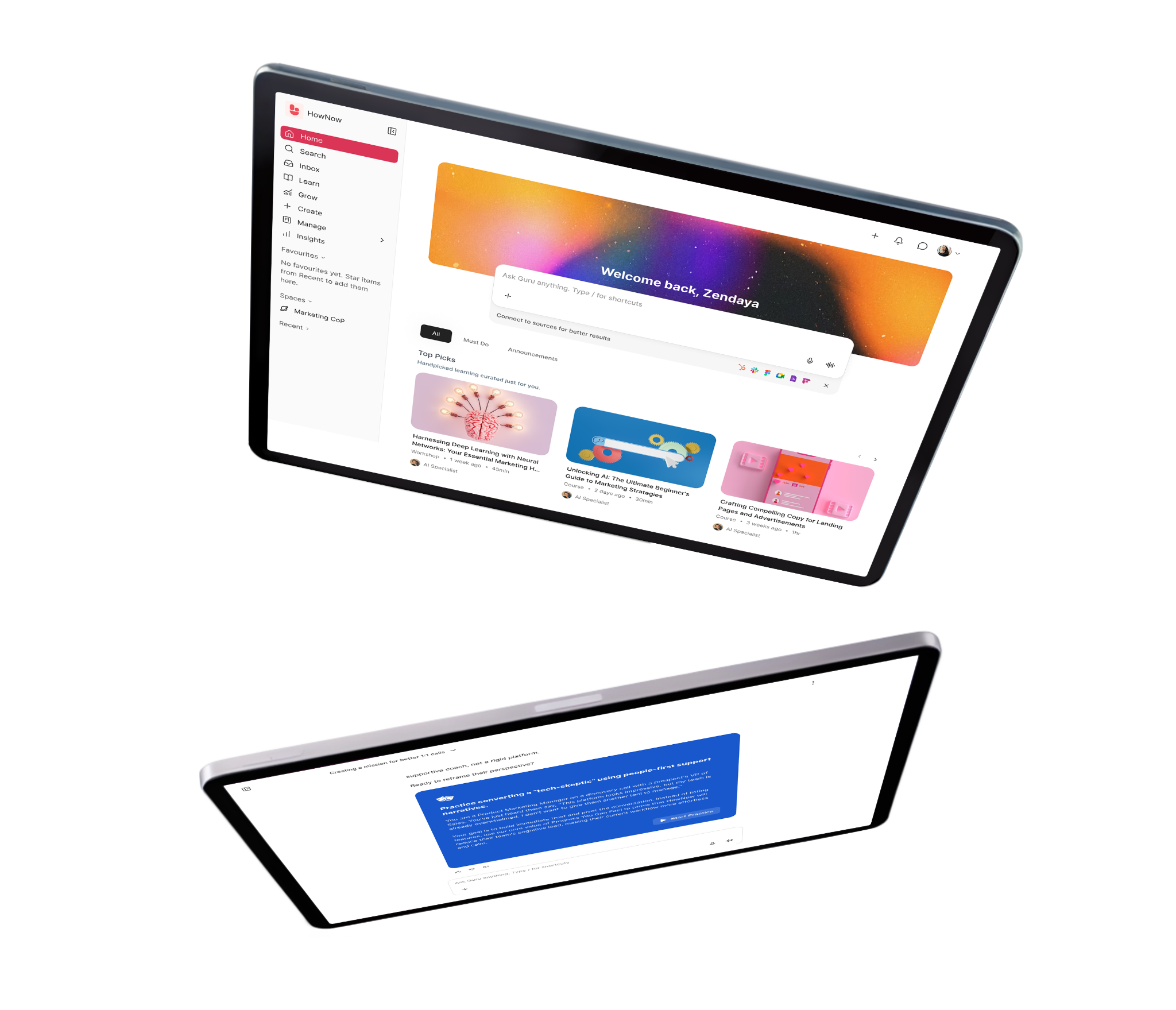
Great courses are filled with great resources, which are packed with great content! We call them Courses, Lessons and Nuggets in HowNow. Perhaps it’s easier if we show you what an employee onboarding pathway looks like…
Best practices for onboarding in practice
As you’ll already know by this point, it’s a real shame when a rocky start ruins a potentially fruitful relationship and career within your company. And while we’ve covered plenty of the technical stuff, there are some general rules that’ll help you ensure it’s smooth sailing for new employees.
Engage people ahead of time
We mentioned preboarding already, but that might not be your brand’s style – or your new employee’s preference either! So think more generally about engaging your newest team member between offer acceptance and day one. They’ll understandably go through bouts of doubt in that period, but you can help replace that with excitement.
Send them an email to touch base and remind them why you’re happy they’re going to be a part of your team.
Ensure your door’s always open for questions they might have before day one, offer to hop on a quick call at some point, explain who their buddy is going to be or tell them about exciting socials that are happening in their first few weeks – there are plenty of ways to engage without going down the preboarding paperwork route.
Immerse new hires in the culture
People are like sponges in their early days, that’s why it’s the best time to absorb your company culture. It’s tempting to get your head locked into how you’re giving that person the skills and knowledge to perform their new job faster, but connecting them to the company’s mission, goals and culture can be just as important in them sticking around and thriving. You might even choose to set specific culture targets:
Arrange for them to engage with senior leaders and social secretary types, allow them to drop in on meetings and just absorb how people interact, ensure they’re invited to socials and perhaps even give them a chance to help arrange one.
Personalise your employee onboarding efforts
We’ll cover this in more detail later, but personalisation is at the heart of better engagement, retention and productivity. If you don’t personalise, people might end up sifting through irrelevant information.
They also might be hit by information overload or connected with the wrong people for that stage of their onboarding journey. People need different information, in different formats and at different times, and the more you cater to that, the better their experience will be.
What you should be aiming for are consistent experiences with customised content. Someone in the US office really won’t need exactly the same resources as a UK onboarder, but it helps if they’re structured in a similar way and have an on-brand look and feel.
Establish clear communication at every stage of onboarding
People appreciate it when you check-in, and they appreciate it even more when it’s done meaningfully. So, get out of the habit of thinking this just means a formal meeting scheduled at the end of every week!
If you’re setting up an onboarding course, work out the key milestones and follow their completion with a check in. When you’re analysing their performance or time spent learning during onboarding, look out for data that indicates they’re struggling or succeeding – use that as an opportunity to chat.
That doesn’t mean you shouldn’t be scheduling in regular meetings, it’s more of a message to think outside the box but to still be clear on how you’ll do it.
Set clear goals and metrics
You can’t manage what you can’t measure! And a lack of clear goals and expectations is a nightmare for leaders and new employees. They’re missing the crucial direction they require, and you can’t quantify their success effectively – which means they’re struggling for that sense of accomplishment, and you can’t prove their progress.
Measure, understand, iterate
In the same vein, you need to really be measuring regularly and making tweaks to the onboarding journey! Data and dashboards are your friends, giving you nudges about what’s working, where people are getting stuck, and the types of content new employees are connecting with.
Part of that process should be collecting feedback throughout the onboarding process. Too often, a survey is sent at the end, which doesn’t really help you collect accurate insights into how people feel at days seven, 30, 60 or whenever they’re reaching particular milestones. The data will tell you some things, the people will explain why and your job is to channel that back into better onboarding.
Using social events, buddies and mentors
If you’ve never been assigned a buddy before, you’re missing out! They’ll take you out for lunch, help you understand the work world outside of your team, and be there to answer the questions you might not want to ask your manager. That’s typically the role of the buddy, to help you understand culture and community within the business.
However, some companies choose to pair people with multiple buddies, all with a different purpose. So, you might spend four weeks with someone in a different team, then another four with someone who you’ll be working with more closely. Of course, that second person might actually act as a mentor, especially if they’ve done the role before or have traits your new employee will need.
And all of this drives social interactions, something which you should include throughout the onboarding process! If someone’s an obvious extrovert, you might even encourage them to help plan a social event in the early months. If not, ensuring they get all the invites and attend some of those events will help them build necessary bonds.
Recognise the importance of offboarding
Ever find yourself saying ‘you’re leaving already’ to someone and recognising you’ve had no quality time to speak with them? That sometimes happens when people leave companies abruptly, and you’ve got a shoddy process in place for understanding why.
A good offboarding setup is equally as important as an onboarding one. You can understand why people are leaving, learn if their onboarding had any part to do with it, plan to crack open their siloed knowledge and feed it all back into the onboarding strategy.
Common mistakes and pitfalls in employee onboarding
We don’t like to dwell on the negatives, especially as we’ll have covered many of these in more detail elsewhere – but now is a good time to highlight the common red flags that crop up during onboarding:
Shoddy organisation: Whether it’s failing to get the equipment ready for day one or not providing a structured timeline, poor organisation normally means a worse user experience.
A lack of preboarding: especially if the person is eager to get involved, dot some Is and cross some Ts before their first day! They want to hit the ground running, and you’re hovering them just above the floor.
Information overload: You don’t want to overload people, even if it’s just through enthusiasm. Manage what you’re sending them and think about what can wait.
A focus on process and compliance, rather than progress and productivity.
It’s not long enough! Or maybe it’s too long – that’s for you and your new employees to decide…
Poor feedback processes: Fresh eyes are joining the business and your ears are firmly blocked, now everyone is missing out. They can offer honest feedback and new perspectives, they just need the right channels.
No measurement: We’ve said enough about this already, but crunching numbers is crucial in the world of successful onboarding.
Companies with creative ways of onboarding employees
The way we work has changed a lot over the past couple of years, but onboarding often gets put on the back burner and hasn’t evolved at the same pace – at least that’s the case at a vast number of companies.
However, plenty have shifted to hybrid and remote-friendly onboarding and have been transparent about the processes. And whether they’re big things or small ideas, there’s plenty we can learn from them.
Intercom
Casual interactions and understanding culture can’t happen organically when we’re not in the office together, something Anisha Agarwal, People Development Program Manager at Intercom, recognised as they shifted to virtual onboarding.
“Onboarding virtually can be tough for our new hires. We can’t build connections by just saying hi when we bump into each other in the hallways. It’s more difficult to communicate the way we work and the nuances of our culture. We can’t turn to our peers to quickly ask a question – it takes longer to get things done.”
The solution has been “to lean in and provide more opportunities and space for our new hires to connect, learn, and engage with each other and the business.”
Part of that has been to revamp the amount of time dedicated to the employee onboarding process, creating a six-month structure that works both in-person and remotely. Here’s some of what that includes:
Many companies moving to hybrid working have struggled to provide consistent experiences across those in-person and remote settings. Intercom, however, have ensured that their onboarding process is always built around four key pillars.
Core business learnings: Helping “new hires to understand who we are, what we do, and how we’re organised” by covering universally important topics like mission, vision, strategy, product and company structure.
Skills and culture: which covers how they work and why they do it that way.
Support elements: self-serve evergreen resources that help them understand tools and tech the company is using, plus insights into who can help with what.
Social and belonging: Modules and experiences that help people feel comfortable enough to be themselves and connect with others.
TravelPerk
In October 2020, Luis G. Valle gave us a peek behind TravelPerk’s employee onboarding curtain, revealing why it was an “unexpectedly inspiring experience” to join the corporate travel management company on their mission to take the stress out of business travel by bringing everything into one place.
One interesting point is that TravelPerk’s first touchpoint with new hires happens around one month ahead of day one, inviting employees to join their HR platform. This allowed Luis to complete paperwork in his own time and check out introduction messages from previous new joiners.
Luis provides a pretty thorough account of his experience, so it’s worth us picking out the important lessons we can learn.
Grouping new joiners together to ensure they’re bonding with others during the process: “The starting day at TravelPerk is usually the first or the third Monday of each month. This way people are grouped together for induction — making everything way more effective and efficient.”
Week one ensures you’ve got an understanding of each department in the business: “We had presentations from HR, Customer Care, Marketing, Product, Operations, Recruitment, our Value Proposition, Data, Sales, and Engineering. After that week, I had the feeling I knew more about this company than others I’ve worked at for years. I’ve seen goals for every department, company numbers, how we sell, how we help customers, where we want to go, why we want to go there, and what we’re doing to achieve that.”
Knowing all the moving parts of the company was one of Valle’s three key recommendations and takeaways from TravelPerk’s onboarding process, alongside that social element. But the big takeaway is teaching “new employees what they need to do the job.”
Speaking from a software engineering perspective, he explained how they get people up to speed with their tech stack and account for any gaps in their experience. “It’s expected that some people aren’t familiar with certain tools, libraries, or even languages used here. And the onboarding process accounts for that!” – which meant reviewing the tech stack together on week one and working out each new employee’s weak spots. The onboarding process and courses included in that were then tailored to it.
Google
Google have been under the onboarding microscope for a few years now, with their ‘just-in-time’ manager checklists highlighting an efficient and streamlined approach to a typically elaborate process. The day before a new hire joins, their manager is sent an email with just five small tasks: (Source).
Have a discussion about roles and responsibilities.
Match the new hire with a peer buddy.
Help the new hire build a social network.
Set up employee onboarding check-ins once a month for the new hire’s first six months.
Encourage open dialogue.
It’s less focused on corporate structure and more about company culture, as you can see from the focus on activities that connect people. Something that seems to have been unaffected by the recent move to more remote working, as this blog post with Asaf Paz, an Agency Lead on the Google Customer Solutions team, who joined the company from home shows:
Asaf felt that “all meetings being virtual helps me learn faster by attending more meetings as a guest and seeing everything in action”, highlighting a typically undervalued part of joining remotely. There are far more opportunities for you to drop in and listen to meetings passively, something that might feel more awkward in person.
He also highlights the openness of their culture and quality of their people in helping him feel part of the team early on:
“I was surprised by the depth of the connections I’ve established with my team and other Googlers so far. Maybe it’s the fact that we see each other’s houses and families on the first call that makes us open up and talk about personal things pretty quickly.
“Google has brilliant people that are humble and fun to work with. They go above and beyond to help another Googler. What I like most about the people here is that they measure everything, learn quickly and perform better the next time.”
Happy Money
If you join a company called Happy Money and you’re not feeling overjoyed by your welcome, you’re entitled to feel short-changed. The startup is designed to help people reduce debt, break up with their credit card and save more.
Thankfully, their Chief People Officer, Lisa Hennessey, revealed her Golden Rules for employee onboarding, and it looks like they welcome people in style (without breaking the bank).
“New hires feel like a party is coming to their house with personal welcome videos, a ‘party in a box’ welcome package at their doorstep and a team lunch.”
In the past, a few branded items might have got dropped off at your desk on day one, but an impressive welcome package can really make up for a lack of interaction for remote and hybrid joiners.
Happy Money also carry out culture workshops early on in the process, to ensure people are exposed to, understanding of and comfortable talking about values, DEI, cultural topics and issues they’re passionate about.
During remote onboarding, people can’t see these things in action – so you need to be transparent, clear and over-communicate those key values.
Convelio
If you like a little mystery, this is the story for you! Convelio published a quick interview with an intern known only as Nicolo, which offered a couple of good lessons. No employee onboarding is a masterpiece, but the high-end art shipping company seems to have some fine strokes in their employee welcoming arsenal.
Firstly, the remote onboarding schedule is sent in advance, helpful for those who like to know what’s coming. Secondly, Convelio are keen to ensure everything a new employee might need can be found in one place, in this case that means Notion.
This allowed Nicolo to search speedily every time there was something he needed – particularly helpful for interns who are often working against the clock for three or six months.
Amazon
Sometimes, as your old job is winding down, you’re itching to get into your new role! So it’s probably useful that new Amazon employees are offered optional pre-boarding a week or two before start day. They receive their laptops and can fill out paperwork ahead of day one.
Once preboarding’s over, Amazon are big on buddying. They’ll carefully select a seasoned company veteran to pair with new employees, and it’s not uncommon for someone to be paired with a new buddy once that first relationship reaches its natural conclusion.
Each stage of onboarding sees leaders stepping forward to “demystify the company’s intense culture”.
Amazon employs a lot of different people in a lot of different roles, and the company’s global workforce grew by 63% in 2020 to more than 1.2 million people. So they’ve had to perfect an approach in tailoring and prioritising onboarding based on someone’s role and how quickly they need to get up to speed.
Workers in specialties like engineering or marketing get the full-strength version, while briefer and in-person onboarding is typical for staff in their 180 fulfilment centres worldwide and in roles like hourly shipping and logistics.
Publicis Sapient
When you’re looking at remote or hybrid onboarding, it’s pretty tempting to just take whatever you did in-person and move it online. So Publicis Sapient deserve credit for acknowledging that the path of least resistance doesn’t lead to the route of high efficiency.
Their all-day sessions have now become a series of 90-minute modules, spread out over a number of days or with at least two hours between those happening on the same day.
Cultural onboarding has also become a priority, with the focus on driving retention. This process includes “deliberate, thoughtful, and purposeful conversations about culture, values, and goals” to really immerse people in the culture. Part of that is recognition that culture and processes may differ slightly between locations, meaning there needs to for global consistency that’s applied locally and logically.
Indeed
Indeed have received plaudits for their employee onboarding process in the past, with praise for their ongoing training opportunities, great coaching and comprehensive onboarding materials. But what happened when they shifted to remote onboarding? Glenda Kirby, Vice President of Client Success, joined during the pandemic and shared her experiences.
Creating a home office that feels like the right environment isn’t particularly easy, and Indeed provided two $500 stipends to ensure Glenda could upgrade her equipment. This enabled her to build a comfortable set up and separate her work life from home life by creating more of a home office than her temporary hot desk at the kitchen table.
Joining remotely in a senior position must make it tricky to immerse yourself in the culture and connect with people, so it’s nice to her that her team set up ways of getting to know her. A virtual happy hour was hosted in her honour, and they used that opportunity to hold a surprise Q&A.
“There’s nothing quite like being put on the spot in front of your entire team to accelerate the getting to know each other process. Thoughtful acts like this created a real sense of belonging for me early on.”
Remote, virtual and hybrid onboarding
More of us are working from home than we’d ever have imagined possible pre-2020, 88% of organisations asked people to do so in response to the pandemic. This means we’re past the point of making do with makeshift processes for our virtual colleagues. Where you might have rolled out the red carpet at the office for someone’s first day, you’ve now got to bring that glitz to their front door.
So, you can’t just take what worked face-to-face and move it online! Eagle-eyed onboarders can spot when these things don’t translate, and you really don’t want them feeling like remote onboarding is the second-best option.
So many of the principles we’ve discussed so far can be applied to remote onboarding – setting clear goals, measuring effectively and establishing timelines are crucial regardless of where onboarding is taking place!
Organisational onboarding: helping people answer logistical questions and find answers independently. That might mean a handbook or providing one single place for all of your knowledge and resources, all accessible on demand. That’s especially important when you’re working across timezones and an asynchronous approach to development is required.
Technical onboarding: people need to understand how your product and the tools used for their day-to-day role work. And it’s particularly helpful if they can master those with small projects and in low-pressure situations – either on the job or in practice scenarios.
Social onboarding: think about all those times waiting for the kettle to boil helped you break the ice with a new colleague. Or lunchtime chats that paved the way for a smoother relationship with someone in a different team who you needed a favour from later. That all gets lost during remote onboarding, so you’ve got to innovate.
Tip: Use coffee roulettes to pair random people (they’ve worked a treat for the HowNow team), create Slack channels dedicated to newbies, match people to multiple buddies with different purposes – put your creative thinking hat on and work out what fits your company culture.
The challenges of remote onboarding (and tips to conquer them)
Underestimating stakeholder involvement and communication
Our first suggestion for a challenge you need to keep in mind and tackle comes from Stella Haniel von Haimhausen, People Operations Manager at Personio. Stella explains that people tend to underestimate the number of stakeholders involved in onboarding new employees, from office managers to IT teams and talent development professionals to the new joiners themselves. Luckily, the solution is fairly simple, sit down, make a list of everyone who will be involved in the onboarding process, to what extent and then communicate with them accordingly.
Equipment and tech
There is no IT desk you can wander over to on your first day, and that’s pretty stressful if you’re struggling with a system or still waiting for a piece of equipment to arrive. The onus is on employers to ensure a new employee has everything they need for day one, with as much set up for them as possible and guidance in place for everything else.
Tip: Set aside a tech audit or Q&A session within the first few days, giving the new employee a chance to troubleshoot any problems they’re facing and speak with a knowledgeable member of the team.
Giving people a warm welcome
An office tour is a great way to see new smiling faces and having your fixed desk gives anyone you missed a chance to swing by and say hi. Obviously, you can’t do this remotely, but there are plenty of ways you can welcome people to the team virtually.
Tip: Record welcome videos from people in the team or collate their well wishes in one place, especially if there’s a discussion feature allowing your newbie to reply.
At HowNow, we’ve created our Meet The Team course, where everyone in the company’s recorded a short video message explaining who they are and what they do. It’s a big help in ensuring people don’t have to remember every name and role. And who wouldn’t want to see their name up in lights!? Every time a new employee joins, we’ll make an announcement on our platform’s homepage – a place where the discussion feature is switched on and empowering new colleagues to leave well wishes.
We saw in our stellar onboarding examples that people are getting creative in how they welcome new employees, sending goodies to their house or creating socials where they’re the star of the show. Again, consider what fits with your company culture and test those ideas out.
Learning through osmosis and shoulder taps
Being around your colleagues helps you learn far more than you realise. Overhearing people talk about projects helps you understand what’s in the pipeline, seeing people interact gives you a better feel for the culture, and being able to tap someone on the shoulder empowers you to pick their brains and find answers fast.
Tip: Remote employees don’t like to ask too many questions, the trouble is that a lot of the time they’ve got the same questions. Capturing answers to common questions prevents the repeat shoulder taps (virtual or in-person) that disrupt a colleague’s day and make an onboarder feel guilty for asking yet another question.
Hannah Watkins, Head of Content at flexible working and office space providers Hubble, also believes this is a crucial challenge but not an insurmountable one:
“One common onboarding challenge among the businesses we’ve chatted to over the past 18 months has been around learning from colleagues. Many businesses worry that the “learning by osmosis” that many are used to by working together in person won’t happen when apart—increasing the time it takes to get new employees up to speed. When they’re out of sight, it can also be hard for businesses to notice when a new employee might be struggling (either with a specific task or more broadly) or heading down the wrong path.
“It’s not to say that these challenges are insurmountable—far from it. But the vast majority of companies have been used to working together physically for a long time, and systems have been built around that. Now that we’re moving into a new way of working, we’ll need to re-evaluate the systems we take for granted, and check they’re still fit for purpose.”
How we do it at HowNow
Like most of you, we had to consider what our replacement for osmosis and shoulder taps would be! A big one was considering repeat questions and providing a consistent answer to those in HowNow – allowing people to find them on-demand.
Alfie Gardner, Customer Success Manager at HowNow, also suggested that “instead of a shoulder tap, can you consolidate those micro questions into a single discussion where you rapid-fire questions? This is a nice mood booster too!”
One of the biggest challenges in hybrid or remote settings is helping people get up to speed with the tech stack. Where we can, we’ll set up test environments for people to play around in tools but we’ll also schedule sessions where we’ll show them how to do it and take questions.
At this stage, it’s also important that you speak with new employees about their experience levels with similar tools or the tools within your company’s stack. There’s no point teaching people to suck eggs or letting transferable skills fall by the wayside.
Collaboration, connection and communication
It’s a similar point to the one above, but joining a company remotely can really influence how connected you feel to teammates, the organisation and its mission. According to Buffer, 19% of remote employees struggle with loneliness and 17% with collaboration and communication.
Tip: When it comes to communication and collaboration, think about whether your current tools and processes facilitate these remotely. If not, you’re off to a losing start! It also helps if you schedule collaborative projects into the onboarding process, whether that’s being mentored through a task by someone more experienced or working in a group setting.
Resource: If you want to add mentoring to your onboarding arsenal, check out this great guide from the team at Guider: Want to Improve Your Employee Onboarding Experience? Try Mentoring
HowNow tip: We always make sure there are regular touchpoints every week! We kick off with a Good Morning HowNow call every Monday, to chat about our weekends or plans for the week. Fridays are wrapped up with a retrospective, where we discuss our wins, lessons learnt and anything we need help with. In between, we use Donuts to randomly pair colleagues for meetings each week.
Bonus tip: Allow subject matter experts to create content! L&D and HR teams don’t need to do it all, especially when there are people with relevant experience in the company who’ve got a wealth of knowledge to share. At HowNow, we not only encourage people to create content, but to tap into the discussion feature to drive conversation. That often builds relationships, gives new employees a better understanding of the issue and allows the creator to improve on what they built.
Expert tip: Chris Salmon, Co-Founder at Legal Services Provider Quittance, believes that “the best way to keep employees engaged with their colleagues during remote onboarding is to have as many aspects of the onboarding process as possible led by colleagues. The more onboarding is directly led by other people in the company, rather than having the processed templatised and automated, the more engaged and assimilated new hires will become with colleagues.”
Socialising with teammates
Yes, this is also very similar to the above – but we wouldn’t consider after work drinks a formal part of the onboarding process. There’s no obligation to attend, but we often do, to get to know our new colleagues better. It’s just as important to set aside time for those remote socials, even if you feel like you’ve reached your limit for quizzes!
Understanding and connecting with the company culture
What do our three points above have in common? They relate to the struggle of understanding the company culture when you’re working remotely. And it’s something Hubble’s Hannah Watkins believes goes a little deeper than just working remotely.
“There can be elements of company culture that are much more tangible when employees are working together in person, so in a remote team, it’s essential to be proactive about putting culture at the centre of all of your processes—from hiring to performance reviews.
“The first step is ensuring that you’ve properly defined your culture and values as a team. This isn’t always an easy process, but it’s one that’s important to spend time on if you want to reap the benefits in the long run. There are a number of excellent culture consultants out there who can help you do this in the most effective and sustainable way—we worked with Brett from CultureGene.
“Once you’ve done this first part, you can build systems and implement processes to ensure that your culture and values remain present in day-to-day life at your company, regardless of where you are physically located.”
Information overload
It’s tricky picking up everything you need to know from the spare room at home! Your interactions are limited and it’s harder to decipher everything that’s sent your way. Which is why it’s crucial you’re personalising the onboarding process, giving new employees only the information they need at the moments they need it.
Quittance Co-Founder, Chris Salmon, flagged the too much/too little information dilemma when we we asked him about the biggest challenges of remote and hybrid onboarding:
“Since management in general is more difficult to do remotely than in the office, a big challenge that managers face when onboarding new staff remotely is getting workloads right for new joiners during their first 12 months in the company.
Everyone is different when it comes to the workload required to prevent them from suffering from boredom or becoming overwhelmed, and part of the onboarding process should be to discover what this sweet spot is for each new hire.”
Tip: Think about the things everybody in the company needs to know and when they need to know them. Work out what’s vital to this particular role and the different stages they’ll need knowledge by. Personalise the process so they feel it’s relevant to them, meaning they’ll only have relevant follow-up questions.
Surely you’re getting the best of both worlds when you’re in the office for some of the week and at home for the rest!? Those opportunities to build bonds and learn socially in-person pop up, but you’ve also got that time to focus which led 57% of remote workers to say they’re more productive at home.
The biggest hurdle to doing this well is scheduling! Are you sending the right self-directed resources to new employees ahead of their face-to-face time? Ensuring it’s fresh in mind on the day they can discuss it with teammates. Are you pencilling in introductions for the days people are in your office? Are buddies given the space and resources to take their mentee out for lunch on an in-person day. These are all things you need to consider…
Remote onboarding advice from HowNow’s Head of Sales
Our Head of Sales, James Lewendon, has not only joined remotely, he’s helped others onboard from the comfort of their own homes too! So who better to offer up some advice on welcoming remote employees into the fold!?
“Just because you’re onboarding remotely, there’s a tendency to book a tonne of meetings and almost have your new starters in back to back onboarding and training sessions. Don’t do this!
“Onboard as you would in the office, give the new starter time to digest the sessions and offer the autonomy to find things out for themselves. So, make sure they have plenty of free time every day.
“You should also create the right content, making sure you have slides/decks that you can walk through in each session and share those afterwards so that people can learn independently. That content should very much use a ‘leave behind’ approach, where a new person can look at it without any context and understand it.
“Lastly, give people more time – especially in sales! The reality is that you cannot expect the same aggression in ramp-up time as you did before. Remote onboarding and working in a new role are hard. Factor this in when building ramp times for your reps and new staff.”
How Hubble do it: Remote and hybrid employee onboarding at a fast-growing and agile company
When we spoke with Hannah, she was also kind enough to give us a peak behind Hubble’s onboarding curtain – hopefully this gives you a bit of insight into two key goals we’ve already discussed:
Making sure they have everything they need to work effectively from the outset.
Bringing them into the fold socially as early as possible.
Book in 1:1s with a wide variety of coworkers within the first week. At Hubble, we try to ensure that new employees have an onboarding session with members of all departments, so that they can get a broad understanding of how the company operates from the get-go, as well as meet members of the team that they might not work with directly on a regular basis.
Host a team-wide “welcome coffee” (or drinks, or games night…whatever works for your team!) so that everybody gets to meet the new team member, and vice versa. This could be in-person, in a hybrid setting, or remotely over video call—if the latter, having some relaxed icebreakers can often take the edge off any potential awkwardness! We also have weekly “donuts”. Each week, Donut, a Slack app, randomly pairs two people from our team to take 15-30 mins out of their week to go for virtual coffee. It’s a great way for individuals, and especially newbies, to get to know each other.
Make sure the new employee’s equipment (including a home working setup, if applicable) is ready from day one—ensuring that a remote team member’s laptop, peripherals, and any of the benefits they can enjoy as an employee are ready from the outset shows an employee that you’re excited for them to start, and you’ve taken the time to prepare for their arrival.
It’s also worth pointing out that “working remotely” doesn’t have to mean “working from home”. Some employees may benefit from having access to on-demand workspace closer to where they live—acknowledging this and making this happen goes a long way towards making an employee feel valued from the outset.
Powerful onboarding tools and platforms that make everyone’s life better
There are plenty of companies out there who recognise what HR and people development teams are up against, creating a host of tools to ease the pressure. Unfortunately, there isn’t a single tool that does everything you need for a smooth onboarding process – it’s why many companies are building the modern tech stack they need.
It’s also why we’ve written the guide to nine tools a winning HR tech stack needs. A lot of these tools not only make for a great onboarding experience, but they also ensure a smooth transition to full-time employee status and a fruitful relationship beyond that.
However, what about the tools that are specifically powerful when it comes to welcoming new employees with open arms? Here’s a short round-up of those tools!
HR systems
The less time you spend on paperwork, the more minutes you can dedicate to building relationships and having meaningful conversations with new employees! And that’s one of the biggest onboarding benefits of HR systems, they help you manage and organise all the admin associated with a new person joining the team.
For example, they’ll help you automate paperwork that needs to be sent out and send reminders when signatures haven’t been collected. They offer templates that help you customise the onboarding process by job role, department or location and automate follow up tasks to stop people twiddling thumbs when something important has been completed.
The thing is, you can’t just automate everything. You can schedule six or seven files and tasks being sent, but how about stopping to ask that person if any questions popped up as they filled those in? That’s why so many managers like to map out the journey on project management tools, to create a complete view of the process and ensure they don’t overlook anything.
Why? Because timelines are important and exercises like this are useful for keeping track with yours. And this helps you keep everything in one place too, allowing you to attach resources or introduce employees to colleagues within tasks and so much more.
For example, here’s a Trello template that splits up the various stages for a new employee but also reminds a manager of their tasks AND creates a space for the onboarder to leave their comments on relevant tasks.
Employee engagement surveys and capturing feedback
Do you really know how well your onboarding process is being received? Sure, you might have metrics that most people have completed a course, but how many enjoyed it? People might tell you anecdotally that they’re happy, but where’s the data on that?
What those two examples should show you is that anecdotal evidence and hard data are two sides of a very necessary onboarding coin. One helps you understand how people feel and the other explains why they feel that way. Employee engagement and satisfaction tools help you work out both.
Send people a survey with questions on a scale of one to 10, but follow those up with questions that encourage them to think about why they’ve said that and reflect on how they feel. You’ll paint a far better picture of how employees view your onboarding process by doing this! More on that later…
Now, if you find the right learning technology, you could do a lot of the above in one single place! Take an all-in-one learning platform like HowNow, we help you create personalised employee onboarding processes which are triggered by milestone dates or dependent tasks being completed.
Within that, you’ve got social learning and democratised knowledge sharing to be incorporated, connecting new employees with the right people AND the right information in the same platform. Like we said, it’s not all automation, and managers needing to assess performance – which is why we empower them to view insights in real time and drive meaningful check-ins with new employees.
For example, if it took an employee several attempts to complete an assessment, ask them about their experiences. If they flew through a certain task, understand why it connected with them so much. That’s the value of real-time analytics.
People like to be heard during the onboarding process, so embed surveys, switch our discussions feature on for your content, encourage them to upload insights about their experience to the learning platform – the beauty of freedom within HowNow is that anybody can contribute.
And then there’s the elephant in the room, most onboarding employees don’t want complete hand holding! They want guidance but also the freedom and tools to satisfy their natural curiosity – give them the self-directed learning they crave by bringing all your scattered resources into one place. When everything you need is at the end of a single search, you’re more likely to search and find knowledge you need.
Imagine it’s your first payday and nothing, you open your banking app, and the balance is where it was yesterday! That is arguably the worst possible scenario in your onboarding process. Excuse the pun, but payroll is the one thing you can’t afford to get wrong – and plenty of tools exist to ensure you get it right.
And they’re getting more and more innovative, beyond the automation of payslips and easy management of PAYE, NI and overtime. For example, Paylocity’s On Demand Payment tool allows employees to “access a portion of earned wages before their scheduled payday, quickly, and without disrupting your payroll process with extra paperwork.”
Payscale’s software allows you to benchmark your salaries against others, QuickBooks lets you manage all of this on the go through their mobile app, Oyster helps you avoid transfer fees for global teams, and the list goes on.
Where would we be without video calls!? Whether it’s facetiming family from across the world or connecting with colleagues in different offices, they’ve become a key part of our daily lives. And they will be for onboarders too, whether that’s because you’re joining remotely, speaking with remote employees or needing a reliable way to communicate with global teams.
Now, a lot of them do the basics well – you can see people’s faces, share screens and pop links in a chat box. And, honestly, onboarding should only be a small consideration in choosing your tool, because it’ll be used across the entire business. So that really means you’re picking based on the fit with your company culture and some of the more niche capabilities.
Here are a few examples of specific features that help these platforms stand out:
GoToMeeting is widely recognised for its superior mobile features, allowing you to set up and run online sessions from your phone.
And yet it falls far behind on attendee limits when compared to Microsoft Teams, although most do with its 10,000-person capacity.
Whereby is great because there’s such little admin involved in attending meetings, a simple shared link can be used again and again, while it’ll let you customise the appearance.
If you’re running everything through Google accounts, you might choose Google Meet for business continuity.
Zoom’s ability to fit 49 single videos on a screen might suit you if it’s important for people to see each other’s faces. Especially if you’re recording those onboarding sessions for people to revisit later.
Loom
More than anyone else, new employees need to see and hear how different platforms work! Imagine they’re trying to figure out a CRM they’ve not used before, but they’ve got a series of handy videos in which an experienced team member guides them through it. They can pause it or just follow along and truly see how it all works.
All with the added bonus of seeing a colleague’s smiling face in the corner or at least hearing their friendly voice.
Source: Loom
And from that colleague’s experience, Loom offers a low effort way of sharing knowledge, because they only need to share their screen, hit record and talk through a process they’re familiar with. Once they stop recording, they can just share the link, download the video and upload either to your knowledge base.
Slack
You can’t record a Loom video for every eventuality, and that’s why it’s crucial you pick the right messaging software! And really, you can’t look past Slack…
Whether it’s in individual conversations, where you’re sending chats, jumping on voice calls or screen sharing videos, or group channels where you’re crowdsourcing ideas or hopping on Huddles to have live voice conversations with up to 50 people.
Another string in Slack’s bow is its integration capabilities, allowing you to sync up and link up with the many other platforms new joiners might be using. HowNow’s Slack integration, for example, lets people search for and send resources from within their knowledge base directly in Slack chats and groups. They can even save responses to messages in HowNow, meaning that you’re cutting down on repeat questions and truly driving knowledge sharing.
Miro
The ultimate collaborative board for everyone you onboard! Miro allows you to map out processes, brainstorm, create frameworks or capture research on an infinite, interactive digital whiteboard.
If someone needs to understand the customer journey, map out the sales process or even just understand the company hierarchy, Miro is the ideal visualisation too. Especially given that they can attach little post-it comments to different steps where something is unclear. You can even hop on a call within boards to discuss those ideas together.
Source: Miro
Password managers
As a new employee, it’s really frustrating to be given a task or to familiarise yourself with a platform only to find it’s a shared account and the login details are tricky to track down. Password managers help you keep those together in a secure and shared space, while typically offering features like payment management or personal information storage.
Again, this one’s more about how you work in general, but Zapier can be a huge help to new employees. If you’re not familiar with the tool, Zaps allow you to automate the things that slow you down, even if they happen between different apps! Here’s an example:
Source: Zapier
There are countless cases where Zaps might improve your onboarding process. Whether that means you’re notified when someone completes a task, meaning you can follow up faster and more meaningfully, or another link in the process happening automatically once another has been finished.
Employee onboarding surveys and collecting feedback
Feedback’s a two-way street, but there’s no point in that second lane if employees are lacking a route or vehicle to head in your direction. And you shouldn’t wait until the onboarding journey’s over to collect their thoughts, so you need to plan out feedback pit stops along the way.
Benefits of collecting feedback from new employees
Fresh eyes for old problems: new employees can provide more objective feedback, before they get into the company or product bubble. Use this to your advantage and gain a better understanding of the things you’re probably too close to.
Providing insights that help you improve your onboarding process: it’s pretty obvious, but the more you speak with new employees, the more you understand the good, bad and ugly about your onboarding set-up. Encourage them to be brutally honest, take the feedback and see what you can improve for the next batch of fresh faces.
Helping managers understand their role: no manager is the finished article, so they should have an open mind for new employee feedback. Welcoming a new team member is a different skill to managing a long-term relationship, and listening is a great way to build that muscle.
Creating a culture of openness: if you’re encouraging people to be clear and transparent during their first few months, they’ll carry that into the rest of their time in the business. That culture of openness can be vital to streamlining processes, driving collaboration and creating the best outcomes for your customers.
Understanding the role of colleagues involved in that person’s onboarding process: new employees can also tell you things you never knew about the colleagues you’ve enlisted to help them settle in. They might make you aware of tip-top mentoring skills in an unlikely candidate or surface a subject matter expert you didn’t know existed in your team. They might simply let you know that someone’s a good egg, giving you the chance to provide them with some positive feedback of their own. It’s like a big ferris wheel of feedback that never stops spinning!
Capturing feedback: a qualitative and quantitative approach
Speak to one person, and you’ve got some excellent and insightful anecdotal evidence. As good as it is, it’s hardly enough to make huge changes to the onboarding process.
You fire over a survey to 30 people who joined in the past six months, and you’ve got some great statistics on the overall onboarding picture. The problem is that you’re lacking the detail that comes with speaking to people.
That’s why you normally find people using a two-pronged approach, combining surveys and conversations to get a true picture of the process.
Emma Leonis, Director of HR Transformation at LACE Partners, explains the importance of collecting data on how people feel and why we should be monitoring that at regular intervals.
“The types of desired ‘feeling’ may vary by moment in the employee’s onboarding journey. Again, this should be measured from both the employee and line manager’s point of view. Line Managers play a pivotal role in the onboarding process and overall employee engagement, so ensuring a good experience for this group is arguably as important – yet in my experience, it is often overlooked or, at best, is an after thought.
“If a line manager doesn’t feel they have access to the information they need to support their new team member (particularly in cases where there are first-time line managers), that is going to have an impact on both sets of experiences.”
Meetings, conversations and one-to-one sessions
As we mentioned, it’s those anecdotal stories and snippets that offer better insights into an individual’s onboarding experience. Whether you’re using those to support the survey numbers or share with key stakeholders, there are plenty of benefits to collecting qualitative feedback.
It helps if you ask open-ended questions, giving the new employee enough space to express their thoughts, praise and concerns. Conversations move fast, and so it’s probably a wise idea to record the session, if you all agree to it, of course!
Here are some ideas for the questions you can ask during these sessions:
Do you have a clear understanding of your role and what’s expected from you?
Do you have everything you need to perform in your role? If not, what’s lacking?
Were there any parts of your onboarding journey that really helped you settle in?
And which areas do you think could be tweaked or improved to work better?
What could we have done differently to improve your first [insert relevant time period]?
Are you confident in using the tools and technology needed for your role?
Do you feel that you’ve had enough quality time with colleagues or management?
Has the role and company lived up to your application expectations?
What’s the biggest challenge you’ve encountered in your time at the company?
Feedback and survey best practices
Imagine you met your favourite actor and wasted that moment by asking them a stupid question! You’ve ruined that one opportunity and it’ll probably haunt you for a while. Your new employees might not be walking the red carpet, but you’ve still only got a few stops and moments to bend their ears. Use them wisely and ensure you’re following these best practices!
Collect feedback frequently: people feel differently at different stages of their onboarding process. Someone might be struggling in the first two weeks, but then they’re fine by month three when you finally choose to ask them for their thoughts. By that point, you’ve missed the opportunity to collect some insightful and critical feedback.
Now imagine that the majority of people feel the same during the first two weeks, having data to that point would allow you to make improvements. Without it, ignorance is far from bliss…
Get to the point: everyone likes to make a good first impression during the onboarding process, but even the most enthusiastic will struggle to make it through a 50-question survey. Keep it concise, ensure the questions are brief and make it simple enough that it’s not feeling like a chore.
Ask relevant questions: if you’re asking someone for their experiences using a tool that their department hasn’t even heard of, let alone used, you’re wasting everyone’s time. If they respond, they skew your data, and they’ve also lost those few seconds on an irrelevant question.
Ask different questions in different moments: Stella Haniel von Haimhausen, People Operations Manager at Personio, shared an excellent tip when we asked for her insights. At the end of week two, they send a survey asking for feedback around the company onboarding process in general, before collecting very different insights two weeks later. At the four-week mark, a survey’s sent that asks for more information on the person, whether they feel it’s the right job for them and similar questions.
Communicate when you use the feedback: if survey responses encourage you to make a positive change, let people know! It shows that you’re listening, that their answers were positive and encourages people to carry on sharing.
Employee onboarding surveys
Numbers catch people’s eye! There’s a weight to them that those pieces of anecdotal evidence just don’t carry. Saying one person feels comfortable in their role is different to 94% of new employees strongly agreeing that they’re settling into the position. And if we switch that around, you can use your one-to-ones to explain some of the reasons people might be feeling that way.
So, it’s typically helpful to ask similar questions in a different way. Normally, this means some kind of answer scale, where you’re asking employees to rank something on a five-point scale from strongly disagree to strongly agree or using numbers from one to 10.
Here are some of the questions or statements you might pose, prefixed by “on a scale of one to 10” or “do you disagree or agree with the following statements”:
I feel valued at work.
I feel valued in my team.
Someone has frequently asked about my progress.
I am happy with the onboarding process.
I have everything I need to do my job effectively.
I am satisfied in my role so far.
I am proud to work for the company.
I see myself working at the company in two years.
I understand the company values.
The company values align with my own.
My duties reflect those provided in the job description.
Measuring onboarding: KPIs and evaluating success
Sometimes, employees really say it best when they say nothing at all! And by that, we mean that their performance metrics might tell you more about how effective onboarding has been.
We’re back with some more advice from Emma Leonis, Director of HR Transformation at LACE Partners. She explains the two types of performance insights we can use – alongside our experience data – to gain a holistic view of how effective onboarding has been.
Operational effectiveness (OX): “Typically this is about ‘time taken’ and centres on the process itself, such as fulfilment times for documents and equipment. A lot of this information will be tracked within enterprise systems, so data points are readily available. Other measures could include how easy it was for a new starter to find the information they needed on their first day.”
Business value: “A quality measure, focusing on ‘time to productivity’. Whilst this can be a more challenging dimension to measure as it is somewhat subjective and influenced by multiple factors, KPIs might include how quickly a new starter is able to complete their mandatory training or meet key people in their team to begin getting up to speed. This measure should be assessed from both the employee and line manager’s point of view, with a clear basis of what being successful looks and feels like (i.e. what ‘productivity’ means in reality).”
Alongside all of this, there are other metrics that don’t link directly to onboarding but can paint a better picture of its impact. Whether it’s people sticking around or looking happy while they’re doing it, here are some things you can measure:
Employee turnover and retention
People setting off before they’ve even settled in is a big red flag! Especially if they’re citing issues with your culture, people or onboarding process as a reason. And what if other people are having the same experiences but can’t just up and leave, meaning they struggle through!
Well, we saw in our onboarding statistics that onboarding quality influences retention in the long-term too! 69% stick around for three years if they experience a smooth transition into the role, and that’s why you’ve got to understand why people leave during onboarding AND where onboarding affects turnover in that six month to three year period.
Exit interviews might be your best friend in these instances. When data points to a turnover issue, speak to the people leaving to understand their motivations. If the issues they raise concern you, it might be wise to speak with employees on those topics.
Employee satisfaction, happiness and engagement
We can group these three tactics together because the principle is the same – are they satisfied, happy or engaged in the role or the company in general? Typically this involves those questions on a scale, but be sure to add some that ask what’s making them happy or unhappy!
If you’ve got an understanding of why, you can trace those back to the onboarding process. For example, if it’s a lack of client or product understanding, that might point to a gap in your new joiner pathway. If it’s a case of being disconnected from people in their team, you might evaluate whether there are enough social interactions in the onboarding journey.
Measure performance against established employees
This is one that you have to handle sensitively. There’s nothing to be gained by steaming into a meeting with Barry, the new sales rep, and asking why he’s only notched half as many calls as Linda, who’s been there for two years!
The thing is, onboarding is designed to get people close to productivity and a desired standard. Now, that standard has probably been set and influenced by other people in the same or similar roles. Understanding how quickly someone is performing compared to their established peers could be a great gauge of their progress – they might even be outperforming the old hands!
Time to productivity
Maybe you don’t need to compare against other people at all. You might find it more effective to establish milestones and metrics to be met, ones that you discuss with the onboarder during the first few days. Whether they reach them ahead, on or behind schedule will give you a sense of how useful their onboarding has been.
Completion rates
And not just in the sense of whether people are finishing training or onboarding courses. There are so many metrics and touch points you can assess! How long is it taking people to finish certain parts of the course? Are there sections causing people to stumble and delay progress? Are certain tests in the process constantly re-taken and perhaps an indication of an issue?
Common mistakes people make in measuring onboarding
How easy is it to fall into old habits or accidentally drop into a pitfall you really should have avoided!? Emma Leonis, Director of HR Transformation at LACE Partners, was also kind enough to recommend four common mistakes you should avoid as you’re measuring the impact of your onboarding efforts.
Trying to measure everything, with no real focus: Be crystal clear on the outcome you’re trying to measure and choose 3 (max 5) metrics/KPIs which support this and provide a holistic view of success. If asking questions as part of an onboarding survey, be very specific with what is asked.
Timing of measurement and/or assuming it’s a finite period of time: Depending on your definition of onboarding and priorities, there may be multiple points where understanding effectiveness is important. Pre-day one fulfilment, an end of first day touchpoint conversation with a new starter’s line manager, first 90 days, one year into role. All these need to be considered, along with an action plan at each stage based on the findings.
Siloed ways of working and measurement: Onboarding is one of the most complicated, cross functional processes in the employee and line manager lifecycles. Whilst each party should have operational effectiveness measures for their areas of responsibility (e.g. IT for work equipment, Facilities for security passes, HR for new joiner information packs), accountability for the overall effectiveness of the onboarding process should be shared, as it only takes one mistake from one area to taint the overall perception of a new starter’s experience. This is easier said than done, however, as it requires a mindset shift across teams and more integrated ‘one team’ ways of working.
Considering experience from the employee’s view only: As mentioned in the examples above, the line manager experience is equally as important.
How Gymshark used HowNow to onboard at speed and share knowledge just as quickly
The UK’s fastest-growing apparel brand needed one place to connect all their resources and people, somewhere they could deliver consistent and scalable onboarding experiences for new employees.
They found it in HowNow! Discover how they used our all-in-one learning platform to engage more than 600 learners, encourage them to create more than 70% of learning content on the platform and deliver exceptional onboarding experiences.
See HowNow in all of its onboarding glory!
So, what now? You’ve got the knowhow to build a brilliant onboarding program, but you’re missing the HowNow!
Our platform is packed with features that’ll help you welcome new people to the fold and get them up to speed in style – watch our on-demand product demo or book yourself in for a personal product tour.
Every enterprise learning platform now claims AI, but few build it into how skills, content and coaching work. HowNow leads this list of the top AI enterprise learning software, with a skills graph, adaptive pathways and an AI coach in one platform.
Docebo suits large organisations training customers and partners alongside employees. Absorb LMS fits teams that want AI agents grounded in their own approved content.
1. HowNow
HowNow is an AI-native learning platform that brings courses, coaching, communities and career paths into one place. It replaces the traditional LMS and personalises learning to each person's skills.
The difference starts with skills. HowNow's skills graph reads skills from real work, not a self-assessment form nobody fills in. There's no six-month taxonomy project to run first.
AI runs through every feature. Guru, the AI coach, answers questions from your own content, runs role-plays and builds dashboards on request. HowNow Plus adds 50,000+ skills-mapped resources, and it plugs into ChatGPT, Copilot and Claude so your AI tools draw on trusted content.
Key Features
AI pathway builder: Personalised learning paths built from skills gaps, role context, and business goals. Automatically.
Adaptive learning: Every learner gets a personalised path based on their role, skills, and progress. 1:1 learning at scale.
AI curation: The right content found, tagged, and organised from your internal sources and external libraries. Surfaced automatically.
Learning communities: Peer expertise made visible, structured, and searchable. Your best knowledge captured and available to everyone.
Skills graph: Every skill and every gap visible. The intelligence that connects performance gaps to the learning that will close them.
Career paths: Every employee sees their skills, their gaps, and where they can grow. Real paths that drive engagement without mandating it.
AI Performance coaching: Answers, practice, feedback, and proactive coaching, delivered where your people already work. Connected to real work signals.
Trusted content: Expert knowledge your AI can actually use. Every recommendation grounded in real expertise, not generic results.
Unified Search: Pulls any course, document, or expert answer from one search box across your tools.
In-flow delivery: Serves learning inside Slack, Teams and the browser, where people already work.
Pricing
HowNow doesn't publish a price list. Pricing is quoted per organisation after a demo, and there's an ROI calculator on the pricing page if you want to model the investment first.
Essentials - £60/user/year, Centralised learning with built-in compliance
Pro - £80/user/year, Personalised learning for every role, powered by AI, with zero admin
Plus - +£45/user/year, Curated learning from top providers, ready to use, skills-mapped, included in one subscription
Rating
G2: 4.5/5
2. Docebo
Docebo is an enterprise learning platform used by 3,500+ organisations, including PwC. Its strength is training employees, customers and partners from one system. In 2026 it bought 365Talents for skills intelligence and announced AgentHub. Our Docebo alternatives guide and Docebo vs Cornerstone comparison go deeper.
Key Features
Harmony AI: Gives learners a 24/7 tutor and conversational search across the courses they can access
AgentHub: Runs no-code AI agents on scheduled workflows such as compliance triage, launching autumn 2026
Skills Intelligence: Detects skills and gaps across the workforce, powered by the 365Talents acquisition
Skills-based internal mobility: Employees are matched to roles, projects and opportunities on verified skills rather than job titles or CVs
Pricing
Docebo doesn't publish prices. Its Elevate and Enterprise tiers are custom-quoted and billed on active users. It's aimed at organisations training 250+ learners, with a one-year minimum.
Rating
G2: 4.3/5
3. Absorb LMS
Absorb LMS is used by 3,500+ organisations, including Sony, Samsung and Toyota. It covers employee training, compliance and customer education from one system.
In May 2026, it launched Absorb Aura, a set of AI agents for learners and admins. Aura is grounded in each customer's approved content and isolated by tenant, which helps when IT asks where training data goes.
Key Features
Absorb Aura: Deploys AI agents for learners and admins, grounded in your approved content and isolated by tenant
Aura Create: Builds and updates courses through conversation instead of a blank authoring screen
Absorb Skills: Maps learning to 12,000+ job skills and 200+ competencies, for Amplify Max subscribers
AI recommendations and search ranking: The learner dashboard suggests courses based on each person's data and interests
Pricing
Absorb doesn't publish pricing.
Rating
G2: 4.6/5
4. 360Learning
360Learning is a collaborative learning platform used by 2,500+ organisations, including Cisco and Michelin. Subject-matter experts build courses directly, with L&D keeping quality control.
Its AI Companion, launched in October 2025, gives learners personalised search and recommendations on every plan. AI coaching and role-play are on the roadmap but not live yet.
Key Features
Collaborative authoring: Lets experts across the business co-author courses, included on every plan
AI Content Builder: Generates courses and questions from your existing source material
AI Companion: Gives learners personalised search, recommendations and real-time help
Agentic automation: An AI agent handles catalogue clean-up, reporting and instant course translations, with conversational BI for asking data questions in plain language.
Pricing
360Learning publishes its Team plan at $8 per user per month for up to 100 users, billed monthly with a 30-day free trial. Business and Enterprise plans are custom-quoted.
Rating
G2: 4.6/5
5. Disprz
Disprz is an AI-native learning and skilling platform used by 500+ enterprises, including Amazon, EY and PUMA. It combines an LMS, LXP and skills engine, built mobile-first for frontline workforces.
Its Atomic Skills Model maps granular skills and proficiency levels to each role, then builds pathways and career plans from the gaps. Turo, its agentic content builder, speeds up course creation on usage-based credits.
Key Features
Atomic Skills Model: Maps granular skills and proficiency levels to every job role
AI pathways: Builds personalised learning journeys, career paths and development plans from skill gaps
Turo: Uses agentic AI to build learning content at scale, charged on usage credits
Blended learning delivery: Runs instructor-led, virtual, microlearning and on-the-job training from one LMS, with automated workflows, approvals and certification tracking
Pricing
Disprz publishes an entry price. Essentials starts at $2 per learner per month, while Enterprise, which adds skills, career paths and AI content, is custom-quoted.
Rating
G2: 4.4/5
6. Cornerstone OnDemand
Cornerstone is one of the biggest names in enterprise learning, used by around 7,000 organisations in 186 countries. Its suite covers learning, performance, recruiting and succession, assembled through acquisitions over many years.
In May 2026 it launched Cornerstone Workforce AI, which combines workforce and labour-market data to target learning. The breadth suits HR-led global programmes, though reviewers often find the platform heavy to run.
Key Features
Workforce AI: Combines workforce and labour-market data to target learning and surface hidden talent
People Graph: Pulls signals from HRIS, ATS, CRM and project tools to build skill profiles
Readiness Agents: Runs agentic AI for workforce tasks, with links into Slack, Teams and Copilot
Personalised recommendations: The platform learns what each person knows, what they're working on, and where they're heading
Pricing
Cornerstone doesn't publish pricing.
Rating
G2: 4.1/5
7. Degreed
Degreed is a learning and skills platform with 10 million activated users in 160+ countries. It brings content from thousands of providers into one experience, with customers including HSBC and Ericsson.
Its AI coach, Maestro, works in text and voice and runs role-plays with structured feedback. Capgemini used Degreed to train 150,000 employees in 10 weeks. We've also written about Degreed alternatives.
Key Features
Maestro: Coaches people by text or voice, runs role-plays and curates pathways
Skill Review: Assesses proficiency through adaptive, behaviour-based questions developed with psychometricians
Degreed Academies: Runs cohort-based programmes for longer, structured development
Maestro Studio: L&D teams build and launch custom AI coaches, roleplays, quizzes, surveys and forms in minutes
Pricing
Degreed doesn't publish prices.
Rating
G2: 4.3/5
8. Thrive Learning
Thrive is a UK-built L&D platform used by 500+ organisations and 5 million people in 60+ countries. It combines learning, mentoring, communities and internal comms, with customers including Volvo and British Airways.
Its AI agent, Kiki, comes included at no extra cost and covers coaching, content creation, analytics and admin. Mentoring is built in too, which saves buying a separate tool. Our Thrive alternatives guide goes further.
Key Features
Kiki AI agent: Works in five modes, Coach, Creator, Analyst, Admin and Assistant, at no extra cost
Mentoring: Matches mentors and mentees, sets goals and tracks impact
Skills and pathways: Maps skills to roles, finds gaps and builds pathways to close them
Pricing
Thrive publishes pricing through an online calculator, with no form or sales call needed. Larger tiers still go through a demo.
Rating
G2: 4.5/5
9. Skillsoft Percipio
Skillsoft Percipio is an AI-driven skills platform backed by one of the largest content libraries in corporate learning, with 325,000+ learning assets. Skillsoft says 60% of the Fortune 1000 use it.
Its AI role-play tool, CAISY, lets people rehearse difficult conversations and get scored feedback in Practice mode. Percipio suits organisations that value library breadth over bespoke, skills-mapped learning.
Key Features
CAISY: Lets people rehearse conversations with AI in Practice, Role Model and Guiding modes
AI Coach: Turns development needs into coaching goals, aligned to ICF standards
Skill Benchmarks: Assesses skills to show gaps across teams
AI content creation: L&D teams build custom courses, simulations and assessments in minutes, then update them as priorities shift
Pricing
Skillsoft's self-serve figures sit on its pricing page.
Individual: $25 per month, or $269 per year, with a 45-day free trial
Teams: $20 per seat per month billed annually, up to 300 seats, with a 30-day free trial
Enterprise: custom pricing above 300 seats
Rating
G2: 4.1/5
10. LinkedIn Learning
LinkedIn Learning offers 24,000+ expert-led courses, backed by skills insights from LinkedIn's network of more than 1 billion members. Customers include LEGO and Siemens.
Its AI coach answers questions from LinkedIn Learning courses and links to the source course, so people can check what they're told. Many teams run it inside another platform, for example through HowNow’s LinkedIn Learning integration.
Key Features
AI-powered coaching: Answers questions using LinkedIn Learning courses, with a link to the source course
AI role play: Lets people practise workplace conversations by voice or text, on Enterprise and Premium plans
Skills insights: Draws on LinkedIn's member data to show trending and in-demand skills
AI-assisted content curation: AI-powered search helps admins and learners find the right content quickly, instead of browsing thousands of courses
Pricing
Teams: $379.88 per licence per year, for 2 to 20 licences, with a one-month free trial
Enterprise and Career Hub: no published price, contact sales
Rating
G2: 4.4/5
Looking for the top AI enterprise learning software?
Your three-year LMS contract is up for renewal, and the engagement numbers are hard to defend. Every vendor on your shortlist says it has AI. For some, that means a coach that knows your business. For others, it means a button that writes quiz questions.
Most buying mistakes happen in the gap between those two. So we compared 10 platforms on what the AI actually does, how each handles skills, cost, and G2 reviews.
Why listen to us?
We build HowNow for L&D teams who have outgrown a traditional LMS. We see which AI features change how people learn, and which only shine in a demo.
Hotelplan mapped 300+ job roles to skills in one month, reached 99% activation and saw 78% of employees feel confident in their role skills. Infinity Works hit 97% activation within four months.
Trainline halved the time its people spend on compliance training, and Operatix ramped new starters 33% faster. Radius upskilled 3,000 managers, and FitFlop took positive sentiment on access to L&D from 0 to 69%.
So we judge AI platforms the way our customers do: does the AI get people to the right learning faster, and can L&D prove it? See more on our customer stories page.
What is AI enterprise learning software?
AI enterprise learning software is a corporate learning platform that uses AI to personalise, deliver and measure employee development. It maps learning to each person's role and skills, recommends next steps and coaches people as they work.
Why is AI enterprise learning software important?
People actually engage: Generic catalogues get ignored. When learning maps to role-specific skills, people open it because it helps with this week's work.
L&D spends less time on admin: Manual assignment, completion chasing and hand-built reports eat hours every week. AI handles recommendations, nudges and dashboards instead.
Skills become visible: Most organisations can't say what their workforce can do today. Skills-aware AI builds that picture, which is why skills-first learning is becoming the default.
Compliance is easier to prove: Automated assignment, tracking and renewals keep audit evidence in one place, so nobody stitches spreadsheets at midnight.
Learning connects to business results: Leaders want proof that training moved performance. Joined-up learning, skills and performance data provides it.
Selection criteria: how we evaluated
Every vendor now calls itself AI-powered, so we looked past the labels. We scored each platform on five criteria.
AI depth: We checked whether AI runs through the whole platform or sits in one corner, and what data feeds it. AI trained on real work signals beats a chatbot added to a course catalogue.
Skills approach: Looked at how each platform builds its picture of employee skills. Skills read from real work stay current, while self-reported forms go stale the week they're filled in.
Content: We weighed the size, quality and skills-mapping of both internal and off-the-shelf content. A huge library means little if people can't find what closes their gaps.
AI governance: Asked where your data goes, whether AI answers are grounded in approved content, and how much control admins have. This matters most for regulated teams.
Pricing and proof: We rated how open each vendor is about pricing, read what G2 reviewers say, and looked for named customers showing real results.
No platform wins on every criterion. The right choice depends on which of these matters most to your team today.
How to choose
Start with the problem, not the feature list. If you're a mid-to-large enterprise that wants learning, skills, coaching, and content in one AI-native platform, HowNow is built for that. If you train customers and partners at real scale, Docebo or Absorb are worth a look.
If expert-led content matters most, 360Learning has a transparent entry price. Frontline-heavy organisations should shortlist Disprz, while global enterprises wanting recruiting and succession in one suite will lean towards Cornerstone. Skillsoft Percipio and LinkedIn Learning suit teams that mainly need library breadth.
Whatever you choose, ask each vendor to show the AI working on your own content.
Choose AI that changes how your people learn
Every platform here uses AI in some form. The real question is whether it knows your people's skills, works from your content and proves results.
HowNow was built for exactly that. Hotelplan hit 99% activation, Trainline halved compliance training time, and TomTom reached 100% onboarding completion. Each came from one platform joining learning, skills, coaching, and reporting.
Ready to see it working on your own content? Book a demo and see HowNow in action.
FAQs
What's the difference between AI enterprise learning software and a traditional LMS?
A traditional LMS hosts courses and tracks completions. AI enterprise learning software personalises learning to each person's role and skills, recommends what to do next and coaches people in the flow of work.
How do I know if an AI learning platform is trustworthy?
Check whether the AI grounds its answers in your approved content and whether your data stays within your tenant. Ask who controls what the AI can see. Then test it live on your own documents during the demo.
How much does AI enterprise learning software cost?
It varies widely. 360Learning's Team plan starts at $8 per user per month, and Disprz Essentials at $2 per learner per month. HowNow, Docebo, Absorb, Cornerstone and Degreed quote pricing based on your size and needs.
Can AI enterprise learning software handle compliance training?
Yes. The strongest platforms automate assignment by role, track renewals and keep audit trails in one place. With HowNow's compliance training tools, you can assign, track and prove completion without rebuilding spreadsheets before every audit.
The best learning experience platform is the one your people actually open, because it shows them learning that fits their role. HowNow leads this list for mid-to-large organisations that want LMS, LXP, skills and content in one AI-native platform, with skills read from real work. 360Learning is the pick if you want subject-matter experts building your courses. Degreed suits large enterprises with a mature skills strategy and the budget to match.
The 10 best learning experience platforms
No.
Platform
Best for
Pricing
G2 rating
1
HowNow
Mid-to-large enterprises wanting learning tied to real skills
Demo-led, ROI calculator on pricing page
4.5/5
2
360Learning
SME-led, collaborative course creation
From $8/user/month
4.6/5
3
Degreed
Enterprise skills strategy and assessment
Custom quoted
4.3/5
4
Docebo
Large, multi-audience enterprise training
Custom quoted
4.3/5
5
Cornerstone OnDemand
Global enterprises wanting learning and talent in one suite
Custom quoted
4.1/5
6
Thrive Learning
UK organisations wanting built-in AI, mentoring and communities
$34,000 for 100 learners
4.5/5
7
Absorb LMS
Structured training with AI grounded in your own content
Custom quoted
4.6/5
8
LearnUpon
Training employees, customers and partners from one login
Quoted, from 100 users
4.5/5
9
Kallidus
UK organisations with heavy compliance needs
Custom quoted
4.4/5
10
TalentLMS
Small teams that want to launch quickly
Free plan, paid from $119/month
4.6/5
1. HowNow
HowNow is an AI-native learning platform that brings courses, coaching, communities and career paths into one place. We built it for organisations of 250 to 5,000 people that have outgrown a traditional LMS.
The difference starts with skills. Our skills graph reads skills from real work, not from a form nobody fills in, so content stays relevant as roles change. Guru, our AI coach, runs through the whole platform, answering questions, running role-plays and building dashboards when you ask.
HowNow Plus adds a curated, skills-mapped content library that your people and your AI tools can both draw on. And because onboarding, compliance, leadership development and careers all run on one platform, your reporting stays joined up.
Key Features
AI pathway builder: Personalised learning paths built from skills gaps, role context, and business goals. Automatically.
Adaptive learning: Every learner gets a personalised path based on their role, skills, and progress. 1:1 learning at scale.
AI curation: The right content found, tagged, and organised from your internal sources and external libraries. Surfaced automatically.
Learning communities: Peer expertise made visible, structured, and searchable. Your best knowledge captured and available to everyone.
Skills graph: Every skill and every gap visible. The intelligence that connects performance gaps to the learning that will close them.
Career paths: Every employee sees their skills, their gaps, and where they can grow. Real paths that drive engagement without mandating it.
AI Performance coaching: Answers, practice, feedback, and proactive coaching, delivered where your people already work. Connected to real work signals.
Trusted content: Expert knowledge your AI can actually use. Every recommendation grounded in real expertise, not generic results.
Unified Search: Pulls any course, document or expert answer from one search box across your tools.
In-flow delivery: Serves learning inside Slack, Teams and the browser, where people already work.
Pricing
Essentials - £60/user/year, Centralised learning with built-in compliance
Pro - £80/user/year, Personalised learning for every role, powered by AI, with zero admin
Plus - +£45/user/year, Curated learning from top providers, ready to use, skills-mapped, included in one subscription
Rating
G2: 4.5/5.
2. 360Learning
360Learning is a collaborative learning platform built on one idea: the people who know the subject should create the training. Its AI Content Builder helps subject-matter experts turn what they know into courses, while L&D keeps final approval.
More than 2,500 customers use it, including Cisco, Duolingo and Michelin. If you're weighing it up, our guide to 360Learning alternatives compares it with the wider market.
Key Features
AI Content Builder: Helps subject-matter experts build courses quickly, with L&D oversight before anything goes live
Learning Needs: Lets employees request training topics and upvote each other's requests, so content follows real demand
Skills library: Starts you with 20,000 standard skills, plus a free SkillsGPT to help shape your own framework
Academies: Runs dedicated learning spaces for different teams and communities
Pricing
Team: $8 per user per month. Business and Enterprise plans are custom-quoted.
Rating
G2: 4.6/5.
3. Degreed
Degreed is one of the original learning experience platforms, built for large enterprises that want to connect learning to a skills strategy. It pulls content from internal and external sources into one searchable home.
The company reports 10 million activated users across 160+ countries, and Capgemini used it to train 150,000 employees in ten weeks.
Key Features
Skill Review: Assesses skill levels through an adaptive questionnaire of behavioural questions, developed with psychometricians
Four rating sources: Combines Skill Review, manager, peer and self-ratings into one skill profile
Maestro: Coaches people by text and voice, with AI role-plays scored against custom rubrics
Academies: Builds structured programmes for specific teams or capabilities
Pricing
Degreed doesn't publish prices.
Rating
G2: 4.3/5.
4. Docebo
Docebo is an enterprise learning platform that now describes itself as an AI workforce readiness platform. It suits large organisations training employees, customers and partners from one system.
More than 3,900 customers use it, with over 30 million users across 70+ countries.
Key Features
AI assistant: Helps learners find answers and helps admins create course content faster
Content Marketplace: Gives access to over 30,000 courses and professional certifications
MCP server: Lets admins run Docebo tasks from Claude, ChatGPT, Copilot and Gemini, generally available since July 2026
Extended enterprise: Runs separate, branded learning for customers and partners alongside employee training
Pricing
Docebo's pricing page lists two tiers, Elevate and Enterprise, both quoted by sales.
Rating
G2: 4.3/5.
5. Cornerstone OnDemand
Cornerstone is a legacy giant in enterprise learning and talent, and it relaunched its platform as Cornerstone Workforce AI in May 2026. Its learning experience platform, formerly EdCast, is one part of a much wider talent suite.
About 7,000 organisations use Cornerstone across 180+ countries. The suite has grown through acquisitions, including Saba, SumTotal, EdCast and SkyHive, which brings breadth but also complexity.
Key Features
Skills Engine: Draws on a taxonomy of 55,000+ skills, powered by labour-market data from SkyHive
Content Subscriptions: Offers Silver, Gold and , Gold and Platinum in 10+ languages
Readiness agents: Uses AI agents to map roles, skills and future workforce needs
Compliance management: Tracks certifications and audit evidence across global teams
Pricing
Cornerstone doesn't publish pricing.
Rating
G2: 4.1/5.
6. Thrive Learning
Thrive is a UK-built platform that brings learning, communities, mentoring and internal knowledge together. It now positions itself as an AI-powered LMS, but its social feed and mentoring give it a strong LXP feel.
More than 500 organisations use Thrive across 60+ countries, including Specsavers, Volvo and British Airways.
Key Features
Kiki AI: Works in five modes, including Coach, Analyst and Content Creator, at no extra cost
Skill pathways: Maps skills to roles and builds pathways that close each person's gaps
Mentoring: Matches mentors and mentees, included at no extra cost
Content library: Includes 1,000+ ready-made resources, with 2,500+ more in the separate Thrive Content product
Pricing
Price starts at $34000 per 1-100 learners, $48263 from 501-600 learners onwards
Rating
G2: 4.5/5.
7. Absorb LMS
Absorb is an LMS with strong LXP features, used by 3,500+ organisations including Sony, Samsung and Toyota. In May 2026 it launched Aura, a set of AI agents grounded in each customer's own approved content.
Forrester named Absorb a Leader in its Q4 2025 Wave for learning management systems and experience platforms.
Key Features
Absorb Aura: Runs AI agents for learners, course creation and admin tasks, grounded in your own content
Absorb Skills: Maps learning to 200+ competencies and 12,000+ skills
Absorb Amplify: Adds a library of 20,000+ pre-built courses
Absorb Infuse: Embeds learning inside the other tools your people use
Pricing
Absorb doesn't publish pricing. Its pricing form asks for your learner count.
Rating
G2: 4.6/5.
8. LearnUpon
LearnUpon relaunched in July 2026 as an agentic learning platform. Its biggest strength is running separate, branded portals for employees, customers and partners from one admin login.
More than 1,700 organisations use it, and its support team is available around the clock. It's a strong pick when external training matters as much as internal learning.
Key Features
Portals: Creates unique, branded learning environments for each audience from one place
LearnUpon IQ: Acts as an AI coordinator that connects every part of the platform
Create+: Builds courses with AI, which LearnUpon says is up to 90% faster
Learning Journeys: Sequences courses with prerequisites, timed release and certifications
Pricing
LearnUpon doesn't publish prices.
Rating
G2: 4.5/5.
9. Kallidus
Kallidus is a UK-based learning and performance provider with more than 1,000 customers and 2 million users. Its Learn LMS is built for compliance-heavy organisations, with AI recommendations and skills tools in the higher tiers.
It's more LMS than pure LXP, but it earns a place here for UK teams that need strong compliance alongside a modern learner experience.
Key Features
Learn LMS: Manages courses, compliance and instructor-led training in one system
Power BI reporting: Embeds Power BI natively for detailed reporting
Off-the-shelf content: Includes 250+ ready-made courses
Kallidus Intelligence: Adds AI to help L&D teams focus on impact rather than activity
Pricing
Kallidus doesn't publish prices.
Rating
G2: 4.4/5.
10. TalentLMS
TalentLMS is a cloud LMS for small and mid-sized teams that want training live quickly. More than 70,000 teams use it.
It's one of the few platforms here with a free plan and fully published pricing. If budget is tight, it's an easy place to start.
Key Features
TalentCraft: Generates courses with AI, with credits that vary by plan
Gamification: Adds points, badges and leaderboards on every plan
Learning Playground: Gives your team a space to practise and build confidence
TalentLibrary: Offers 1,000+ ready-made courses as a paid add-on
Pricing
Free for up to 5 users
Core: $119/month (up to 40 users)
Grow: $229/month (up to 70)
Pro: $449/month (up to 100)
Rating
G2: 4.6/5.
Why teams are looking for a new learning experience platform
Your three-year LMS contract is up for renewal. The engagement survey put development in the bottom three. And logins still only spike in compliance week.
If any of that sounds familiar, you're probably not short of content. You're short of a platform that knows your people well enough to show them what matters.
A learning experience platform is built to solve exactly this. It personalises learning around each person's role and skills, and it reaches them in the tools they already use. We compared 10 LXPs on skills, AI, pricing and verified G2 ratings, so you can build your shortlist faster.
Why listen to us?
We build HowNow, an AI-native learning platform, and we spend every day helping L&D teams at 250 to 5,000-person companies fix engagement. We've seen what gets people logging in, and what only looks good in a demo.
The proof comes from our customers. TomTom reached 90% learner activation and 100% onboarding completion after launching its TomTom Academy on HowNow. Hotelplan mapped more than 300 job roles to skills in a single month, and 78% of its people now feel confident in their role skills.
Trainline cut compliance training time by 50% with in-house content. Infinity Works passed 97% activation within four months. At AND Digital, 75% of employees use HowNow every working day.
A learning experience platform (LXP) is software that personalises learning for each employee. It pulls courses, internal knowledge and third-party content into one place, then recommends what fits each person's role, skills and goals.
A traditional learning management system (LMS) works the other way round. L&D assigns courses, tracks completions and reports on compliance. It's built for administrators first.
Today the line between the two is blurry. Most leading platforms now combine LMS control with LXP personalisation, so the better question is how well a platform understands your people. Our LXP vs LMS guide goes deeper on the difference.
Aspect
LMS
LXP
Built for
Administrators
Learners
Content
Courses assigned by L&D
Courses, internal knowledge and third-party content
Personalisation
The same training for everyone in a group
Recommendations by role, skills and goals
Success measure
Completions
Skills built and ongoing engagement
Why a learning experience platform matters
People come back: Generic content gets ignored. When learning maps to each person's role and skill gaps, what shows up in their feed is worth opening.
You can see your skills: Instead of guessing what your workforce can do, you get a live view of where skills are strong and where the gaps are.
Admin shrinks: Automated pathways, smart recommendations and built-in reporting let a small L&D team run learning for thousands of people.
Compliance stops being a chase: You can assign, track and prove compliance training in one place, without stitching audit trails together from spreadsheets.
Impact becomes provable: When learning, skills and performance data live together, you can show the board what changed, not just what got completed.
How to choose the right learning experience platform
Start with the problem you're trying to fix. If people aren't engaging, you need personalisation built on real skills data, and HowNow is built for that. If your experts hold knowledge that never gets written down, 360Learning's collaborative model fits.
For large enterprises with mature skills programmes, Degreed and Cornerstone cover the most ground. Docebo, Absorb and LearnUpon suit teams that train customers and partners alongside employees.
If you're a UK organisation focused on compliance, Kallidus and Thrive know that market well. And for small teams on a budget, TalentLMS is the quickest way to get started.
Whichever platforms make your shortlist, ask each vendor the same question: how does your platform know what skills my people have? The answer tells you how good every recommendation will be.
Find the learning experience platform your people will actually use
Most learning experience platforms promise personalisation. Far fewer can explain where their skills data comes from, or prove that people keep coming back after launch.
HowNow reads skills from real work and puts AI coaching into the tools your people already use. It also gives you one view of learning, skills and performance. TomTom, Hotelplan and Trainline chose it for those reasons, and their results show their people keep using it.
If you're heading into a renewal or rethinking your learning stack, book a demo and see HowNow in action.
FAQs
What is the difference between an LMS and an LXP?
An LMS is built for administrators to assign courses, track completions and report on compliance. An LXP is built for learners, recommending content based on each person's role, skills and goals. Most modern platforms, including HowNow, now combine both.
What is the best learning experience platform?
It depends on your size and goals. HowNow is the strongest pick for organisations of 250 to 5,000 people that want skills-based personalisation and AI coaching in one platform. 360Learning suits SME-led content creation, and Degreed suits large enterprise skills programmes.
How much does a learning experience platform cost?
HowNow quotes per organisation after a demo, based on your headcount and needs. Degreed, Docebo and Cornerstone also price by quote, 360Learning starts at $8 per user per month, and TalentLMS has a free plan.
Can an LXP replace an LMS?
Yes, if it includes LMS essentials like course assignment, compliance tracking and reporting. Platforms like HowNow combine LXP personalisation with those admin tools, so you can run onboarding, compliance and upskilling in one place instead of two.
What features should a learning experience platform have?
Look for skills mapping, personalised pathways, AI search and coaching, content curation, social learning and integrations with Slack, Teams and your HRIS. Most importantly, check how the platform builds its skills data.
Most online training software for employees promises personalisation and delivers a catalogue nobody opens. We compared 10 platforms on AI depth, skills relevance, engagement, reporting, pricing and G2 ratings. Below you'll find a quick comparison, honest reviews with pros and cons, and a simple way to choose. HowNow comes out on top for skills-based, personalised learning that people actually come back to.
Quick summary
Most online training software for employees promises personalisation and delivers a catalogue nobody opens. We compared 10 platforms on AI depth, skills relevance, engagement, reporting, pricing and G2 ratings. Below you'll find a quick comparison, honest reviews with pros and cons, and a simple way to choose. HowNow comes out on top for skills-based, personalised learning that people actually come back to.
10 best online training software for employees
Platform
Best for
Starting price
G2 rating
HowNow
Mid-to-large enterprises with knowledge workers and high-skilled teams
Begins at £60/user/year
4.5/5
360Learning
Collaborative course creation by subject-matter experts
$8/user/month (Team plan)
4.6/5
Docebo
Training employees, customers and partners in one platform
Custom (demo-led, typically 250+ learners)
4.3/5
LearnUpon
Training employees and external audiences with strong support
Custom (employee plans from 100 users)
4.5/5
TalentLMS
Small teams that want to start free
Free; paid from $119/month (billed yearly)
4.6/5
iSpring LMS
Paying only for active learners
$6.91/active user/month (100 users)
4.6/5
Absorb
Compliance and partner training with strong reporting
Custom
4.6/5
Thrive
Social, engaging learning with published pricing
$34,000 for 100 learners
4.5/5
Kallidus
UK organisations with heavy compliance needs
Custom
4.4/5
Cornerstone OnDemand
Global enterprises wanting a full talent suite
Custom
4.1/5
1. HowNow
HowNow is an AI-native learning platform that brings learning, coaching, communities and careers into one place. It works out what each person needs to learn, then builds a path around those gaps.
Most training platforms start with content and hope people find what's relevant. Our AI Skill Graph reads real work activity and infers the skills people actually demonstrate. It draws on a skills framework covering more than 30,000 job roles, so you won't spend months building a taxonomy before launch.
Our AI coach, Guru, answers questions from your own content and runs role-play practice with instant feedback. And because the platform covers everything from onboarding and compliance to upskilling and leadership development, you're not stitching four tools together. L&D teams can also ask Guru about their data and turn the answer into a dashboard to share with leadership.
The results show up in activation, not just completion. When Infinity Works rolled out HowNow, 97% of their team was using it within four months.
Key Features
AI pathway builder: Personalised learning paths built from skills gaps, role context, and business goals. Automatically.
Adaptive learning: Every learner gets a personalised path based on their role, skills, and progress. 1:1 learning at scale.
AI curation: The right content found, tagged, and organised from your internal sources and external libraries. Surfaced automatically.
Learning communities: Peer expertise made visible, structured, and searchable. Your best knowledge captured and available to everyone.
Skills graph: Every skill and every gap visible. The intelligence that connects performance gaps to the learning that will close them.
Career paths: Every employee sees their skills, their gaps, and where they can grow. Real paths that drive engagement without mandating it.
AI Performance coaching: Answers, practice, feedback, and proactive coaching — delivered where your people already work. Connected to real work signals.
Trusted content: Expert knowledge your AI can actually use. Every recommendation grounded in real expertise, not generic results.
Unified Search: Pulls any course, document or expert answer from one search box across your tools.
In-flow delivery: Serves learning inside Slack, Teams and the browser, where people already work.
Pricing
Essentials - £60/user/year, Centralised learning with built-in compliance
Pro - £80/user/year, Personalised learning for every role, powered by AI, with zero admin
Plus - +£45/user/year, Curated learning from top providers, ready to use, skills-mapped, included in one subscription
Rating
G2: 4.5/5.
2. 360Learning
360Learning is built around collaborative learning. Subject-matter experts write and update courses themselves, and L&D reviews and approves them before they go live.
Its AI Content Builder turns existing documents into structured courses and generates quizzes in more than 10 question formats. It suits companies that want to turn internal know-how into training quickly. Our 360Learning alternatives guide compares it with similar tools.
Key features
Collaborative authoring: Experts co-author courses, with comments and L&D approval workflows
AI Content Builder: Turns documents or prompts into courses and quizzes
AI translation and grading: Translates courses and scores open-text answers automatically
80+ integrations: It includes Workday, Slack, BambooHR, and HRIS tools.
Pricing
The Team plan runs $8/user/month for up to 100 users. Business and Enterprise plans are custom-quoted.
Rating
G2: 4.6/5.
3. Docebo
Docebo is an enterprise learning platform that trains employees, customers and partners from one system. Its extended enterprise setup gives each audience a separately branded portal with its own admin rights.
Docebo's AI turns prompts, PDFs, and documents into structured courses with knowledge checks, and tags content automatically. You can also add third-party libraries such as Go1 and OpenSesame. It's powerful, but reviewers regularly mention a steep setup curve. Our Docebo alternatives guide covers lighter options.
Key features
AI course creation: Builds courses from prompts and documents, with translation into 46 languages
Content marketplace: Access to third-party libraries including Go1 and OpenSesame
Extended enterprise: Separately branded portals for customers, partners, and resellers
Skills Intelligence: It infers employee skills from roles and projects.
Pricing
Docebo doesn't publish prices.
Rating
G2: 4.3/5.
4. LearnUpon
LearnUpon is a cloud LMS that trains employees, customers and association members from one account. More than 1,700 organisations use it, and its Portals feature gives each audience its own branded learning space.
It now calls itself an agentic learning platform. AI agents help build and update content, surface capability gaps and take routine admin off your plate. Every plan includes an implementation consultant and 24/7 support. Our LearnUpon alternatives guide compares it with similar tools.
Key features
Learning Journeys: Role-based training paths that personalise learning at scale
Create+: AI course authoring that builds modules up to 90% faster
Portals: Separate branded learning spaces for employees, customers and partners
LearnUpon IQ: AI agents that automate content updates and flag skills gaps
Pricing
LearnUpon doesn't publish prices. Employee training plans start at 100 users.
Rating
G2: 4.5/5.
5. TalentLMS
TalentLMS is a cloud LMS known for being quick to set up and simple to use. It's a popular choice for small and mid-sized businesses running onboarding, compliance or partner training.
Its TalentCraft AI generates course pages, quizzes and flashcards from a prompt, and translates content into 15 languages. The free plan lets you test it properly before spending anything. The trade-off is depth, as reporting and customisation are lighter than enterprise tools.
Key features
Free plan: Train up to 5 users across 10 courses at no cost
TalentCraft AI: Generates course content, quizzes and translations from prompts
Learning paths: Structured training sequences for guided progression
Certification tracking: Automates assignment, completion, and renewal reminders.
Pricing
Free for up to 5 users
Core: $119/month (up to 40 users)
Grow: $229/month (up to 70)
Pro: $449/month (up to 100)
Rating
G2: 4.6/5.
6. iSpring LMS
iSpring LMS, formerly iSpring Learn, is a simple corporate LMS with pay-per-active-user pricing. You can register as many people as you like and only pay for those who log in during the month.
It pairs closely with iSpring Suite, a PowerPoint-based authoring tool, so teams can turn existing slides into interactive courses. The mobile app supports offline learning and syncs progress once people reconnect. This helps field and frontline teams with patchy signal.
Key Features
Pay-per-active-user: Only pay for learners who actually log in
Offline mobile learning: Download courses and complete them without internet
iSpring Suite integration: Turn PowerPoint slides into interactive courses and simulations
Personalized learning tracks and development plans: Admins combine courses and assessments into chaptered tracks, with optional locked completion order.
Pricing
Business, 100 users: $6.91 per user/month, billed at $8,286 per year
Business, 300 users: $4.46 per user/month, billed at $16,050 per year
Business, 500 users: $3.97 per user/month, billed at $23,790 per year
Enterprise: Custom pricing through sales
Rating
G2: 4.6/5.
7. Absorb
Absorb, formerly Absorb LMS, is a corporate learning platform used by more than 3,500 companies. It's strong on compliance, onboarding and training for customers and partners.
In 2026 it launched Absorb Aura, a set of AI agents. They help learners find answers, build courses from documents and take routine work off admins. Reporting is a real strength, with scheduled reports and an optional analytics add-on.
Key Features
Absorb Aura: AI agents for learner questions, course creation and admin support
Multi-portal branding: Separately branded portals for different audiences
Advanced reporting: Configurable, scheduled reports plus the Absorb Analyze add-on
Scalable architecture: Handles growing learner populations without performance drops
Pricing
Absorb doesn't publish pricing.
Rating
G2: 4.6/5.
8. Thrive
Thrive is a UK-based learning platform used by more than 500 organisations, including British Airways, Burger King and Specsavers. Its social, feed-style interface feels closer to a consumer app than a traditional LMS.
Its AI agent, Kiki, creates courses, quizzes and interactive modules from a prompt or an uploaded file. Mentoring with automatic matching comes as standard.
Key Features
Kiki AI agent: Creates courses, quizzes and interactive content from prompts or files
Mentoring: Built-in mentoring with automatic mentor and mentee matching
Off-the-shelf content: A 2,500+ resource library, plus six separate sector suites
Spaces: Provide community learning areas for collaboration and peer discussion.
Pricing
Price starts at $34000 per 1-100 learners, $48263 from 501-600 learners onwards
Rating
G2: 4.5/5.
9. Kallidus
Kallidus is a UK learning and performance company whose Learn LMS is popular in regulated sectors. It suits organisations that need compliance training to stay audit-ready without much fuss.
Its AI layer, Kallidus Intelligence, generates skills frameworks, tags content with skills and helps people set objectives. Kallidus also sells performance management and 250+ off-the-shelf courses, so learning and performance can be managed together.
Key features
Compliance tracking: Automated reminders, certifications and audit-ready records
Kallidus Intelligence: AI-generated skills frameworks and skills tagging for content
Performance management: Objectives and reviews connected to learning
Automated admin: Training is auto-assigned by group and category, with scheduled reminders and role-based permissions.
Pricing
Kallidus doesn't publish prices.
Rating
G2: 4.4/5.
10. Cornerstone OnDemand
Cornerstone OnDemand goes well past training. Learning, performance, succession, recruiting and skills all come in one suite, assembled largely through acquisitions such as Saba, EdCast and SumTotal.
In May 2026 it relaunched the platform as Cornerstone Workforce AI, with a skills engine and AI agents. It's sized for large, global organisations with dedicated admin teams.
Key Features
Full talent suite: Learning, performance, succession, recruiting and core HR
Skills engine: A skills library of 55,000+ skills, powered by its SkyHive acquisition
Global compliance: Compliance and certification management across multiple regions
Talent suite integration: Connects learning to performance, recruiting, and workforce planning
Pricing
Cornerstone doesn't publish pricing.
Rating
G2: 4.1/5.
Most training software promises personalisation but delivers a course catalogue
Most L&D teams know the pattern. You launch a new platform, logins spike in compliance week, and then everything goes quiet. According to LinkedIn's 2025 Workplace Learning Report, 88% of organisations worry about retention, and learning is their top retention strategy.
So a platform nobody opens is a business problem, not just an awkward dashboard. Completion rates look fine, but ask a manager whether the training changed anything and you'll get a shrug.
Why listen to us?
We built HowNow because we kept seeing the same thing at organisation after organisation. They'd buy a learning platform, load it up, and watch engagement drop off. So we built a platform around skills instead of catalogues, and our customers' results show the difference.
TomTom reached 90% activation across 3,500 people and 100% onboarding completion. Orbus cut a two-day training process down to 2.5 hours. At AND Digital, 75% of employees use HowNow every working day.
We also talk to L&D leaders every week who are replacing a platform that didn't work out. So we know the questions worth asking.
What is online training software for employees?
Online training software lets you deliver learning content digitally, and at its simplest it's just a course library with a login. The more advanced platforms map training to skills, so each person sees content that's relevant to their role.
You'll see it sold under a few labels. A learning management system (LMS) focuses on assigning and tracking courses. A learning experience platform (LXP) focuses on discovery and personalisation.
Why is online training software important?
Skills needs are changing faster than most organisations can keep up. In a 2025 Gartner survey, 48% of HR leaders said demand for new skills is evolving faster than their talent structures can support. Good training software helps you respond without doubling the size of your L&D team.
Onboarding is faster and more consistent. Every new starter gets the same baseline, wherever they join.
You can track compliance properly. Assign mandatory training, set deadlines, and pull an audit trail in seconds.
You can see where the skills gaps are. Good software shows you where the gaps are across your organisation, not just who finished a course.
You can train more people without growing your L&D team. The platform assigns courses, sends reminders, and pulls reports for you, so your L&D team doesn't have to do it manually.
Learning reaches people where they work. The best platforms deliver training inside Slack, Teams or the browser, so nobody has to remember another login.
Selection criteria: how we evaluated
We scored each platform on six things that matter most to L&D teams at organisations of 250 to 5,000 people.
AI depth: Does AI adapt learning to each person, or just recommend popular courses?
Skills relevance: Can the platform connect training to the skills each role needs?
Engagement: Will people use it, including inside the tools they already work in?
Admin and reporting: How much manual work does it remove, and can you prove impact?
Pricing transparency: Is pricing published, and how does it scale as you grow?
User ratings: We checked G2 ratings and common review themes in September 2026.
How to choose
Start with the problem you most need to solve. If it's making training relevant to each person's role, HowNow and Sana Learn both personalise learning around skills rather than just delivering courses.
If you need to train employees, customers, and partners from one system, Docebo and Absorb both offer separately branded portals. Cornerstone makes sense if you want learning, performance and recruiting in one enterprise suite.
For smaller teams watching their budget, TalentLMS has a free plan and iSpring LMS only charges for people who log in. If compliance is the main driver, Kallidus keeps it simple.
Whatever you shortlist, run a trial with real employees, not just the L&D team. Features and pricing matter, but your team won't use a platform that doesn't feel relevant to them.
If you want one that maps learning to skills from day one, book a HowNow demo and bring that manager who shrugged.
FAQs
How much does online training software cost?
Costs vary widely. Tools with published pricing, like iSpring, run roughly $4 to $7 per user per month, while most enterprise platforms use custom quotes. HowNow prices through a demo based on your team's size and needs.
Do i need an LMS or an LXP?
An LMS is where you store and assign courses. An LXP puts learners in control and recommends content based on their role and skills. Most modern platforms, including HowNow and Sana Learn, now do both.
Can online training software replace in-person training?
It covers most needs, including onboarding, compliance, product knowledge and skills development. It's less effective for hands-on skills or sensitive conversations that need a facilitator in the room. So most organisations end up using a blended approach.
How long does online training software take to implement?
It depends on the platform, your integrations and how much content you're moving. Simpler tools can be running within weeks, while enterprise suites often take months. Hotelplan mapped 300+ job roles on HowNow in one month.
Can online training software integrate with our existing tools?
Most platforms connect with HRIS, single sign-on and communication tools. HowNow syncs with your HRIS to enrol people automatically and delivers learning in Slack, Teams and Chrome.
IT skills have a short shelf life. The right LMS maps technical skills automatically, plugs into the tools your engineers already use, and makes compliance straightforward to prove.
We compared 10 platforms on what matters most to IT companies: skills tracking, AI capabilities, integrations, compliance, and pricing transparency. HowNow came out on top for AI-driven skills mapping, followed by 360Learning, Docebo and others.
10 best learning management systems for IT companies
No.
Tool
G2 Rating
Best For
Pricing
1
HowNow
4.5/5
AI-driven skills mapping and personalised learning
Begins at £60/user/year
2
360Learning
4.6/5
Peer-led collaborative technical training
From $8/user/mo
3
Docebo
4.3/5
Enterprise IT with large content needs
Custom
4
LearnUpon
4.5/5
Multi-portal training for employees and customers
Custom
5
Thrive
4.5/5
Engagement-driven learning with published pricing
$34000 per 1-100 learners
6
Cornerstone
4.1/5
Large enterprise compliance and content
Custom
7
TalentLMS
4.6/5
Small IT teams, fast and affordable
From $119/mo
8
Absorb LMS
4.6/5
Scalable platform for growing teams
Custom
9
Degreed
4.3/5
Enterprise-scale skills intelligence
Custom
10
Litmos
4.3/5
Global teams, fast deployment
Custom
1. HowNow
HowNow is an AI-native learning platform that connects what your people learn to the skills they need. For IT companies, that matters because the skills your team needs change with every framework update, cloud migration, or security patch.
The Skills Graph maps every employee to skills and proficiency levels using job-market data across 30,000+ job roles. You don't need to build a taxonomy from scratch or ask engineers to self-report. The AI handles the mapping, and managers refine it with Focus Skills and peer endorsements.
Guru is HowNow's AI coaching agent. It teaches, quizzes, and runs scenario-based practice sessions, all grounded in your company's own knowledge. It cites its sources, so your technical team can verify every answer. In environments where accuracy matters, that's not optional.
HowNow Plus adds 10,000+ curated learning resources mapped to skills. You get relevant technical content on day one without building a single course. Publishers include Packt, iHasco, and McKinsey.
Hotelplan mapped 300+ job roles in one month and hit 99% activation within three months. Operatix reduced ramp time for new hires by 33%. And Infinity Works, a UK IT consultancy, hit 97% activation within four months.
Key features
AI pathway builder: Personalised learning paths built from skills gaps, role context, and business goals. Automatically.
Adaptive learning: Every learner gets a personalised path based on their role, skills, and progress. 1:1 learning at scale.
AI curation: The right content found, tagged, and organised from your internal sources and external libraries. Surfaced automatically.
Learning communities: Peer expertise made visible, structured, and searchable. Your best knowledge captured and available to everyone.
Skills graph: Every skill and every gap visible. The intelligence that connects performance gaps to the learning that will close them.
Career paths: Every employee sees their skills, their gaps, and where they can grow. Real paths that drive engagement without mandating it.
AI Performance coaching: Answers, practice, feedback, and proactive coaching — delivered where your people already work. Connected to real work signals.
Trusted content: Expert knowledge your AI can actually use. Every recommendation grounded in real expertise, not generic results.
Unified Search: Pulls any course, document or expert answer from one search box across your tools.
In-flow delivery: Serves learning inside Slack, Teams and the browser, where people already work.
Pricing
Essentials - £60/user/year, Centralised learning with built-in compliance
Pro - £80/user/year, Personalised learning for every role, powered by AI, with zero admin
Plus - +£45/user/year, Curated learning from top providers, ready to use, skills-mapped, included in one subscription
G2 rating
4.5 out of 5.
2. 360Learning
360Learning is a collaborative learning platform where your subject-matter experts create the training, with L&D overseeing quality. For IT companies, that model works well. Technical knowledge lives in your engineers' heads, and 360Learning gives them AI authoring tools to turn it into courses quickly.
The platform supports 80+ integrations, including Workday, Slack, and BambooHR. The Team plan covers up to 100 users and comes with a 30-day free trial, which makes it easier to test with a small group first.
Key features
AI Content Builder: Helps experts create courses quickly with L&D oversight and quality controls.
Collaborative authoring: Lets multiple contributors build and review courses together.
80+ integrations: Connects to Workday, Slack, BambooHR, and other HRIS tools.
Compliance management: Automates assignments, tracks completions, and generates audit-ready reports.
Reaction-based feedback: Surfaces content gaps through learner responses so you can fix them fast.
Team: $8 per user per month. Business and Enterprise plans are custom-quoted.
G2 rating
4.6 out of 5.
3. Docebo
Docebo is an enterprise learning platform with a 30,000+ course marketplace and an AI layer called Harmony. For large IT organisations, that catalogue saves your team from building courses from scratch.
AgentHub lets you build no-code AI agents for compliance triage and skill gap scouting. Skills Intelligence, powered by 365Talents, can infer skills from roles, projects, and learning activity. It's a paid add-on, which means it's not included in the base price.
Key features
Harmony AI: Provides tutoring, copilot features, and personalised content recommendations.
Content Marketplace: Offers 30,000+ courses from third-party providers.
AgentHub: Builds no-code AI agents for compliance, onboarding, and admin tasks.
Skills Intelligence: Infers employee skills from roles and projects.
Extended Enterprise: Supports multi-audience training for employees, partners, and customers.
Pricing
Custom pricing based on active users.
G2 rating
4.3 out of 5.
4. LearnUpon
LearnUpon is a multi-portal LMS built for organisations that need to train employees, customers, and partners from one platform. For IT companies running customer education alongside internal upskilling, that flexibility is a real advantage.
The platform supports SCORM and xAPI content, automated enrolments, and SSO. LearnUpon's strength is simplicity. You can get a portal live quickly without heavy IT involvement.
Key features
Multi-portal architecture: Lets you run separate training environments for employees, customers, and partners from one account.
Automated enrolments: Triggers learning paths based on role, team, or custom rules.
SCORM and xAPI support: Lets you import existing technical courses without rebuilding them.
Salesforce and HubSpot integrations: Connects learning data to your CRM for customer education tracking.
24/7 support: Comes with a dedicated customer success team for every account.
Pricing
Custom pricingbased on user count. Minimum 100 users for employee training, 300 for customer education.
G2 rating
4.5 out of 5.
5. Thrive
Thrive is an AI-powered LMS and LXP focused on engagement-driven learning. Thrive's AI agent, Kiki, handles coaching, content creation, and analytics in one tool. Skill Pathways map learning to skills with clear progression routes, and Spaces provide community areas for peer collaboration.
Key features
Kiki AI agent: Covers coaching, content creation, and learning analytics in one tool.
Skill Pathways: Maps learning to skills with visible progression routes.
Spaces: Provides community learning areas for collaboration and peer discussion.
Topics: Offers 2,500+ curated learning resources from external publishers.
Published pricing: Lets procurement teams build a business case without a sales call.
Pricing
Price starts at $34000 per 1-100 learners, $48263 from 501-600 learners onwards
G2 rating
4.5 out of 5.
6. Cornerstone OnDemand
Cornerstone is one of the largest enterprise learning platforms, trusted by 7,000+ organisations across 180+ countries.
Workforce AI, launched in 2026, adds a skills engine covering 45,000+ skills. Cornerstone suits enterprises with dedicated rollout teams and the patience for a longer implementation cycle. It has been assembled through several acquisitions, and the interface reflects that history.
Key features
Workforce AI: Covers 45,000+ skills with recommendations and career pathing tools.
Compliance management: Includes deep tracking, audit tools, and regulatory reporting.
Talent suite integration: Connects learning to performance, recruiting, and workforce planning.
Global scale: Supports 7,000+ organisations and 50 languages.
Pricing
Custom pricing. No public rates. Quotes are based on organisation size and selected modules.
G2 rating
4.1 out of 5.
7. TalentLMS
TalentLMS is a lightweight, affordable LMS serving 70,000+ teams. It's one of the few platforms on this list with a free plan, and small IT teams can get running in a day.
The trade-off is depth. TalentLMS doesn't offer AI skills mapping, adaptive learning paths, or advanced analytics. It handles basic course delivery, quizzes, and certification tracking well, which is enough for small teams with straightforward training needs.
Key features
Quick setup: Gets you live in a day without dedicated IT resources.
Course builder: Supports drag-and-drop multimedia, quizzes, and surveys.
Integrations: Connects to Slack, Zoom, Salesforce, and 200+ apps via Zapier.
Certification tracking: Automates assignment, completion, and renewal reminders.
Pros
Affordable and fast to deploy for small IT teams.
Free plan lets you test with real users before committing budget.
Clean interface with minimal training needed for admins or learners.
Cons
No AI skills mapping, adaptive learning, or intelligent recommendations.
Limited for mid-market or enterprise IT companies that need depth.
Reporting stays basic compared to platforms like Absorb, Docebo, or HowNow.
Pricing
Free for up to 5 users
Core: $119/month (up to 40 users)
Grow: $229/month (up to 70)
Pro: $449/month (up to 100)
G2 rating
4.6 out of 5.
8. Absorb LMS
Absorb serves 3,700+ companies and millions of learners. The platform is built for organisations that are still growing and need admin tools and reporting that scale with them.
Intelligent Assist surfaces relevant content through AI recommendations. Custom reporting lets admins build compliance and skills dashboards. Absorb Infuse lets you embed learning directly into your existing tools, which is a strong fit for IT teams that live inside internal portals.
Key features
Intelligent Assist: Surfaces relevant content with AI-powered recommendations.
Custom reporting: Lets admins build compliance and skills dashboards to their specs.
Scalable architecture: Handles growing learner populations without performance drops.
Absorb Infuse: Embeds learning into your existing apps and internal portals.
Integrations: Connects to HRIS, CRM, and collaboration tools out of the box.
Pricing
Custom pricing. Contact sales for a quote.
G2 rating
4.6 out of 5.
9. Degreed
Degreed is a skills intelligence platform with 10 million+ activated users across 160+ countries. The focus is on skills development rather than traditional course delivery.
For large IT organisations, Degreed offers Skill Review assessments, career mobility tools, and an AI agent called Maestro. The platform pulls content from internal and external sources into one experience. You need a rich content ecosystem to get the most out of it.
Key features
Skill Review: Assesses and tracks skill levels with structured peer and manager ratings.
Maestro AI: Personalises learning paths based on individual goals and skill gaps.
Content aggregation: Pulls internal wikis, external courses, and articles into one feed.
Career mobility: Maps current skills to internal roles and progression opportunities.
Partnerships: Covers 30+ content providers, including Coursera, Udemy, and LinkedIn Learning.
Pricing
Custom pricing.
G2 rating
4.3 out of 5.
10. Litmos
Litmos is a cloud-based LMS serving 11,000+ organisations across 150 countries. The platform is built for fast deployment, which suits IT companies with global teams that need to get training live quickly.
The platform handles course delivery and compliance tracking well, but it doesn't include AI skills mapping or adaptive learning paths.
Key features
Fast deployment: Gets training live across global teams in days, not months.
Three-tier structure: Lets you scale feature depth as you grow.
Built-in content library: Sits alongside your custom courses for a blended approach.
Compliance tracking: Automates assignment, tracking, and reporting.
Pricing
All three tiers are custom-quoted.
G2 rating
4.3 out of 5.
Why IT companies need a purpose-fit LMS
Technical skills change faster than you can build courses for them. Cloud platforms release updates weekly. Security frameworks evolve with every new threat. A platform that mapped your team's skills six months ago is already out of date if it relies on manual input.
Integrations decide adoption. If the LMS doesn't plug into Slack, Teams, Jira, or your HRIS, nobody will open it. Your engineers spend their day in code editors and project boards. The learning platform needs to meet them there.
Developer onboarding sets the tone. New engineers need to ramp on your tech stack, codebase, and internal processes in weeks, not months. A purpose-fit LMS delivers structured onboarding paths mapped to role-specific skills, so new hires know exactly what to learn and in what order.
Why listen to us
HowNow is an AI-native learning platform built for companies where skills move fast. We work with IT and tech organisations every day, from consultancies to product companies to global enterprises.
Here's what they've achieved with HowNow:
Infinity Works, a UK-based IT consultancy, hit 97% learner activation within four months.
Trainline cut compliance training time by 50% after switching to HowNow.
TomTom reached 90%+ engagement and saw a 7–10% increase in internal mobility.
AND Digital achieved 75% daily platform use and 95% workforce engagement with their AI Ignition programme.
Hotelplan mapped 300+ job roles in one month and hit 99% activation within three months.
We build for this problem. We also reviewed every platform on this list. When another tool fits your situation better, we'll say so.
What to look for in an LMS for IT companies
Not every LMS is built for technical teams. Here's what to prioritise.
Skills tracking: Can it map and track technical skills automatically? Or does it only log course completions? IT companies need a platform that understands cloud certifications, programming languages, and security frameworks at the role level.
AI features: Does the platform use AI for personalisation, content recommendations, or skills mapping? Surface-level AI won't cut it. Look for a platform where AI runs through coaching, content creation, and analytics.
Integrations: Does it plug into the tools your engineers already use? Slack, Teams, Jira, your HRIS. If people have to leave their workflow to learn, they won't.
Compliance automation: Can it automate certification tracking, renewal reminders, and audit evidence? SOC 2, ISO 27001, and GDPR compliance require ongoing proof, not a one-off tick box.
Pricing transparency: Can you build a business case without sitting through a sales call first? Check whether skills intelligence, AI features, and content are included or sold as paid add-ons.
How to choose the right LMS for your it company
Start with what you're tracking. If you need to map cloud certifications, programming languages, and security frameworks to each role, you need AI-driven skills mapping. Not every platform here does that.
Think about integrations. Your engineers live in Slack, Teams, and Jira. If the LMS doesn't connect to those tools, adoption will stall from day one.
Factor in your compliance burden. SOC 2, ISO 27001, and GDPR all need ongoing evidence. Pick a platform that automates tracking and reminders rather than relying on spreadsheets.
Consider your team size. A team of 30 has different needs from one of 3,000. TalentLMS fits small IT teams on a budget. Cornerstone and Docebo make more sense at enterprise scale. HowNow covers mid-to-large organisations where skills mapping and AI coaching matter most.
Check what's included in the price. Skills intelligence, AI coaching, and content libraries are often sold as paid add-ons. Those costs add up at renewal, so get the full picture before you sign.
Your IT team deserves a learning platform that keeps pace
Technical skills don't wait. New frameworks ship, security threats evolve, and cloud platforms push updates faster than any course catalogue can track. Your learning platform needs to move at the same speed.
That's why we built HowNow around a Skills Graph that maps skills from real work, not self-assessment forms. Guru coaches your team with answers grounded in your own documentation and cites its sources.
IT companies like Infinity Works, Trainline, and TomTom already use HowNow to connect learning to the skills their teams need. Infinity Works hit 97% activation in four months. Trainline halved compliance training time. TomTom saw 90%+ engagement and a measurable increase in internal mobility.
If you want to see how the Skills Graph and Guru work with your team's data, book a demo.
FAQs
What's the best lms for IT companies?
HowNow is the strongest option for AI-driven skills mapping tied to job-market data. 360Learning suits teams that want peer-led technical training. Docebo fits large enterprises with broad content needs.
Do IT companies need AI features in an lms?
AI skills mapping and personalised learning paths save significant time when technical skills change fast. Without them, your L&D team manually updates taxonomies. That doesn't scale.
How much does an LMS for IT companies cost?
LMS pricing varies by vendor. HowNow is quoted per organisation, starting from £60/user/year. Self-serve options include TalentLMS ($119/month), 360Learning ($8/user/month), and Skillsoft Percipio ($20/seat/month).
Can an LMS track technical certifications?
Most platforms on this list track certifications and send renewal reminders. HowNow, Cornerstone, and Litmos offer the deepest compliance automation, including audit evidence and automated assignment.
What's the difference between an LMS and an LXP?
An LMS delivers and tracks structured courses. An LXP aggregates content from multiple sources and lets learners explore. HowNow combines both with AI-driven skills intelligence.


%20(1).webp)


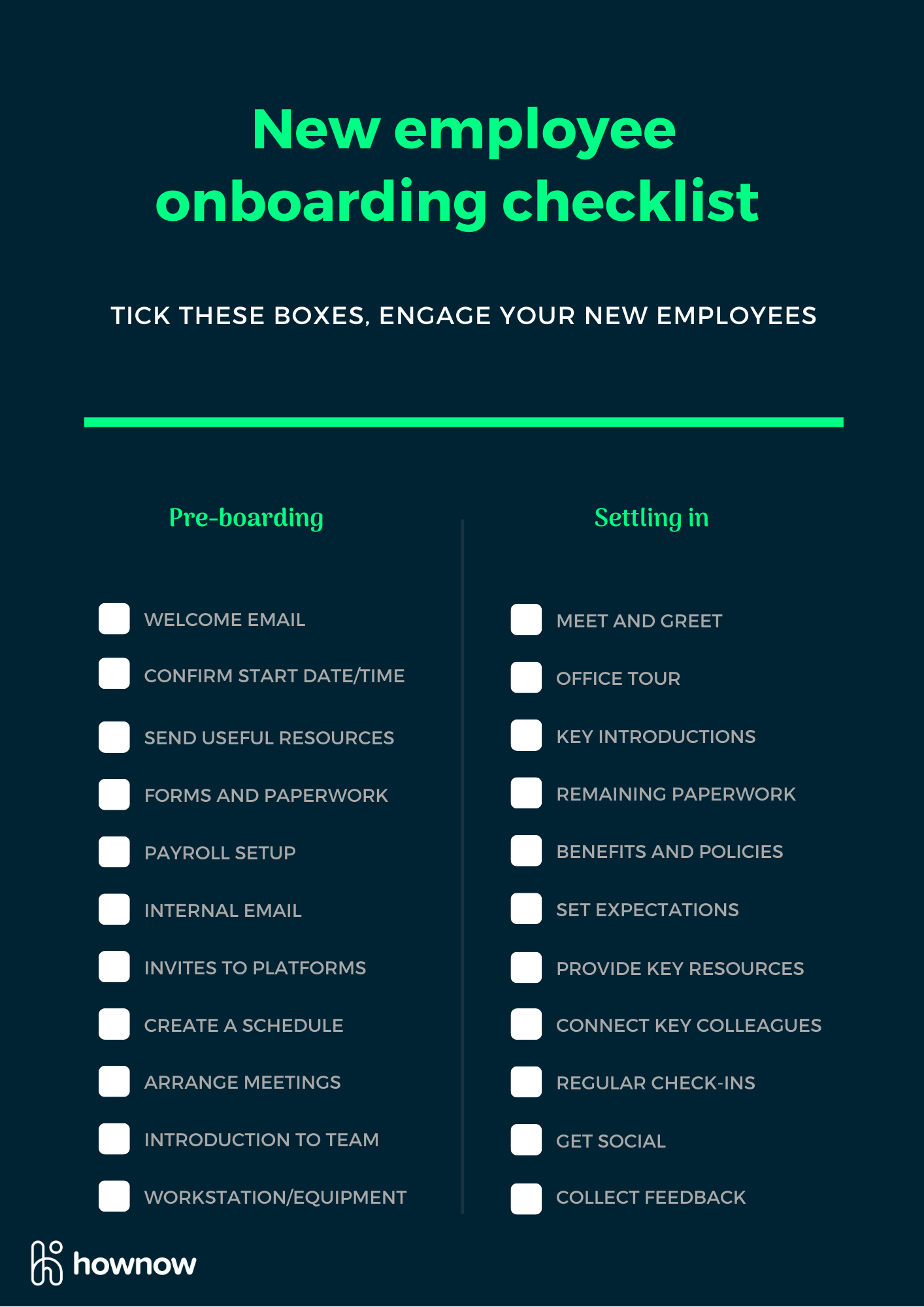

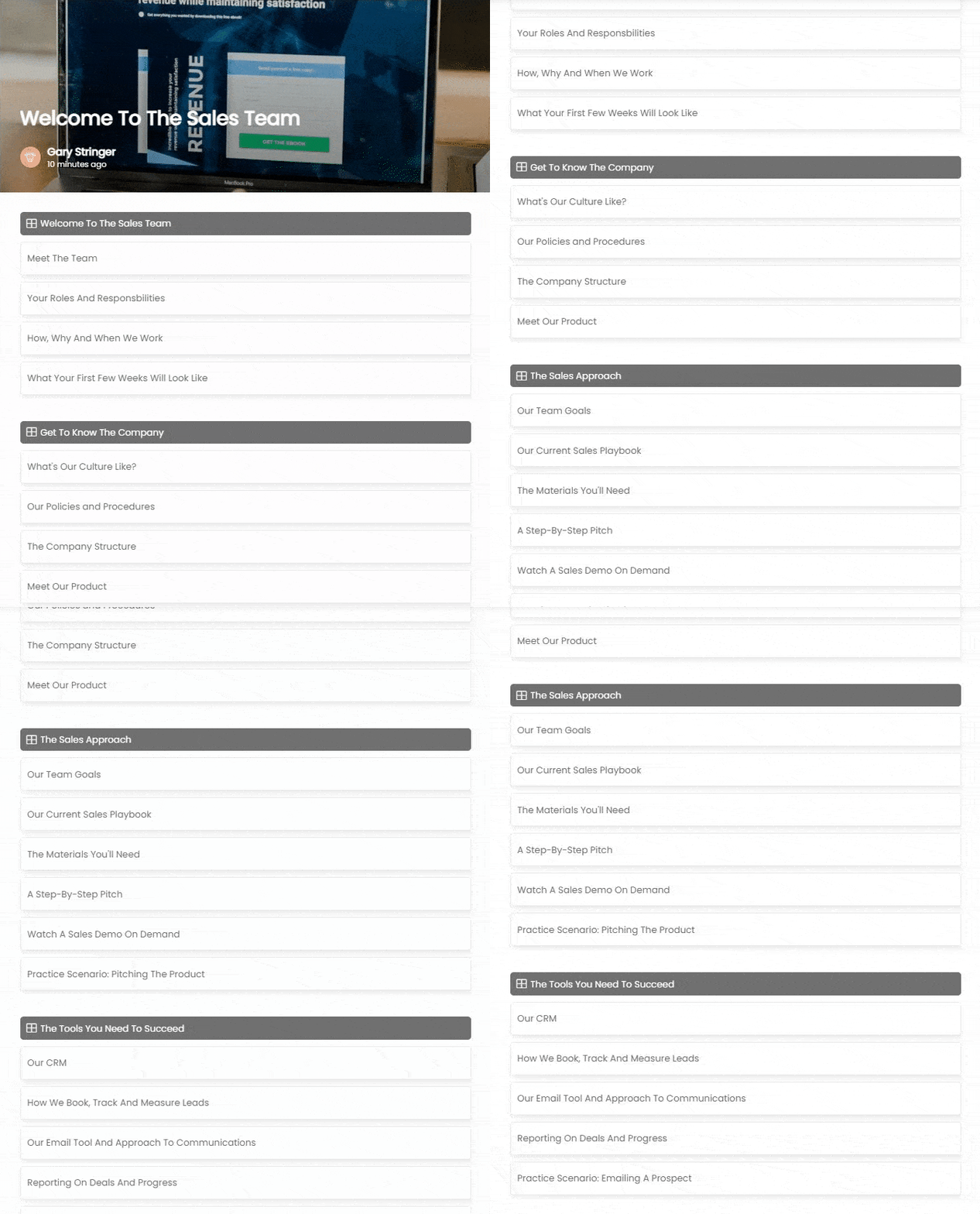

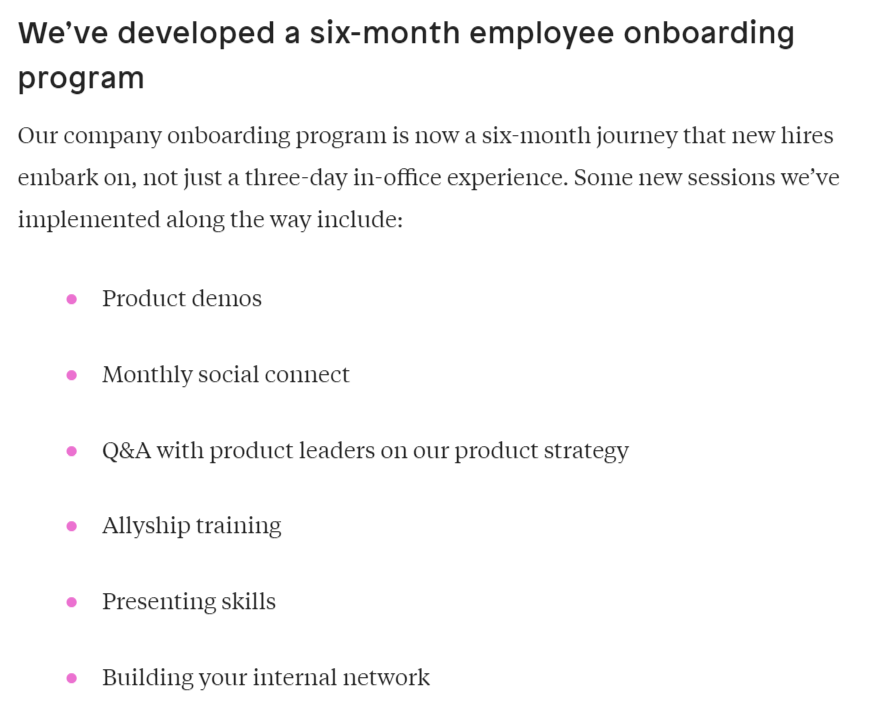


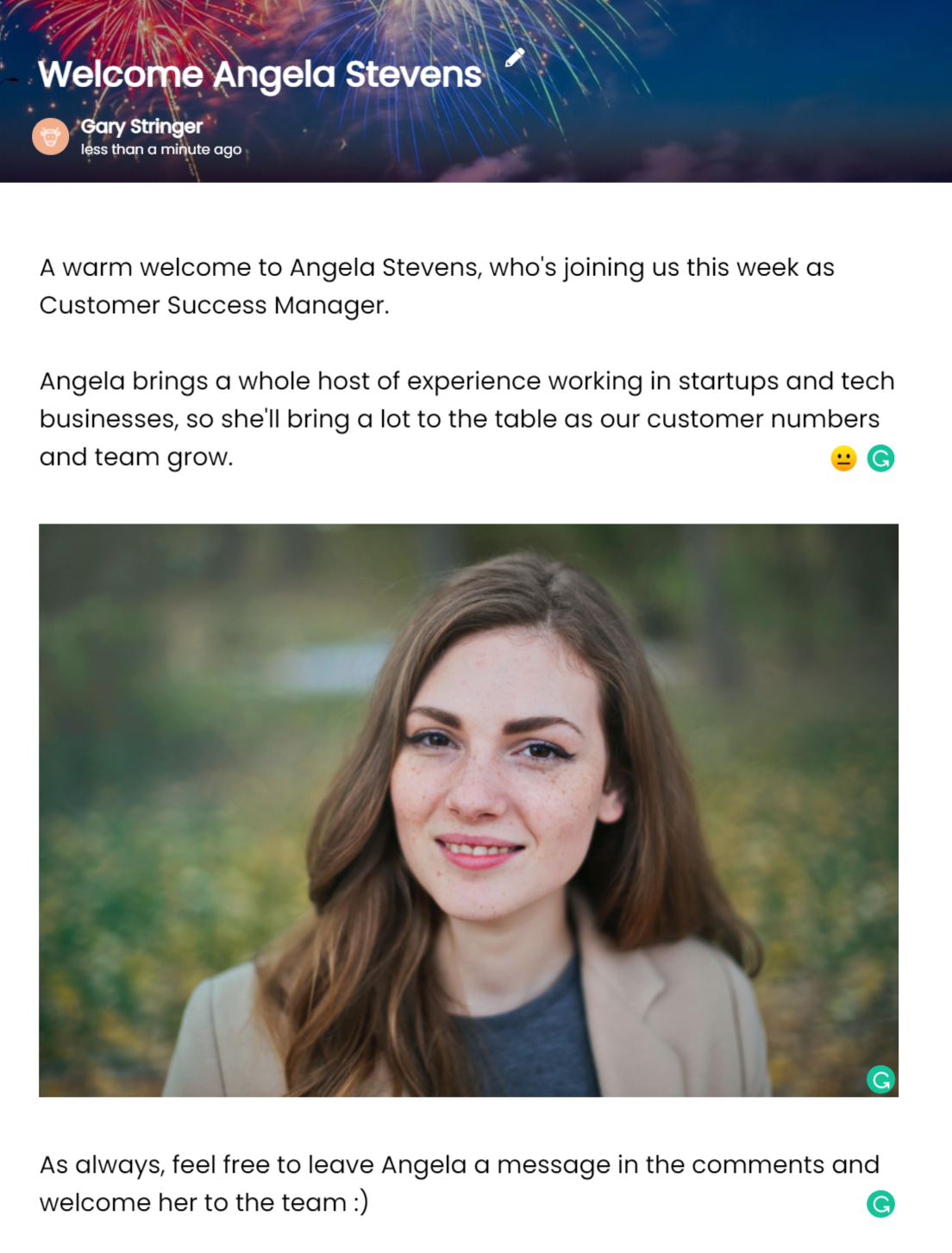

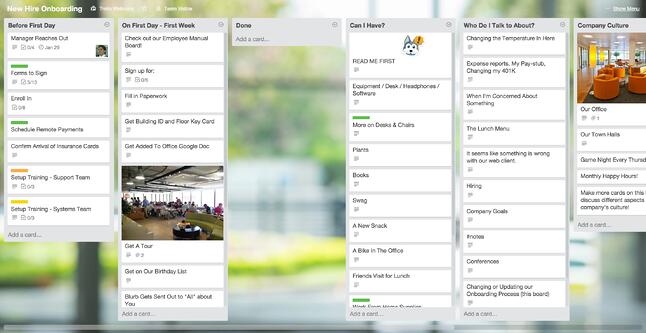
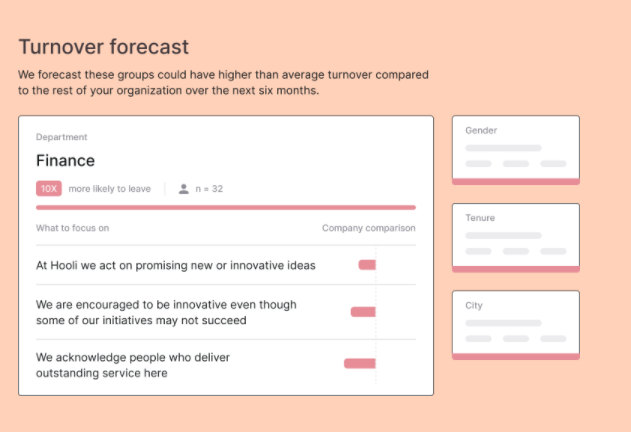
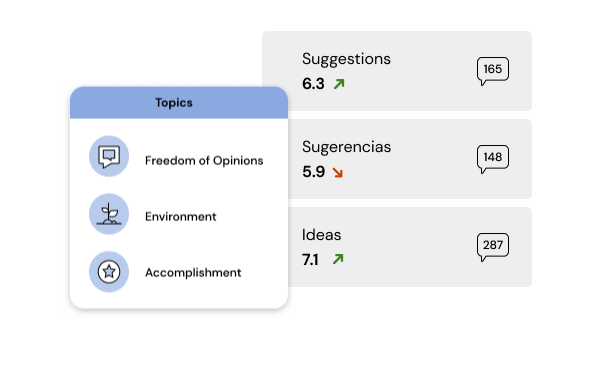


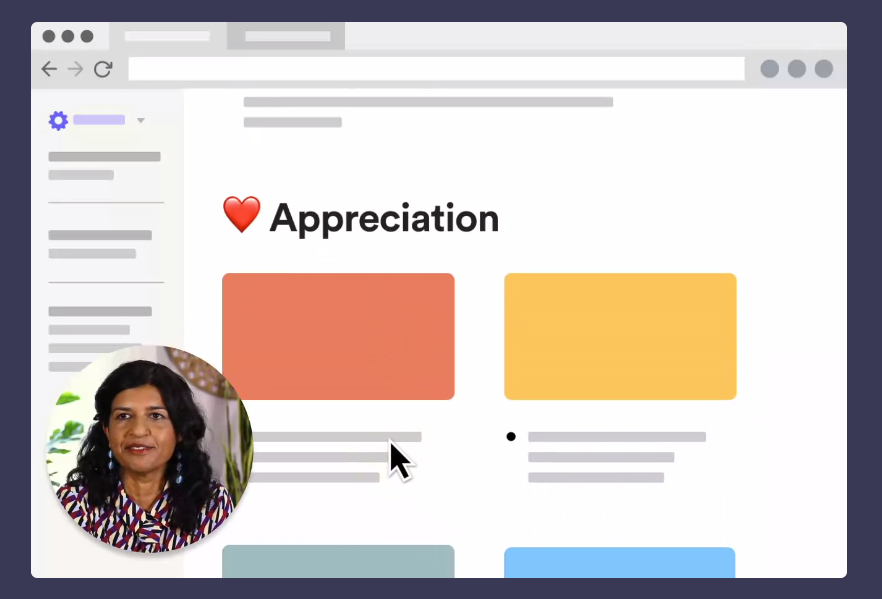
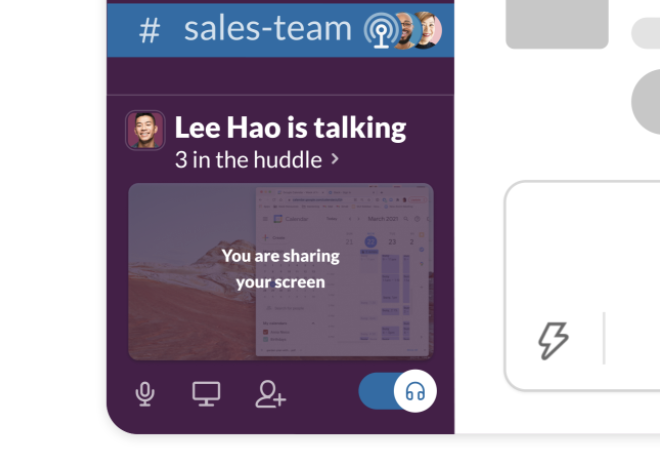
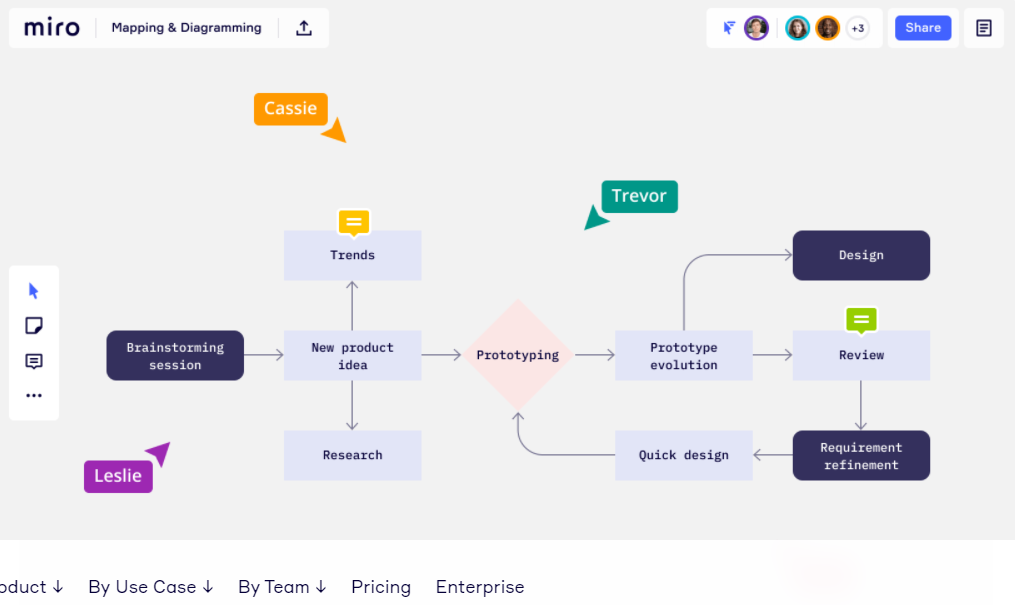
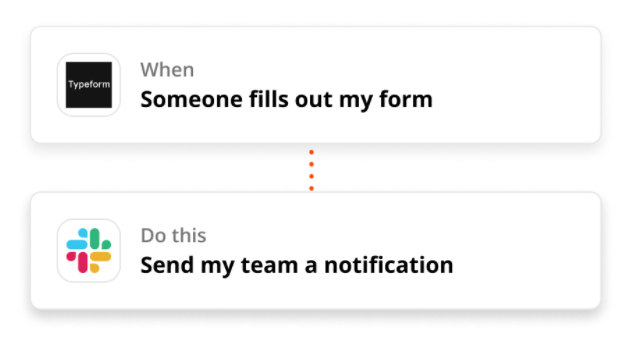
.webp)

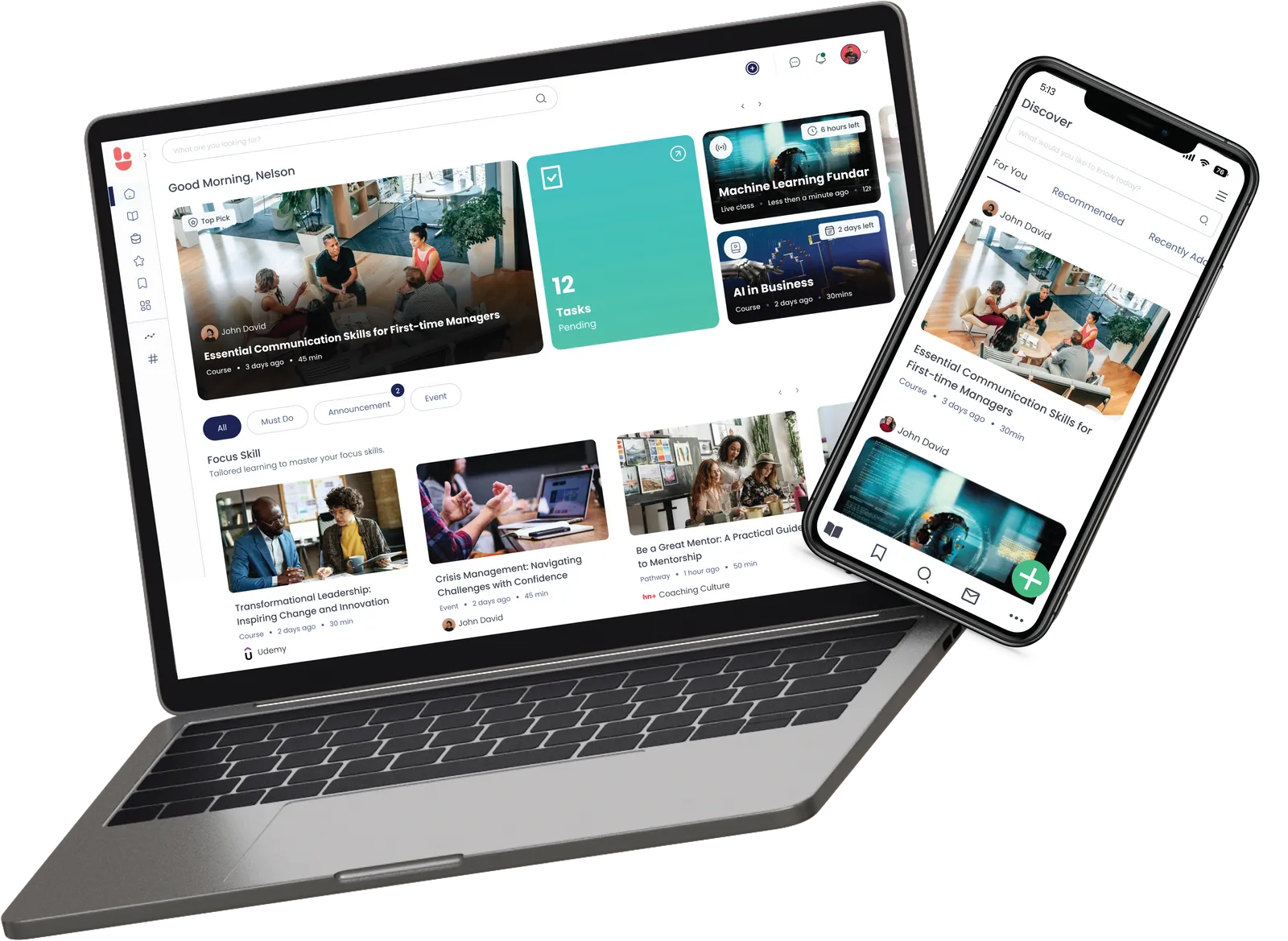
.webp)